AustraIia’s trusted refurbished computers since 2001 – Extra 10% off Red Tag deals

Affordable Tech! Laptops under $200

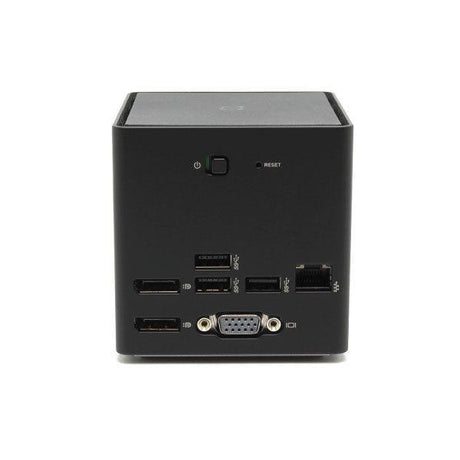
Alogic Alogic MX2 (DUPRMX2)Alogic MX2 USB-C Dual Monitor Dock 100W PD DP Alt Mode Docking Station

Excellent Grade · Fully tested · No visible marks
SKU: R-3880-EXC
4.75
★★★★★
712 reviews
12mo
Warranty
30day
Free returns
40+
Tech-tested checks
✓ Free AU shipping ✓ Pickup: Springvale VIC
Select Option
Sale price $75.00 Regular price $95.00

You save $20

or 4 interest-free payments of $18.75 with


Customize and Upgrade Your Device

Perks you get with every purchase

Warranty
If your item experiences a technical issue, we've got you covered—we'll either repair it or replace it for you!

30 days to change your mind
Feel free to return your item for any reason within the first 30 days of receiving it. It's that easy!

Free express shipping
Enjoy fast, free express shipping on all small items like laptops, tablets, and smartphones!

Customer support
Rest assured, we’ll always respond to you within 1 business day!

Frequently asked questions

What does the warranty cover?

Our warranty covers all hardware faults, but please note it doesn’t cover accidental damage or software issues. However, we’re here to help with technical support for those matters!

What is a refurbished device?

A refurbished device is a pre-owned item that has been restored to meet high-quality standards. At Reboot IT, we adhere to strict quality guidelines, ensuring that our refurbished products are not the same as used or secondhand items. We meticulously clean, test, and assess each device, replacing worn parts with high-quality components.

Unlike used items, which lack guarantees and rely solely on the seller's word regarding condition, refurbished devices come with assurance of quality and reliability.

What payment options are available?

We offer a variety of payment options to make your shopping experience as convenient as possible! You can pay using all major credit cards, Apple Pay, Google Pay, Shop Pay, Afterpay, Zip Pay, and PayPal. If you prefer, we also accept bank deposits and even cash for in-store purchases!

Safe & Secure

  • American Express
  • Apple Pay
  • Google Pay
  • Mastercard
  • PayPal
  • Shop Pay
  • Union Pay
  • Visa

We ensure secure processing of your payment information and do not retain or have access to your credit card details.

Description

Alogic MX2 — USB-C Dual Display Dock, 100W Power Delivery

The Alogic MX2 (DUPRMX2) is a USB-C docking station using DisplayPort Alt Mode to drive two displays with no drivers required, alongside 100W Power Delivery, Gigabit Ethernet, and USB-A peripherals from a single cable. Backed by a 12-month Reboot IT warranty.

Key Benefits

  • No drivers required: DisplayPort Alt Mode connects natively over USB-C, so displays work immediately without DisplayLink software — a real advantage on locked-down corporate machines.
  • 100W Power Delivery: Enough headroom to charge power-hungry 15 and 16-inch laptops at full rate while the dock drives displays and peripherals.
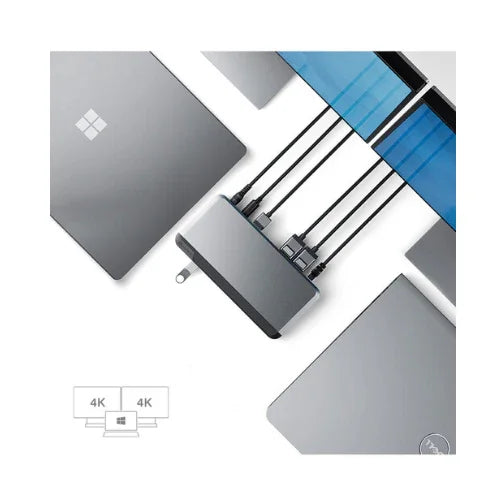
  • Dual display output: Two DisplayPort outputs run a dual-monitor workstation from one USB-C connection, with 4K at 60Hz supported.
  • Native video path: Because video travels the native DisplayPort path rather than being compressed over USB, playback stays smooth and latency low.
  • Gigabit Ethernet: Wired networking gives laptops without an Ethernet port a stable connection for video calls and large file transfers.
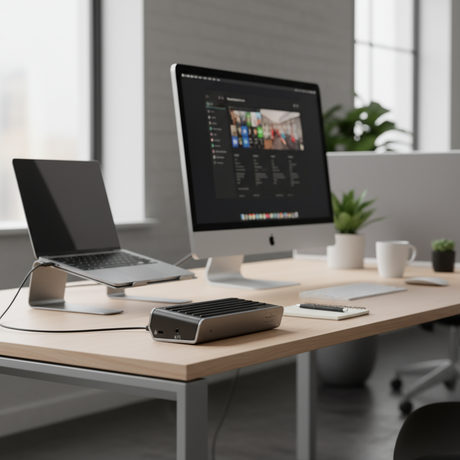
  • Compact and portable: Small enough to travel in a laptop bag while still serving as a fixed desk hub — one dock covers both roles.

Performance in Use

The MX2 belongs to the DP Alt Mode school of docking, and that is the reason to choose it over a DisplayLink alternative. Alt Mode carries video over the USB-C cable's native DisplayPort lanes, so there is no compression, no driver, and no CPU overhead. Displays simply appear when you plug in. On managed corporate laptops where installing DisplayLink software requires an IT request, that difference is often decisive.

The trade-off is host dependence: the laptop's USB-C port must itself support DisplayPort Alt Mode. Most business ultrabooks from the last several years do, but not every USB-C port does, and a machine without it will charge and pass data through this dock while producing no video. That is the single specification to confirm against your laptop before ordering.

At 100W, Power Delivery is the strongest in Alogic's dock range and matters for larger machines. A 65W dock will keep a 13-inch ultrabook topped up but can fall behind a 16-inch laptop under sustained load. The extra headroom here means the battery charges rather than merely holding steady while you work.

Technical Specifications

Specification Details
Model Alogic MX2 (DUPRMX2)
Technology DisplayPort Alt Mode — no drivers required
Host Connection USB-C (must support DP Alt Mode)
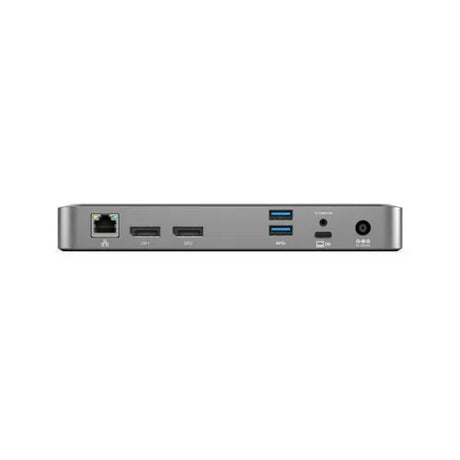
Video Outputs 2 x DisplayPort (4K at 60Hz)
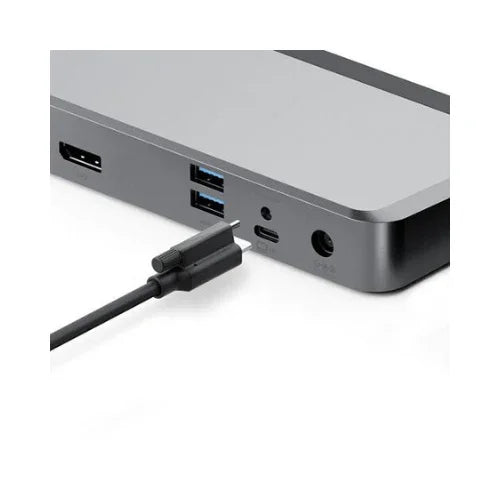
USB Ports 2 x USB-A 3.1 Gen 1 (5Gbps), 1 x USB-C data
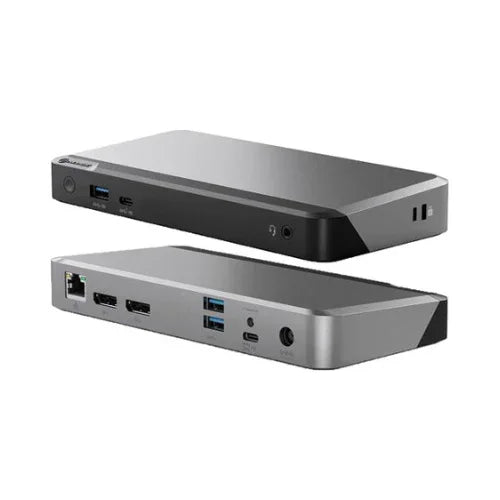
Network Gigabit Ethernet (RJ45)
Power Delivery 100W USB-C PD
Audio 3.5 mm combo jack
Warranty 12 months (Reboot IT)

Is It Right for You?

✓ Best For:
• Dual-monitor desks needing driver-free operation
• Managed corporate laptops where software installation is restricted
• Larger laptops needing full-rate 100W charging
• Users prioritising smooth video playback over docked displays
• Travelling users wanting one dock for desk and road
✗ Not For:
• Laptops whose USB-C port does not support DP Alt Mode
• USB-A only machines with no USB-C port
• Three or more simultaneous displays
• HDMI output without a DisplayPort adapter
• Thunderbolt-native workflows needing full PCIe bandwidth

Condition Grades

Grade Cosmetic Condition Functional Testing
A — Excellent Minimal marks, near-new appearance Both display outputs, Ethernet, USB ports, and 100W power delivery verified
B — Good Light wear from normal use, fully functional Both display outputs, Ethernet, USB ports, and 100W power delivery verified

Frequently Asked Questions

Does the MX2 need drivers?

No. The MX2 uses DisplayPort Alt Mode and connects natively over USB-C with no DisplayLink or other software required. Your laptop's USB-C port must support DP Alt Mode.

How do I know if my laptop supports DP Alt Mode?

Most business ultrabooks from recent years do, and the port is often marked with a DisplayPort or Thunderbolt symbol. Check your laptop specifications before ordering, as a port without Alt Mode will charge and pass data but produce no video.

Can it run two 4K monitors?

Yes. Both DisplayPort outputs support 4K at 60Hz for a full dual 4K workspace from one USB-C cable.

Will 100W charge my laptop?

100W covers the great majority of USB-C laptops including larger 15 and 16-inch models. Very high-draw mobile workstations may charge more slowly under full load.

What is the difference between the MX2 and the DX2?

The MX2 uses DisplayPort Alt Mode (no drivers, USB-C host required). The DX2 uses DisplayLink, which needs drivers but works with USB-A hosts as well as USB-C.

Is a power adapter included?

Accessory inclusion varies between refurbished units. Contact us before ordering if you need the power adapter confirmed for your order.

What are the shipping options?

Free standard shipping across Australia.

Warranty & Support

Every Alogic MX2 sold by Reboot IT includes a 12-month warranty covering hardware defects and functional failure from the date of purchase.

Reboot IT has been Australia's trusted refurbished IT specialist since 2001. Every unit is tested before dispatch — both display outputs, Ethernet, USB ports, and power delivery are confirmed working. Free standard shipping across Australia. Melbourne-based support at reboot-it.com.au.

Specifications

  • Model
    Alogic MX2 (DUPRMX2)
  • Video Inputs
    HDMI, DisplayPort
  • Colour
    Space Gray
  • Warranty
    1-year

What's in the box

  • Alogic - Alogic MX2 (DUPRMX2)
  • Tax invoice

Why the Alogic MX2 (DUPRMX2)?

The Alogic MX2 DUPRMX2 is a DisplayPort Alt Mode USB-C dock delivering dual monitor support, 100W Power Delivery, Gigabit Ethernet, and USB 3.0 from a single cable. No drivers required — connects natively over USB-C. Ideal for home office and corporate desk setups requiring dual 4K display output without display adapters.

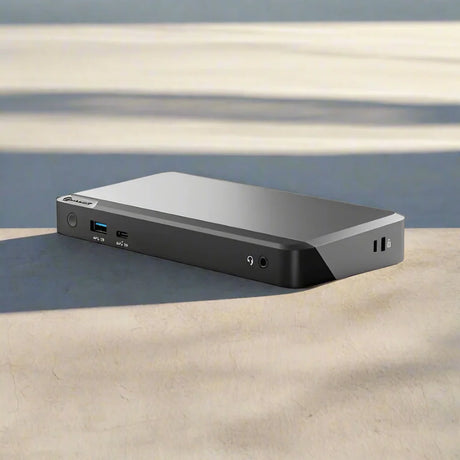
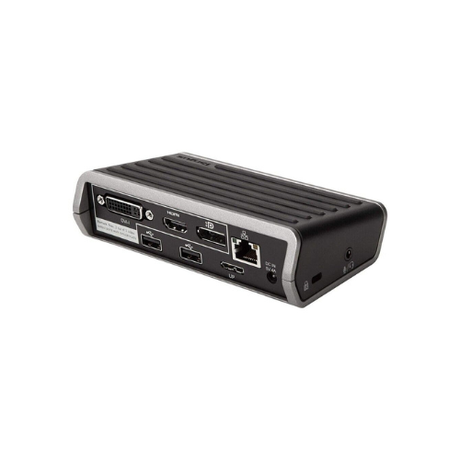
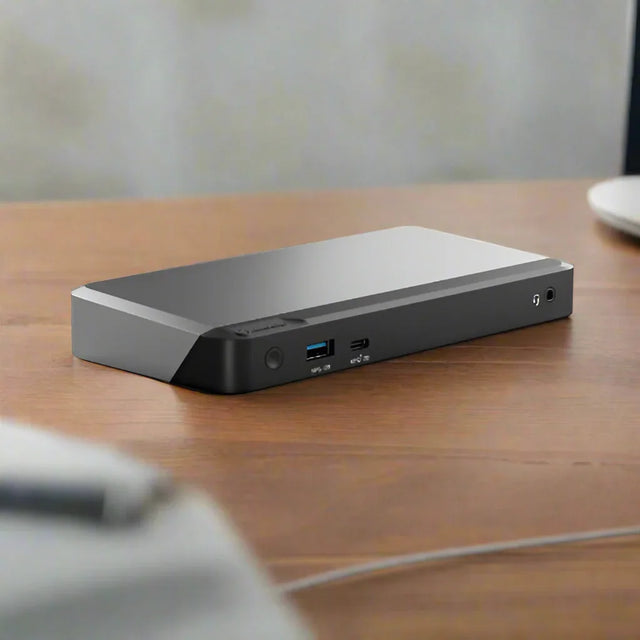
An ALOGIC MX2 DUPRMX2 USB-C Dual Display Docking Station (DP Alt Mode, 100W PD, Adapter Included) sits on a wooden desk, displaying multiple front ports including USB and headphone jacks; the background is blurred.

Dual Monitor Setup

Two DisplayPort 1.4 outputs support dual monitors at 4K@60Hz simultaneously — true dual-screen productivity from one USB-C cable.

No Drivers Required

DisplayPort Alt Mode connects natively over USB-C — no DisplayLink drivers needed for smooth, low-latency 4K video output.

100W Power Delivery

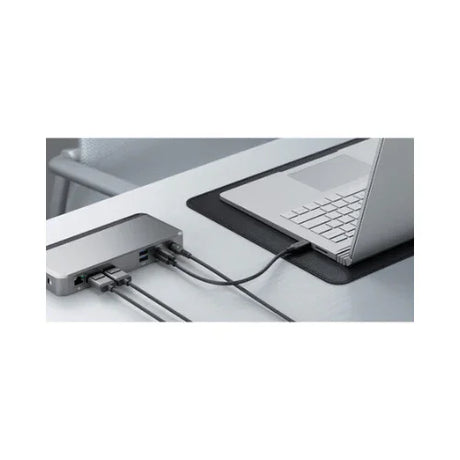
100W USB-C PD charges most laptops at full speed while docked — one cable handles video, data, networking, and charging simultaneously.

Complete connectivity

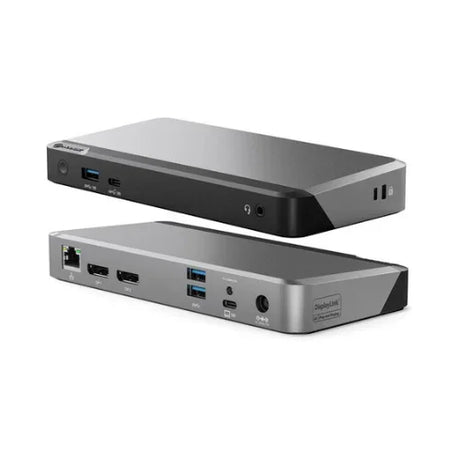
Multiple ports including Ethernet, USB 3.0, audio, and display connections.

Dual Monitor Setup

Two DisplayPort 1.4 outputs support dual monitors at 4K@60Hz simultaneously — true dual-screen productivity from one USB-C cable.

No Drivers Required

DisplayPort Alt Mode connects natively over USB-C — no DisplayLink drivers needed for smooth, low-latency 4K video output.

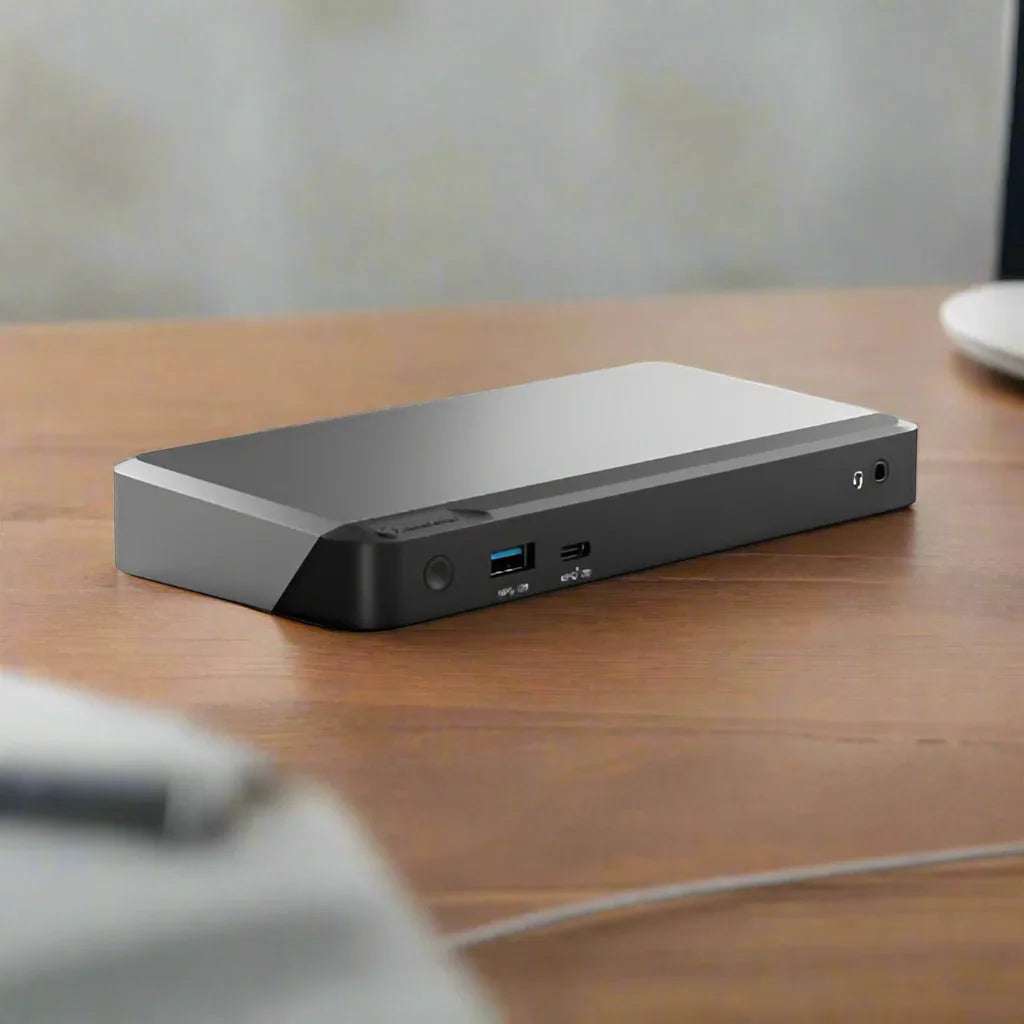
An ALOGIC MX2 DUPRMX2 USB-C Dual Display Docking Station (DP Alt Mode, 100W PD, Adapter Included) sits on a wooden desk, displaying multiple front ports including USB and headphone jacks; the background is blurred.

100W Power Delivery

100W USB-C PD charges most laptops at full speed while docked — one cable handles video, data, networking, and charging simultaneously.

Complete connectivity

Multiple ports including Ethernet, USB 3.0, audio, and display connections.

Still undecided? Ask our experts.

Similar Products

Hot Laptop Docking Stations

How Reboot IT Revitalises and Certifies Refurbished Equipment

Learn more
  • Device Arrival

    We carefully source certified refurbished computers from trusted corporate, government, and education sectors, giving each device a fresh start and new purpose.

  • Secure Data Wipe

    To protect your privacy, all previous data is securely and thoroughly erased from every tested refurbished device before it reaches you.
  • Comprehensive Testing

    Each certified refurbished computer undergoes detailed testing with specialized software to ensure full functionality, and any worn or faulty components are replaced exclusively with original parts, guaranteeing reliable, long-lasting performance for your tested refurbished device.

  • Cleaning & Grading

    Every computer is professionally cleaned and carefully graded, so you know exactly what condition your certified refurbished computer is in—giving you full confidence in your purchase.

WELCOME TO REBOOT IT

Australia's number one source for Refurbished Desktops, Laptops, Monitors and more.

Since 2001, Reboot IT has been Australia’s trusted source for certified refurbished computers and IT hardware. Every device is rigorously tested and professionally refurbished to deliver reliable, like-new performance — all at a fraction of the cost of new equipment. With over 100,000 satisfied customers, we combine expert quality with unbeatable value. Shop with confidence knowing your refurbished device comes backed by warranty and supports sustainable tech reuse.

> Learn more

  • IBM Business partner
  • We are an IBM authorized reseller for refurbished computer and IT hardware, tested by professional and guaranteed to perform like new.