
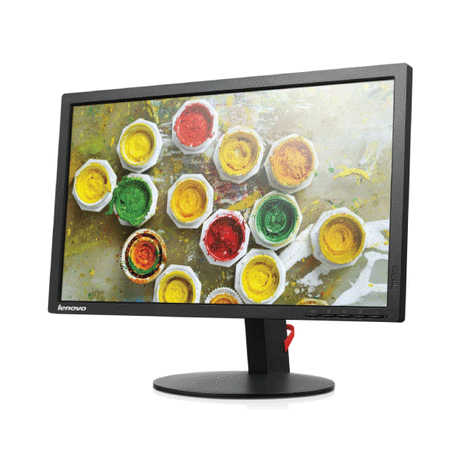
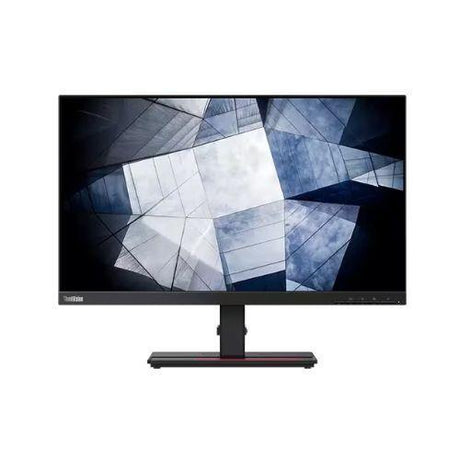
Refurbished Lenovo Monitors
- No standUp to 48% offSold out$55Was
$105Condition gradesExcellent — virtually like new. Minimal signs of use.
Good — fully functional, with light signs of use such as minor marks on the casing.
Every monitor is fully tested before dispatch — the grade describes appearance only.
Full grading guide →- 23" · Full HD
- IPS screen · vivid colour
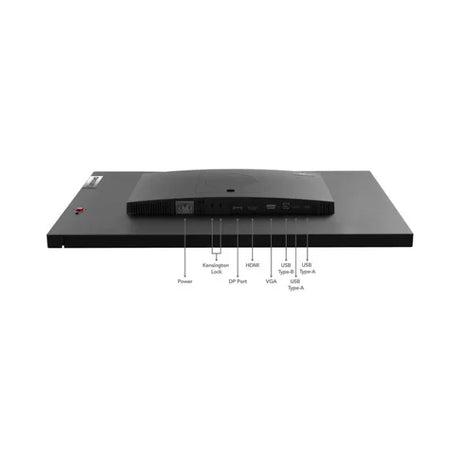
- Ports: HDMI · DP · VGA
- No stand – mount only
Monitor terms explained- Full HD / QHD
- How sharp the picture is. Full HD (1920×1080) is the everyday standard; QHD (2560×1440) is noticeably sharper.
- IPS, VA or TN screen
- IPS: best colour and viewing angles. VA: deep blacks and strong contrast. TN: a basic screen that is perfectly fine for office work.
- Ports — which cable?
- Match one to your computer. HDMI: most laptops, PCs and TVs. DP (DisplayPort): desktops and business laptops. USB-C: newer laptops — one cable for picture and power. DVI / VGA: older PCs. Adapters are available if your computer is different.
- Wall/arm mount (VESA)
- Standard screw holes on the back that fit a wall bracket or monitor arm. Monitors sold with "No stand" need one of these, or a separate stand.
Very low stock (1 unit) -
- Up to 48% off$75$55Was
$105Condition gradesExcellent — virtually like new. Minimal signs of use.
Good — fully functional, with light signs of use such as minor marks on the casing.
Every monitor is fully tested before dispatch — the grade describes appearance only.
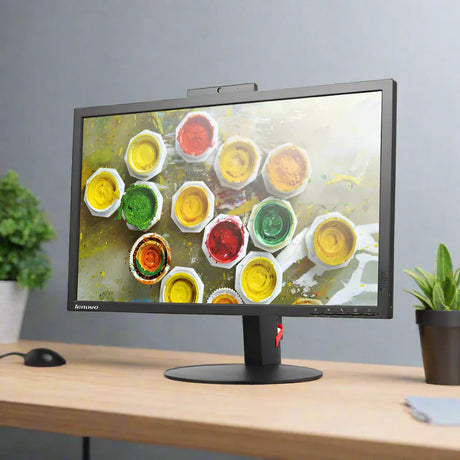
Full grading guide →- 23" · Full HD
- IPS screen · vivid colour
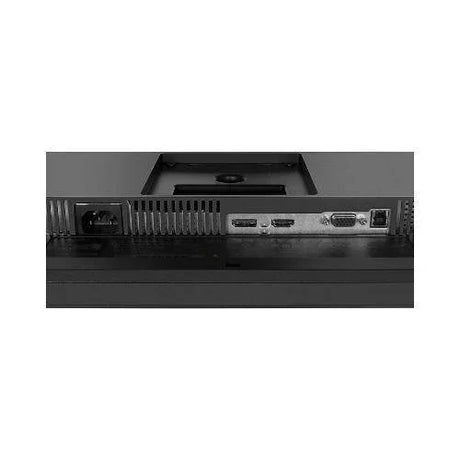
- Ports: HDMI · DP · VGA
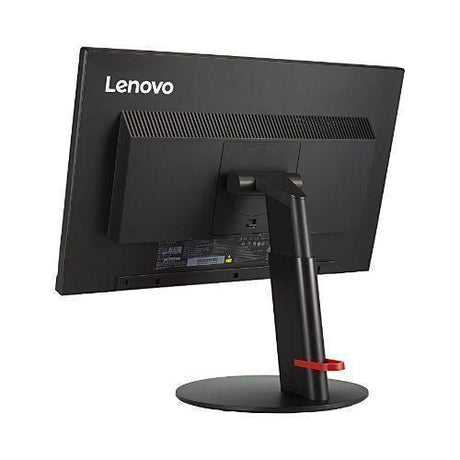
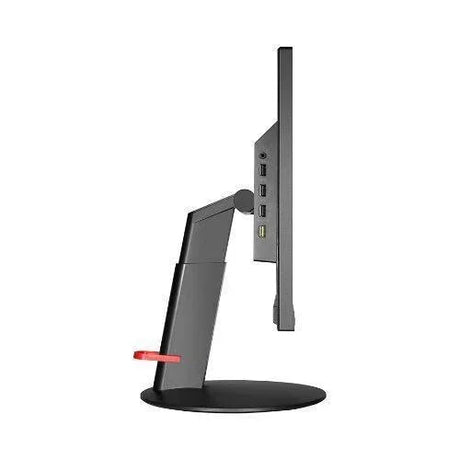
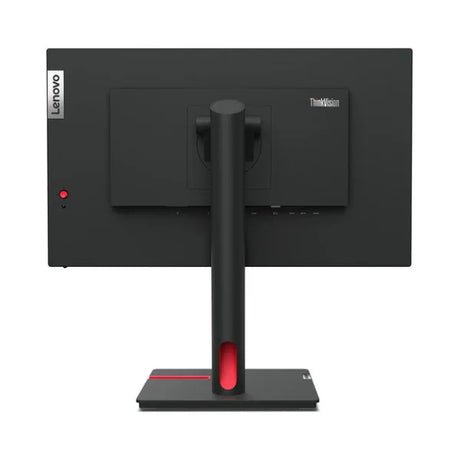
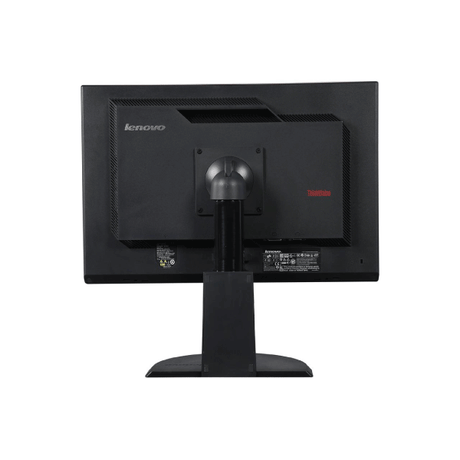
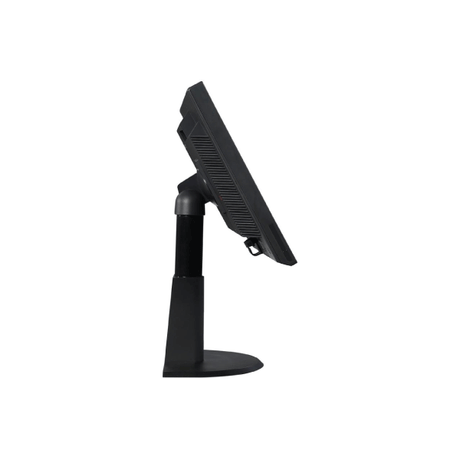
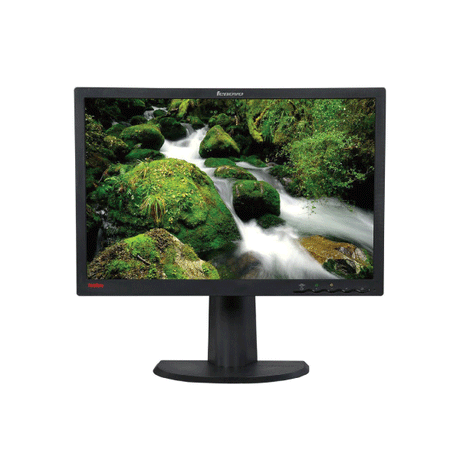
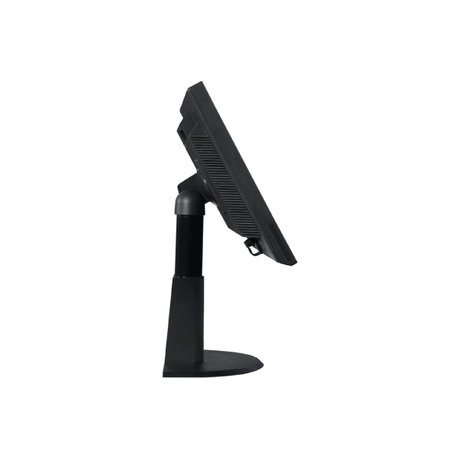
- Height-adjust stand
Monitor terms explained- Full HD / QHD
- How sharp the picture is. Full HD (1920×1080) is the everyday standard; QHD (2560×1440) is noticeably sharper.
- IPS, VA or TN screen
- IPS: best colour and viewing angles. VA: deep blacks and strong contrast. TN: a basic screen that is perfectly fine for office work.
- Ports — which cable?
- Match one to your computer. HDMI: most laptops, PCs and TVs. DP (DisplayPort): desktops and business laptops. USB-C: newer laptops — one cable for picture and power. DVI / VGA: older PCs. Adapters are available if your computer is different.
- Wall/arm mount (VESA)
- Standard screw holes on the back that fit a wall bracket or monitor arm. Monitors sold with "No stand" need one of these, or a separate stand.
Low stock (12 units) -
- No standUp to 34% offSold out$109Was
$165Condition gradesExcellent — virtually like new. Minimal signs of use.
Good — fully functional, with light signs of use such as minor marks on the casing.
Every monitor is fully tested before dispatch — the grade describes appearance only.
Full grading guide →- 24" · QHD 1440p
- IPS screen · vivid colour
- Ports: USB-C · HDMI · DP
- No stand – mount only
Monitor terms explained- Full HD / QHD
- How sharp the picture is. Full HD (1920×1080) is the everyday standard; QHD (2560×1440) is noticeably sharper.
- IPS, VA or TN screen
- IPS: best colour and viewing angles. VA: deep blacks and strong contrast. TN: a basic screen that is perfectly fine for office work.
- Ports — which cable?
- Match one to your computer. HDMI: most laptops, PCs and TVs. DP (DisplayPort): desktops and business laptops. USB-C: newer laptops — one cable for picture and power. DVI / VGA: older PCs. Adapters are available if your computer is different.
- Wall/arm mount (VESA)
- Standard screw holes on the back that fit a wall bracket or monitor arm. Monitors sold with "No stand" need one of these, or a separate stand.
Very low stock (1 unit) -
- No standUp to 38% off$119$99Was
$159Condition gradesExcellent — virtually like new. Minimal signs of use.
Good — fully functional, with light signs of use such as minor marks on the casing.
Every monitor is fully tested before dispatch — the grade describes appearance only.
Full grading guide →- 24" · QHD 1440p
- IPS screen · vivid colour
- Ports: USB-C · HDMI · DP
- No stand – mount only
Monitor terms explained- Full HD / QHD
- How sharp the picture is. Full HD (1920×1080) is the everyday standard; QHD (2560×1440) is noticeably sharper.
- IPS, VA or TN screen
- IPS: best colour and viewing angles. VA: deep blacks and strong contrast. TN: a basic screen that is perfectly fine for office work.
- Ports — which cable?
- Match one to your computer. HDMI: most laptops, PCs and TVs. DP (DisplayPort): desktops and business laptops. USB-C: newer laptops — one cable for picture and power. DVI / VGA: older PCs. Adapters are available if your computer is different.
- Wall/arm mount (VESA)
- Standard screw holes on the back that fit a wall bracket or monitor arm. Monitors sold with "No stand" need one of these, or a separate stand.
In stock (184 units) -
- Up to 45% off$89$69Was
$125Condition gradesExcellent — virtually like new. Minimal signs of use.
Good — fully functional, with light signs of use such as minor marks on the casing.
Every monitor is fully tested before dispatch — the grade describes appearance only.
Full grading guide →- 23" · Full HD
- IPS screen · vivid colour
- Ports: VGA · HDMI · DP
- Height-adjust stand
Monitor terms explained- Full HD / QHD
- How sharp the picture is. Full HD (1920×1080) is the everyday standard; QHD (2560×1440) is noticeably sharper.
- IPS, VA or TN screen
- IPS: best colour and viewing angles. VA: deep blacks and strong contrast. TN: a basic screen that is perfectly fine for office work.
- Ports — which cable?
- Match one to your computer. HDMI: most laptops, PCs and TVs. DP (DisplayPort): desktops and business laptops. USB-C: newer laptops — one cable for picture and power. DVI / VGA: older PCs. Adapters are available if your computer is different.
- Wall/arm mount (VESA)
- Standard screw holes on the back that fit a wall bracket or monitor arm. Monitors sold with "No stand" need one of these, or a separate stand.
In stock (32 units) -
- No standUp to 43% off$59$45Was
$79Condition gradesExcellent — virtually like new. Minimal signs of use.
Good — fully functional, with light signs of use such as minor marks on the casing.
Every monitor is fully tested before dispatch — the grade describes appearance only.
Full grading guide →- 23" · Full HD
- TN screen · basic
- Ports: DVI · VGA
- No stand – mount only
Monitor terms explained- Full HD / QHD
- How sharp the picture is. Full HD (1920×1080) is the everyday standard; QHD (2560×1440) is noticeably sharper.
- IPS, VA or TN screen
- IPS: best colour and viewing angles. VA: deep blacks and strong contrast. TN: a basic screen that is perfectly fine for office work.
- Ports — which cable?
- Match one to your computer. HDMI: most laptops, PCs and TVs. DP (DisplayPort): desktops and business laptops. USB-C: newer laptops — one cable for picture and power. DVI / VGA: older PCs. Adapters are available if your computer is different.
- Wall/arm mount (VESA)
- Standard screw holes on the back that fit a wall bracket or monitor arm. Monitors sold with "No stand" need one of these, or a separate stand.
Very low stock (2 units) -
- No standUp to 40% offSold out$89Was
$149Condition gradesExcellent — virtually like new. Minimal signs of use.
Good — fully functional, with light signs of use such as minor marks on the casing.
Every monitor is fully tested before dispatch — the grade describes appearance only.
Full grading guide →- 24" · Full HD
- IPS screen · vivid colour
- Ports: HDMI · DP · VGA
- No stand – mount only
Monitor terms explained- Full HD / QHD
- How sharp the picture is. Full HD (1920×1080) is the everyday standard; QHD (2560×1440) is noticeably sharper.
- IPS, VA or TN screen
- IPS: best colour and viewing angles. VA: deep blacks and strong contrast. TN: a basic screen that is perfectly fine for office work.
- Ports — which cable?
- Match one to your computer. HDMI: most laptops, PCs and TVs. DP (DisplayPort): desktops and business laptops. USB-C: newer laptops — one cable for picture and power. DVI / VGA: older PCs. Adapters are available if your computer is different.
- Wall/arm mount (VESA)
- Standard screw holes on the back that fit a wall bracket or monitor arm. Monitors sold with "No stand" need one of these, or a separate stand.
Very low stock (1 unit) -
- No standUp to 36% off$129Sold outWas
$169Condition gradesExcellent — virtually like new. Minimal signs of use.
Good — fully functional, with light signs of use such as minor marks on the casing.
Every monitor is fully tested before dispatch — the grade describes appearance only.
Full grading guide →- 23" · Full HD
- IPS screen · vivid colour
- Ports: HDMI · DP · VGA
- No stand – mount only
Monitor terms explained- Full HD / QHD
- How sharp the picture is. Full HD (1920×1080) is the everyday standard; QHD (2560×1440) is noticeably sharper.
- IPS, VA or TN screen
- IPS: best colour and viewing angles. VA: deep blacks and strong contrast. TN: a basic screen that is perfectly fine for office work.
- Ports — which cable?
- Match one to your computer. HDMI: most laptops, PCs and TVs. DP (DisplayPort): desktops and business laptops. USB-C: newer laptops — one cable for picture and power. DVI / VGA: older PCs. Adapters are available if your computer is different.
- Wall/arm mount (VESA)
- Standard screw holes on the back that fit a wall bracket or monitor arm. Monitors sold with "No stand" need one of these, or a separate stand.
Very low stock (2 units) -
- Up to 38% off$159Sold outWas
$209Condition gradesExcellent — virtually like new. Minimal signs of use.
Good — fully functional, with light signs of use such as minor marks on the casing.
Every monitor is fully tested before dispatch — the grade describes appearance only.
Full grading guide →- 23" · Full HD
- IPS screen · vivid colour
- Ports: HDMI · DP · VGA
- Height-adjust stand
Monitor terms explained- Full HD / QHD
- How sharp the picture is. Full HD (1920×1080) is the everyday standard; QHD (2560×1440) is noticeably sharper.
- IPS, VA or TN screen
- IPS: best colour and viewing angles. VA: deep blacks and strong contrast. TN: a basic screen that is perfectly fine for office work.
- Ports — which cable?
- Match one to your computer. HDMI: most laptops, PCs and TVs. DP (DisplayPort): desktops and business laptops. USB-C: newer laptops — one cable for picture and power. DVI / VGA: older PCs. Adapters are available if your computer is different.
- Wall/arm mount (VESA)
- Standard screw holes on the back that fit a wall bracket or monitor arm. Monitors sold with "No stand" need one of these, or a separate stand.
Very low stock (2 units) -
- No standUp to 51% offSold out$39Was
$79Condition gradesExcellent — virtually like new. Minimal signs of use.
Good — fully functional, with light signs of use such as minor marks on the casing.
Every monitor is fully tested before dispatch — the grade describes appearance only.
Full grading guide →- 23" · Full HD
- IPS screen · vivid colour
- Ports: HDMI · DP · VGA
- No stand – mount only
Monitor terms explained- Full HD / QHD
- How sharp the picture is. Full HD (1920×1080) is the everyday standard; QHD (2560×1440) is noticeably sharper.
- IPS, VA or TN screen
- IPS: best colour and viewing angles. VA: deep blacks and strong contrast. TN: a basic screen that is perfectly fine for office work.
- Ports — which cable?
- Match one to your computer. HDMI: most laptops, PCs and TVs. DP (DisplayPort): desktops and business laptops. USB-C: newer laptops — one cable for picture and power. DVI / VGA: older PCs. Adapters are available if your computer is different.
- Wall/arm mount (VESA)
- Standard screw holes on the back that fit a wall bracket or monitor arm. Monitors sold with "No stand" need one of these, or a separate stand.
In stock (43 units) -
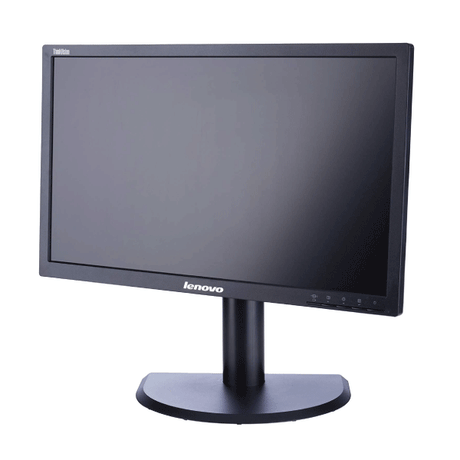 No standUp to 43% off$59$45Was
$79Condition gradesExcellent — virtually like new. Minimal signs of use.
Good — fully functional, with light signs of use such as minor marks on the casing.
Every monitor is fully tested before dispatch — the grade describes appearance only.
Full grading guide →- 23" · Full HD
- IPS screen · vivid colour
- Ports: DP · DVI · VGA
- No stand – mount only
Monitor terms explained- Full HD / QHD
- How sharp the picture is. Full HD (1920×1080) is the everyday standard; QHD (2560×1440) is noticeably sharper.
- IPS, VA or TN screen
- IPS: best colour and viewing angles. VA: deep blacks and strong contrast. TN: a basic screen that is perfectly fine for office work.
- Ports — which cable?
- Match one to your computer. HDMI: most laptops, PCs and TVs. DP (DisplayPort): desktops and business laptops. USB-C: newer laptops — one cable for picture and power. DVI / VGA: older PCs. Adapters are available if your computer is different.
- Wall/arm mount (VESA)
- Standard screw holes on the back that fit a wall bracket or monitor arm. Monitors sold with "No stand" need one of these, or a separate stand.
Very low stock (2 units)- Up to 32% off$139$125Was
$185Condition gradesExcellent — virtually like new. Minimal signs of use.
Good — fully functional, with light signs of use such as minor marks on the casing.
Every monitor is fully tested before dispatch — the grade describes appearance only.
Full grading guide →- 24" · QHD 1440p
- IPS screen · vivid colour
- Ports: USB-C · HDMI · DP
- Height-adjust stand
Monitor terms explained- Full HD / QHD
- How sharp the picture is. Full HD (1920×1080) is the everyday standard; QHD (2560×1440) is noticeably sharper.
- IPS, VA or TN screen
- IPS: best colour and viewing angles. VA: deep blacks and strong contrast. TN: a basic screen that is perfectly fine for office work.
- Ports — which cable?
- Match one to your computer. HDMI: most laptops, PCs and TVs. DP (DisplayPort): desktops and business laptops. USB-C: newer laptops — one cable for picture and power. DVI / VGA: older PCs. Adapters are available if your computer is different.
- Wall/arm mount (VESA)
- Standard screw holes on the back that fit a wall bracket or monitor arm. Monitors sold with "No stand" need one of these, or a separate stand.
In stock (95 units) -
- No standUp to 34% offSold out$99Was
$149Condition gradesExcellent — virtually like new. Minimal signs of use.
Good — fully functional, with light signs of use such as minor marks on the casing.
Every monitor is fully tested before dispatch — the grade describes appearance only.
Full grading guide →- 23" · Full HD
- TN screen · basic
- Ports: DP · VGA
- No stand – mount only
Monitor terms explained- Full HD / QHD
- How sharp the picture is. Full HD (1920×1080) is the everyday standard; QHD (2560×1440) is noticeably sharper.
- IPS, VA or TN screen
- IPS: best colour and viewing angles. VA: deep blacks and strong contrast. TN: a basic screen that is perfectly fine for office work.
- Ports — which cable?
- Match one to your computer. HDMI: most laptops, PCs and TVs. DP (DisplayPort): desktops and business laptops. USB-C: newer laptops — one cable for picture and power. DVI / VGA: older PCs. Adapters are available if your computer is different.
- Wall/arm mount (VESA)
- Standard screw holes on the back that fit a wall bracket or monitor arm. Monitors sold with "No stand" need one of these, or a separate stand.
Very low stock (1 unit) -
- No standUp to 49% offSold out$35Was
$69Condition gradesExcellent — virtually like new. Minimal signs of use.
Good — fully functional, with light signs of use such as minor marks on the casing.
Every monitor is fully tested before dispatch — the grade describes appearance only.
Full grading guide →- 22" · 1680x1050
- TN screen · basic
- Ports: DVI · VGA
- No stand – mount only
Monitor terms explained- Full HD / QHD
- How sharp the picture is. Full HD (1920×1080) is the everyday standard; QHD (2560×1440) is noticeably sharper.
- IPS, VA or TN screen
- IPS: best colour and viewing angles. VA: deep blacks and strong contrast. TN: a basic screen that is perfectly fine for office work.
- Ports — which cable?
- Match one to your computer. HDMI: most laptops, PCs and TVs. DP (DisplayPort): desktops and business laptops. USB-C: newer laptops — one cable for picture and power. DVI / VGA: older PCs. Adapters are available if your computer is different.
- Wall/arm mount (VESA)
- Standard screw holes on the back that fit a wall bracket or monitor arm. Monitors sold with "No stand" need one of these, or a separate stand.
Very low stock (2 units) -






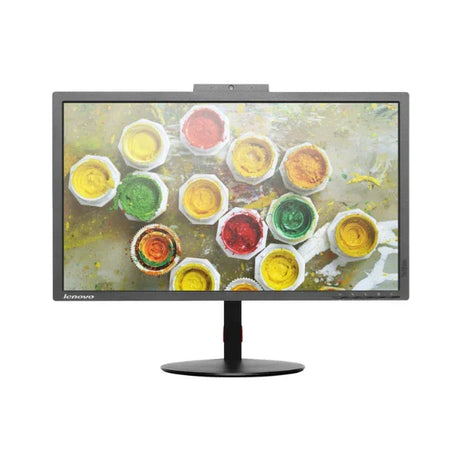
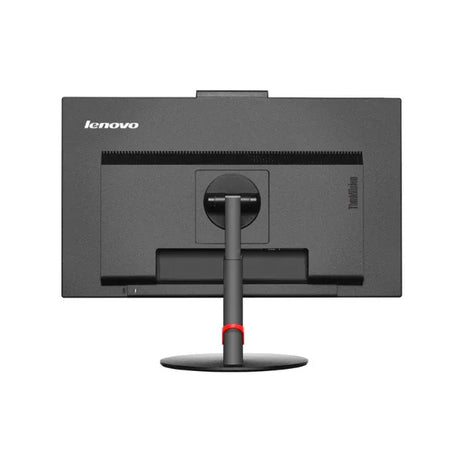
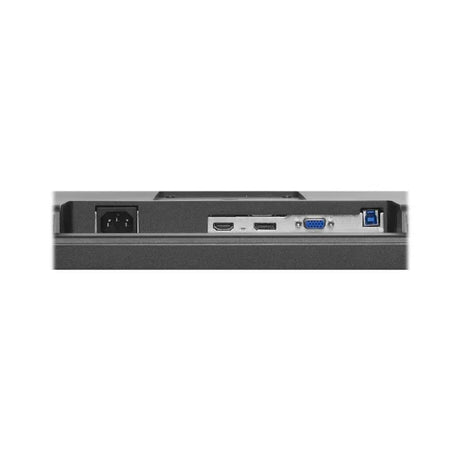
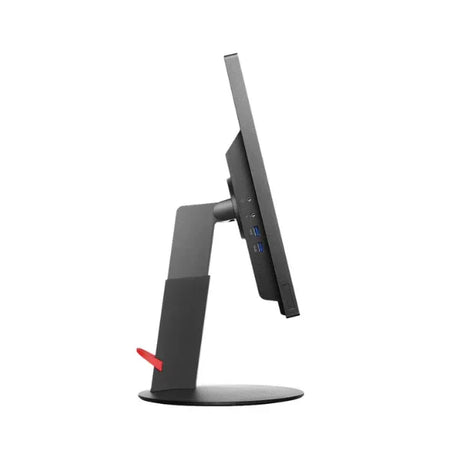
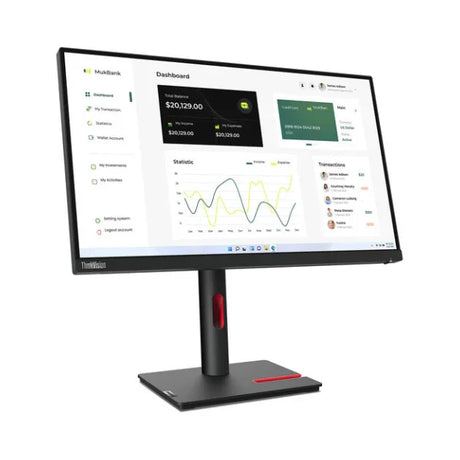
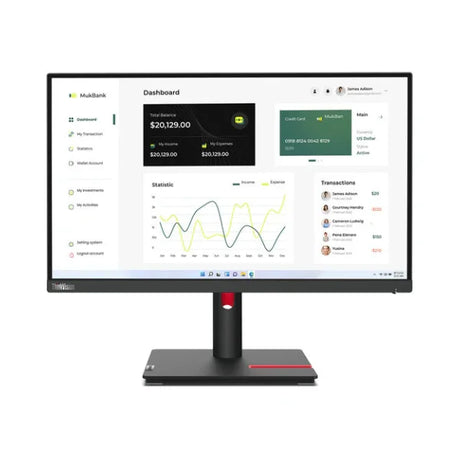
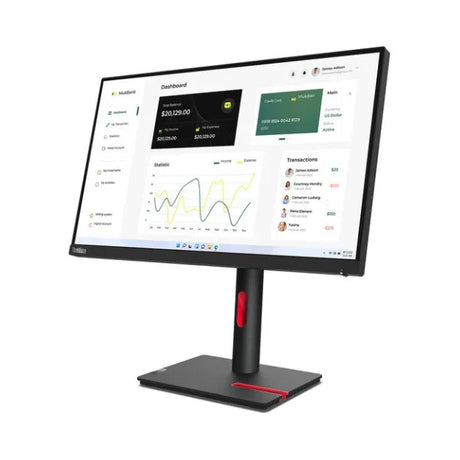
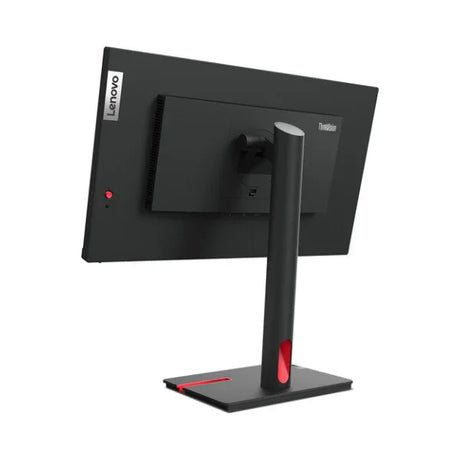
-
Top Features of Lenovo Monitors: What to Look For
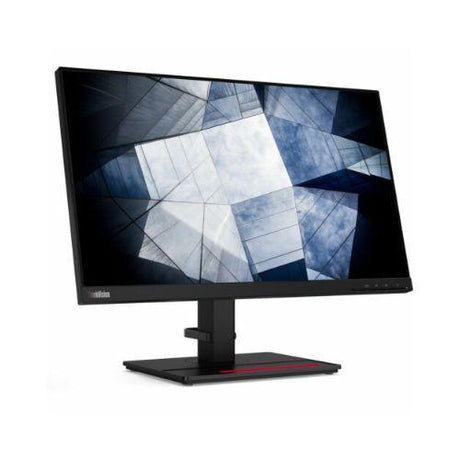
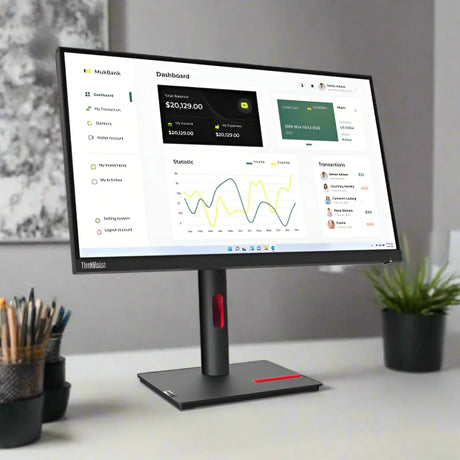
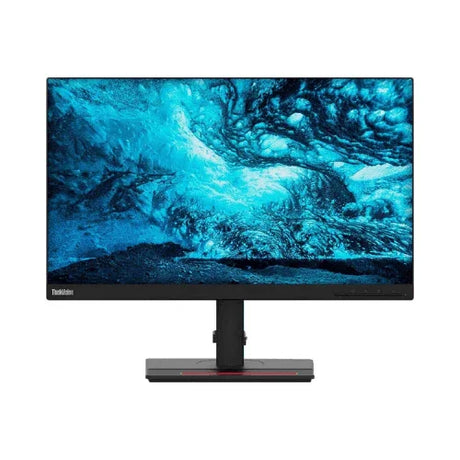
When selecting a Lenovo monitor, it's crucial to consider several key features to ensure the best performance for your needs.
First, look at the display resolution—options range from Full HD (1920x1080) to 4K (3840x2160), providing sharper images and better clarity. Refresh rates are another important factor; higher rates (like 144Hz) offer smoother visuals, especially for gaming.
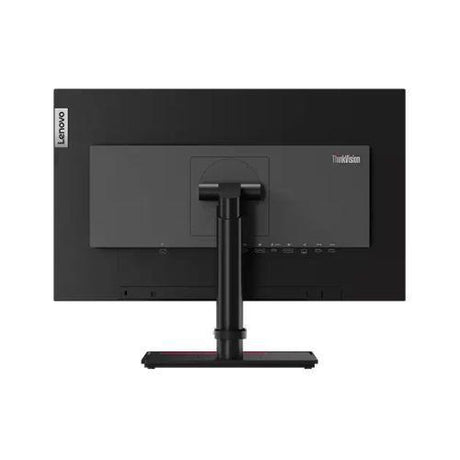
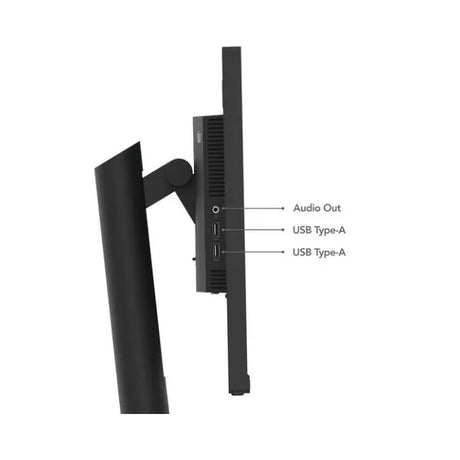
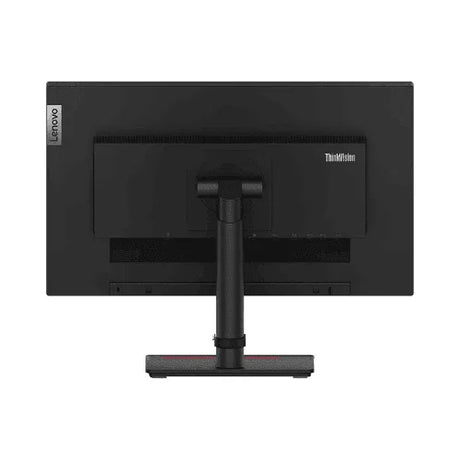
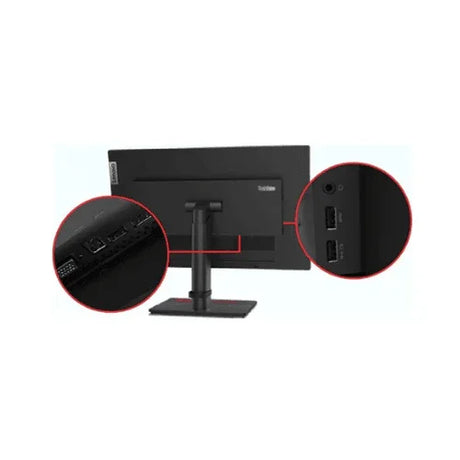
Additionally, check the connectivity options available, such as HDMI, DisplayPort, and USB-C, ensuring compatibility with your devices. Other features to consider include panel type (IPS for better color accuracy), screen size, and ergonomic adjustments for comfortable viewing. Make an informed choice!
-
The Benefits of Buying Refurbished Lenovo Monitors
Buying refurbished Lenovo monitors comes with several great benefits that can enhance your experience while saving you money.
One of the biggest advantages is the lower price tag—refurbished models are often much more affordable than brand-new ones, allowing you to get quality without overspending. Each refurbished monitor is carefully tested and restored to ensure it works like new, giving you confidence in your purchase.
Plus, choosing refurbished helps reduce electronic waste, making it a more eco-friendly option. Many refurbished monitors even come with warranties, offering peace of mind. Enjoy high-quality displays for work or gaming without breaking the bank!
Your Guide: Frequently Asked Questions About Lenovo Monitors!
What types of Lenovo monitors are available?
What types of Lenovo monitors are available?
At Reboot IT, we have a fantastic selection of Lenovo monitors that cater to all kinds of users. Whether you need a reliable display for everyday tasks or something more advanced, we’ve got you covered. Our Full HD Lenovo monitors offer great clarity for general use, while our stunning 4K Lenovo monitors are perfect for those who want exceptional visuals.
Gamers will love our Lenovo gaming monitors for sale, which feature high refresh rates and excellent connectivity options that elevate your gaming experience. Plus, we pride ourselves on offering affordable Lenovo monitors that are perfect for your home office setup, ensuring you get the best prices without sacrificing quality.
Are refurbished Lenovo monitors worth buying?
Are refurbished Lenovo monitors worth buying?
Yes, refurbished Lenovo monitors are definitely worth buying! They offer excellent value for money, often at significantly lower prices than new models. Each refurbished monitor goes through a thorough testing and refurbishment process to ensure it meets performance standards, so you can enjoy reliable quality. Additionally, purchasing refurbished products is an eco-friendly choice, as it helps reduce electronic waste.
Do refurbished Lenovo monitors come with a warranty?
Do refurbished Lenovo monitors come with a warranty?
Yes, refurbished Lenovo monitors purchased from Reboot IT come with a warranty, giving you peace of mind with your purchase. We provide a one-year warranty on most of our monitors, while older models come with a three-month warranty. This warranty covers any defects in materials or workmanship, ensuring you receive a high-quality product. If you encounter any issues within the warranty period, you can reach out to us for support and assistance.
For those seeking extra peace of mind, we also offer an option for an extended one-year warranty. Plus, our 30-day return policy means that if you're not completely satisfied with your purchase, you can return it hassle-free. We believe in the quality of our refurbished products, which is why we stand behind them with these warranty options.
How can I set up my new or refurbished Lenovo monitor?
How can I set up my new or refurbished Lenovo monitor?
Setting up your new or refurbished Lenovo monitor is a simple and straightforward process. Here’s how you can do it:
Start by carefully unboxing the monitor and inspecting it for any visible damage or missing components, such as cables and stands. If your monitor comes with a stand, follow the provided instructions to securely attach it, ensuring it’s stable before moving on. Next, plug the power cable into the monitor and connect it to an electrical outlet. Then, use the appropriate cable—HDMI, DisplayPort, or VGA—to connect the monitor to your computer or laptop, making sure both ends are securely connected.
Once everything is connected, turn on the monitor using the power button, which is usually located at the bottom or side. Your computer should automatically detect the monitor; if it doesn’t, you may need to adjust the display settings in your operating system to select the correct input source and resolution. For a comfortable viewing experience, adjust the height, tilt, and swivel of the monitor, ensuring it’s at eye level and a suitable distance from your eyes. Lastly, if necessary, check Lenovo's website for any drivers that may need to be installed for full functionality. By following these steps, you’ll have your new or refurbished Lenovo monitor up and running smoothly in no time!
Where can I buy refurbished Lenovo monitors?
Where can I buy refurbished Lenovo monitors?
If you're looking to buy refurbished Lenovo monitors, Reboot IT is your go-to destination. We specialise in providing high-quality refurbished IT equipment, including a wide range of Lenovo monitors that cater to various needs. Our online store features an extensive selection of models, from Full HD displays to advanced 4K options, ensuring that you find the perfect monitor for your home or office setup. Plus, we pride ourselves on offering the best prices on Lenovo monitors, making it easy to find a great deal without compromising on quality.
Shopping with us is simple and convenient. You can browse our collection online, where you'll find detailed product descriptions and customer reviews to help you make an informed decision. If you have any questions or need assistance, our friendly customer service team is always ready to help. Additionally, all our refurbished Lenovo monitors come with a warranty and a 30-day return policy, so you can shop with confidence. So, if you're wondering where to buy refurbished Lenovo monitors, look no further than Reboot IT for reliable products and exceptional service!
How do I know if a refurbished Lenovo monitor is in good condition?
How do I know if a refurbished Lenovo monitor is in good condition?
When considering a refurbished Lenovo monitor, it's important to ensure that it’s in good condition before making a purchase. At Reboot IT, we take pride in our rigorous refurbishment process, which includes thorough testing and inspection of each unit. Here are some key factors to look for:
- Quality Checks: Each refurbished monitor undergoes extensive quality checks to ensure it meets high performance standards.
- Physical Inspection: Look for any visible signs of wear or damage, such as scratches or dents. We only sell monitors that pass our visual inspection.
- Warranty Coverage: All our refurbished monitors come with a warranty, which is a good indicator of their quality. This means that if any issues arise, you have support and protection.
- Customer Reviews: Check customer reviews and ratings for insights into the performance and reliability of the monitor you’re considering.
To further reassure you about the condition of a refurbished Lenovo monitor, we offer a 30-day return policy. This allows you to test the monitor in your own environment. If it doesn’t meet your expectations, you can return it hassle-free. Additionally, our knowledgeable customer service team is available to answer any questions you may have about specific models or features, ensuring you feel confident in your purchase. By choosing Reboot IT, you can trust that you are getting a high-quality refurbished monitor that will serve you well.
-

Visit our support center
Expert help & advice
-

Check your order status
Updates and tracking
-

Returns & exchanges
All you need to know
-

Price match guarantee
Our promise to you


