Lenovo ThinkPad USB-C Dock (40A9)
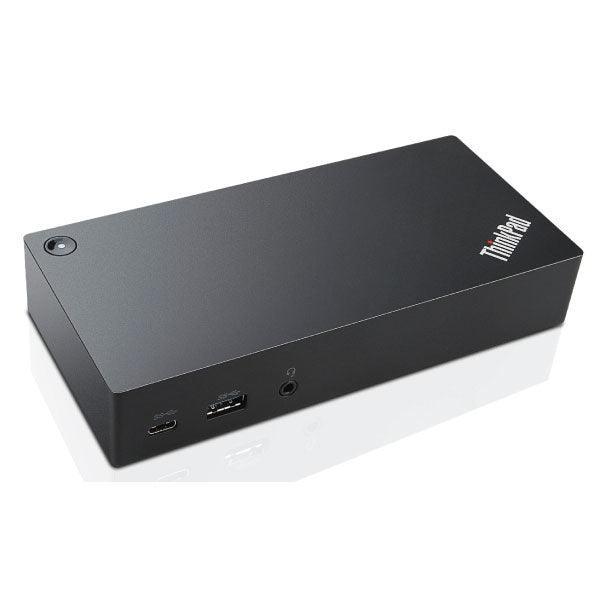
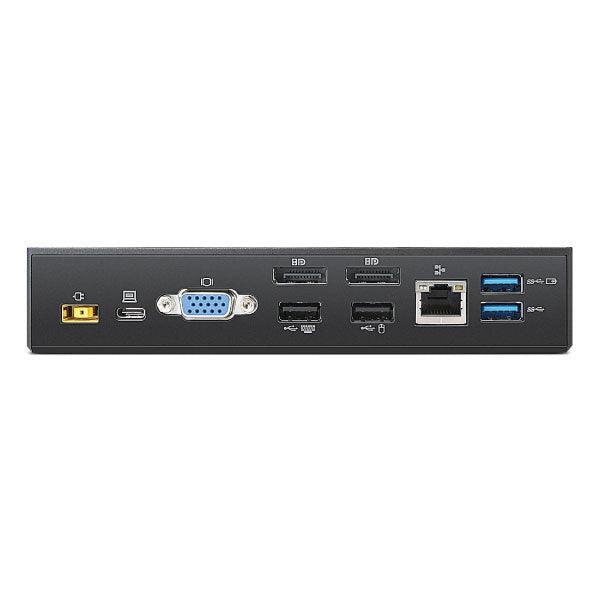
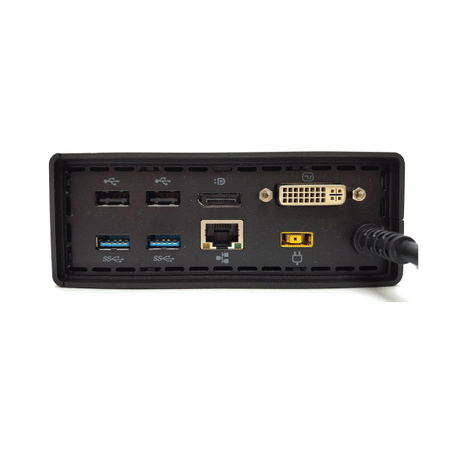
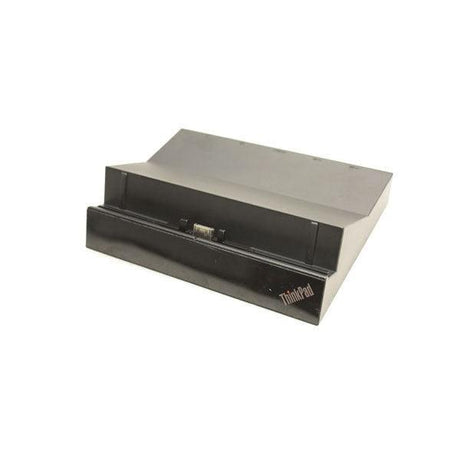
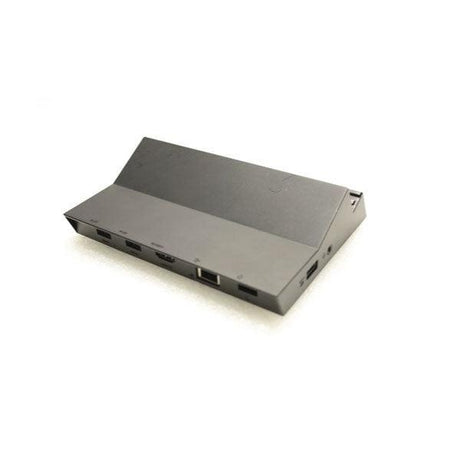
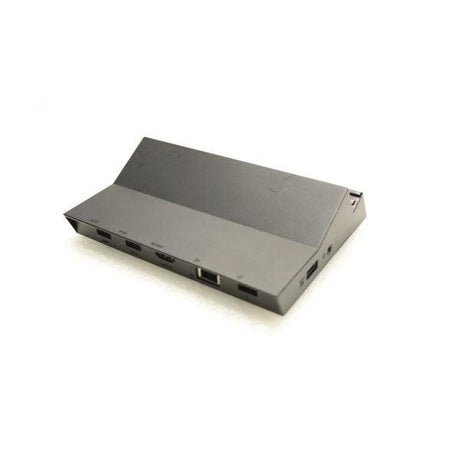
A Lenovo ThinkPad USB-C Dock (type 40A9) with five USB ports, two DisplayPort outputs, VGA, Gigabit Ethernet and an audio port. Supplied as the dock only, without the power adapter or cables, and backed by a 12-month warranty from Reboot IT.
Key benefits
-
One-cable docking. Connect over USB-C for displays, wired network, audio and USB peripherals.
-
Two displays. One 4K display at 30Hz, or two 1080p displays at 60Hz.
-
Five USB ports. Three USB 3.0, including one always-on charging port, plus two USB 2.0.
-
Gigabit Ethernet. Supports PXE boot, Wake-on-LAN and MAC address pass-through on ThinkPad systems.
-
Up to 60W laptop charging. When powered by a Lenovo 90W power adapter.
-
Power button. Mirrors the ThinkPad system power button, so you can turn the laptop on or off from the dock.
Performance in use
The ThinkPad USB-C Dock turns a USB-C laptop into a full desk setup through one connection. Plug in and you get access to external monitors, a wired Gigabit network, your headset and all your USB keyboards, mice and drives, which makes it a good fit for hot desks, home offices and shared workstations.
For displays, use a single DisplayPort monitor at up to 3840 x 2160 at 30Hz, or run two screens at 1920 x 1080 at 60Hz using both DisplayPort outputs or DisplayPort plus VGA. A VGA monitor on its own runs at up to 1920 x 1200 at 60Hz. On ThinkPad systems the dock also supports network management features such as PXE boot, Wake-on-LAN and MAC address pass-through.
Please note this listing is for the dock only. To use it you will need a Lenovo 90W AC power adapter (slim tip) and a USB-C cable, which are not included. If you are replacing a dock on an existing desk, you can reuse the adapter and cable you already have.
Technical specifications
| Model |
Lenovo ThinkPad USB-C Dock, type 40A9 (DK1633) |
| Host connection |
1 x USB-C (upstream connector to the laptop) |
| USB ports |
3 x USB 3.0 (1 with always-on charging), 2 x USB 2.0 |
| Video outputs |
2 x DisplayPort, 1 x VGA |
| Maximum displays |
2 |
| Video resolution |
DisplayPort only: 3840 x 2160 (30Hz). VGA only: 1920 x 1200 (60Hz). DisplayPort + VGA or DisplayPort + DisplayPort: 1920 x 1080 (60Hz) |
| Network |
10/100/1000 Gigabit Ethernet |
| Audio |
Stereo / microphone combo port |
| Laptop charging |
Up to 60W (with a Lenovo 90W power adapter) |
| Dimensions |
171 x 80 x 33 mm, approx. 290g |
| Included |
Dock only. Power adapter and cables are not included |
| Warranty |
12-month warranty from Reboot IT |
Is it right for you?
| ✓ Best for |
✗ Not for |
| ThinkPad users with a USB-C laptop |
Buyers without a Lenovo 90W adapter and USB-C cable |
| Hot desks and shared workstations |
Monitors that need HDMI |
| Replacing a dock on an existing desk setup |
4K at 60Hz or three or more displays |
Condition grades
| Grade A - Excellent |
Minimal signs of use. May show very light marks that are hard to see. |
| Grade B - Good |
Light wear such as scuffs or small scratches that do not affect function. |
Frequently asked questions
What is included?
The dock only. The power adapter, power cord and USB-C cable are not included.
Which power adapter does it need?
Lenovo supplies this dock with a ThinkPad 90W AC power adapter (slim tip). You will need that adapter to power the dock and charge your laptop.
How many monitors can I connect?
Up to two. Use two DisplayPort monitors, or one DisplayPort and one VGA monitor, at 1920 x 1080 at 60Hz.
Does it support 4K?
Yes, one 4K display at 30Hz using a DisplayPort output on its own.
Does it have HDMI?
No. The video outputs are two DisplayPort and one VGA.
Will it charge my laptop?
Yes, up to 60W over USB-C when the dock is powered by a Lenovo 90W adapter.
How much is shipping?
Shipping costs apply based on size and destination. Rates are calculated at checkout.
12-month warranty from Reboot IT
Every item is backed by a 12-month warranty. Reboot IT has tested, graded and supplied refurbished business technology from Melbourne since 2001. If you have a question before you buy, our local team is happy to help at reboot-it.com.au.