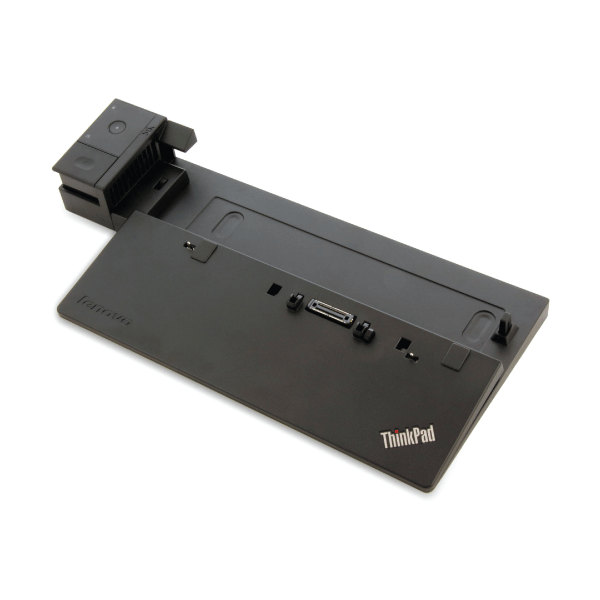
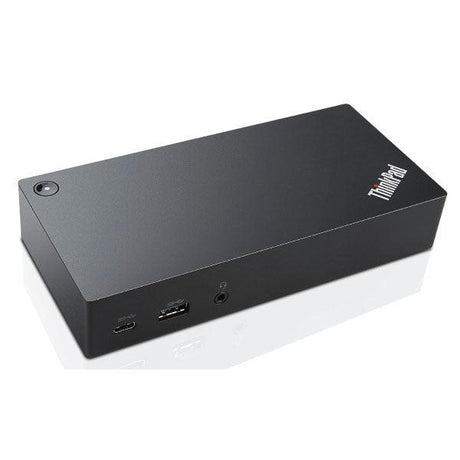
Lenovo ThinkPad Ultra Dock 40A2 — Triple Display USB 3.0 Docking Station
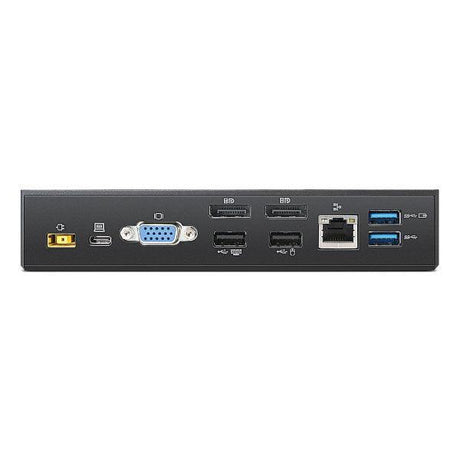
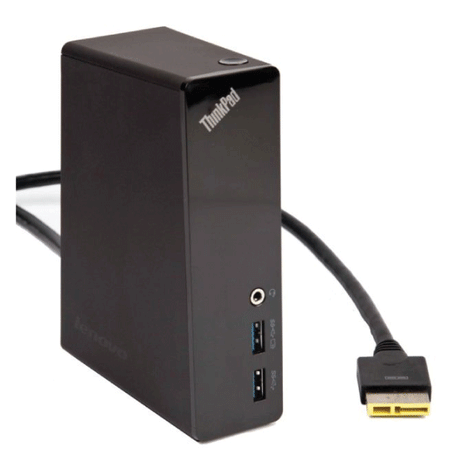
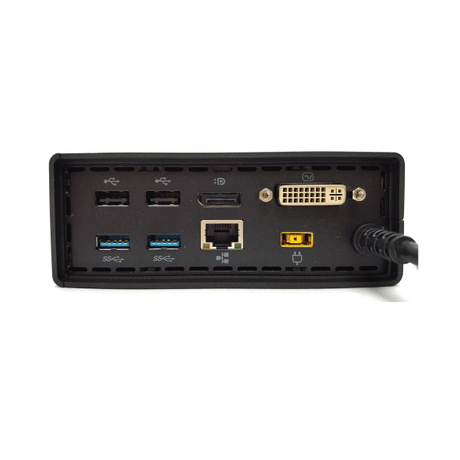
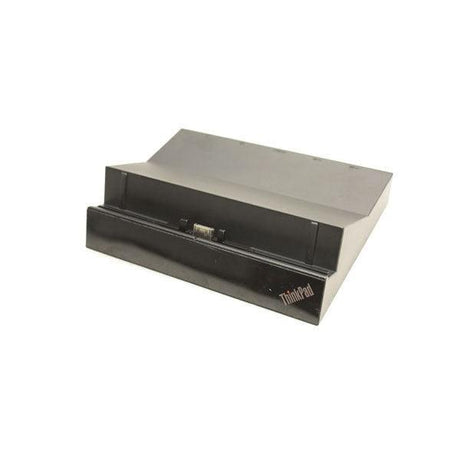
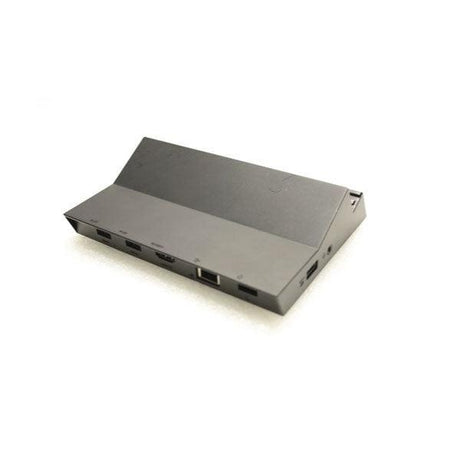
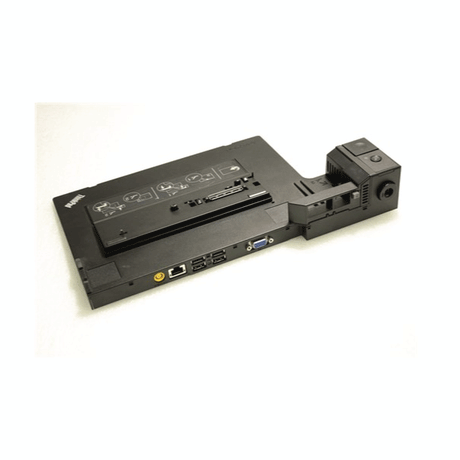
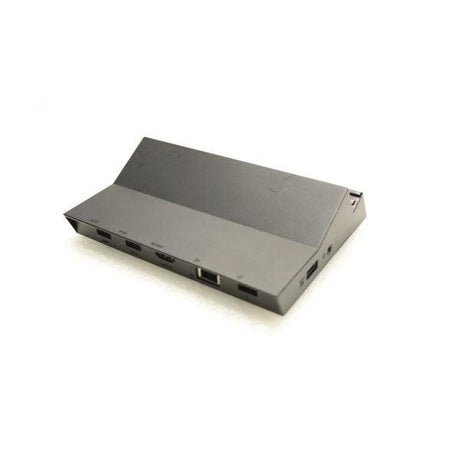
The ThinkPad Ultra Dock 40A2 is Lenovo's full-featured docking solution for power users — HDMI, DisplayPort, DVI, and VGA outputs support up to three simultaneous displays, while six USB ports and Gigabit Ethernet cover every peripheral need. Backed by a full 12-month warranty from Reboot IT (Melbourne, est. 2001). Note: power adapter not included.
Key Benefits
-
Triple Display Support: HDMI, DisplayPort, and DVI/VGA outputs simultaneously — run three monitors at your desk without any additional hardware.
-
HDMI Output: Connect a modern monitor or TV directly via HDMI without a VGA or DVI adapter — a significant upgrade over earlier dock generations.
-
USB 3.0 SuperSpeed: 5Gbps data transfer for fast external drives, while USB 2.0 ports handle keyboards, mice, and other peripherals.
-
Gigabit Ethernet: Stable wired network at 1Gbps for video conferencing, VPN, and cloud storage sync without Wi-Fi dropouts.
-
Full Audio I/O: Dedicated headphone and microphone jacks at the dock — plug in your headset without reaching around to the laptop.
-
Wide ThinkPad Compatibility: Supports ThinkPad T, W, and L series — ideal for IT teams standardising across mixed laptop fleets.
Performance in Use
Three monitors transform the way a workstation operates. Analysts can keep a live dashboard on one screen, their modelling spreadsheet on a second, and email or chat on a third — without constantly alt-tabbing. Developers run code editor, terminal, and browser side by side across the full width of a triple-monitor setup.
The Ultra Dock 40A2 is the practical choice when upgrading from a Mini Dock — the addition of HDMI and DisplayPort means you can use modern monitors without adapters, and the jump to three displays covers the most demanding desk setups in corporate and creative environments.
In shared-desk or hot-desk environments, one Ultra Dock per desk turns any ThinkPad into a full workstation in seconds. Undocking is equally instant — pull the laptop and everything disconnects cleanly.
Technical Specifications
| Specification |
Details |
| Model |
ThinkPad Ultra Dock 40A2 |
| Video Outputs |
HDMI 1.4, DisplayPort 1.2, DVI-D, VGA (up to 3 displays) |
| USB |
2× USB 3.0, 4× USB 2.0 (incl. 1× Always-On) |
| Network |
Gigabit Ethernet (RJ-45) |
| Audio |
Headphone + microphone jacks |
| Compatibility |
ThinkPad T, W, L series (verify model before purchase) |
| Power Adapter |
Not included — source compatible Lenovo adapter separately |
| Warranty |
12 months — Reboot IT |
Is This Dock Right for You?
✓ Best For:
• ThinkPad T, W, or L users needing triple monitor support
• Power users wanting HDMI + DisplayPort outputs
• Analysts, developers, and traders needing expanded screen space
• Hot-desk setups in corporate environments
• Upgrading from a Mini Dock for more display flexibility |
✗ Not Ideal For:
• Non-ThinkPad laptops (incompatible connector)
• Users who need power delivery (adapter not included)
• USB-C or Thunderbolt-only laptops
• Those needing only one external monitor (Mini Dock suffices)
• Buyers needing Thunderbolt 3 or USB4 speeds |
Condition Grades
| Grade |
Cosmetic Condition |
Functionality |
| A — Excellent |
Minimal signs of use; housing near-new |
All ports fully tested and operational |
| B — Good |
Light wear marks or minor scuffs |
All ports fully tested and operational |
Frequently Asked Questions
Can I really run three monitors simultaneously?
Yes — the Ultra Dock 40A2 supports up to three external displays via its HDMI, DisplayPort, and DVI/VGA outputs simultaneously, subject to your ThinkPad's GPU supporting triple-display output.
Does the power adapter come included?
No — the power adapter is not included and must be sourced separately. A compatible Lenovo 90W or 135W power supply is required to charge the laptop and power the dock.
What is the difference between the Mini Dock and Ultra Dock?
The Ultra Dock adds HDMI and DisplayPort outputs and supports three monitors versus two on the Mini Dock. It also includes more USB ports. The Mini Dock is sufficient for dual-monitor setups; the Ultra Dock is for triple-display or modern HDMI/DP monitor setups.
Which ThinkPad models are compatible?
The 40A2 is compatible with select ThinkPad T, W, and L series models. Check Lenovo's compatibility list using your specific ThinkPad model number before purchasing.
How is this item shipped?
This item ships via freight courier. Shipping costs are calculated at checkout based on your delivery address and location.
12-Month Warranty & Reboot IT Guarantee
Every dock is covered by a full 12-month warranty on all hardware and ports. Reboot IT has been Melbourne's trusted certified refurbisher since 2001 — tested before it ships, supported after it arrives.
Contact our Australian support team for any warranty claims and we'll respond promptly.