









Refurbished Top picks
- Up to 43% off$99$79Was
$139Condition gradesExcellent — virtually like new. Minimal signs of use.
Good — fully functional, with light signs of use such as minor marks on the casing.
Every monitor is fully tested before dispatch — the grade describes appearance only.
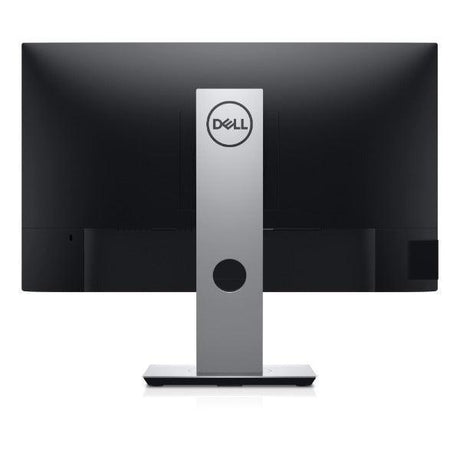
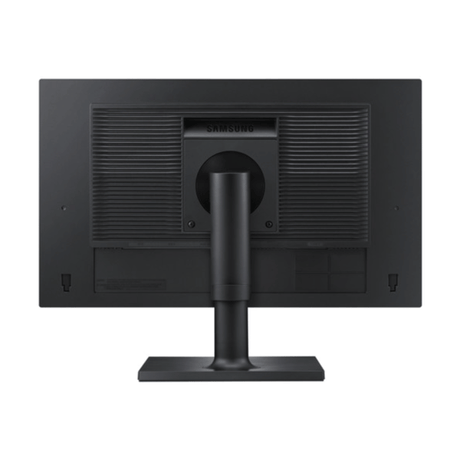
Full grading guide →- 23" · Full HD
- IPS screen · vivid colour
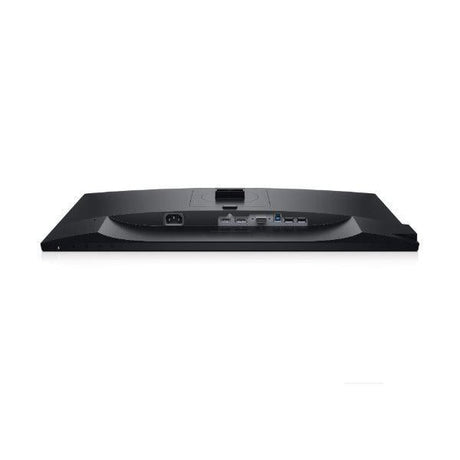
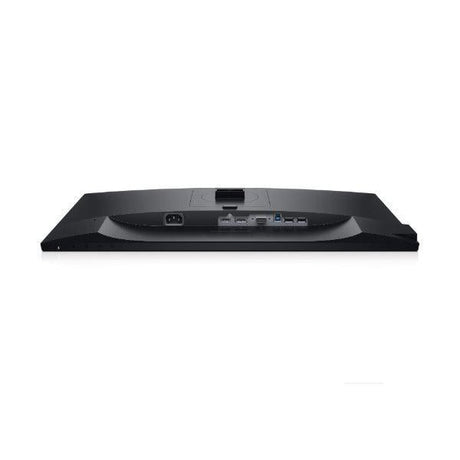
- Ports: HDMI · DP · VGA
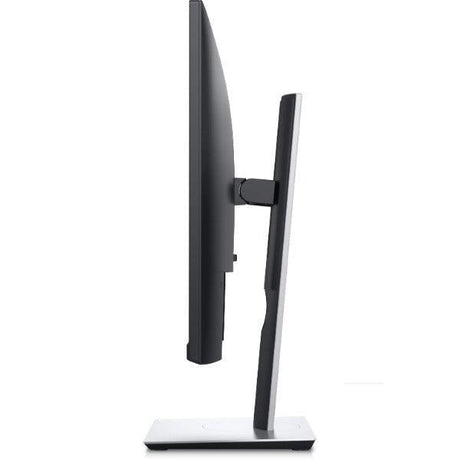
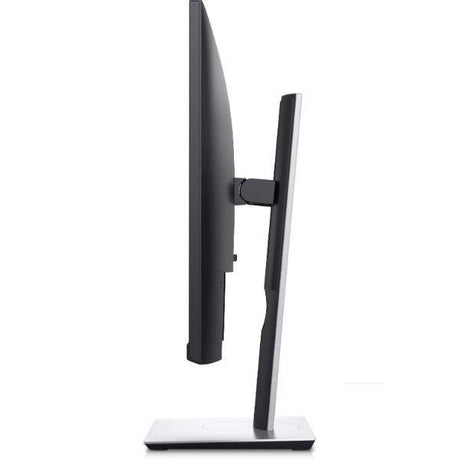
- Height-adjust stand
Monitor terms explained- Full HD / QHD
- How sharp the picture is. Full HD (1920×1080) is the everyday standard; QHD (2560×1440) is noticeably sharper.
- IPS, VA or TN screen
- IPS: best colour and viewing angles. VA: deep blacks and strong contrast. TN: a basic screen that is perfectly fine for office work.
- Ports — which cable?
- Match one to your computer. HDMI: most laptops, PCs and TVs. DP (DisplayPort): desktops and business laptops. USB-C: newer laptops — one cable for picture and power. DVI / VGA: older PCs. Adapters are available if your computer is different.
- Wall/arm mount (VESA)
- Standard screw holes on the back that fit a wall bracket or monitor arm. Monitors sold with "No stand" need one of these, or a separate stand.
Low stock (8 units) -
- 20% offSale price $399.00 Regular price $499.00Unit price /Unavailable
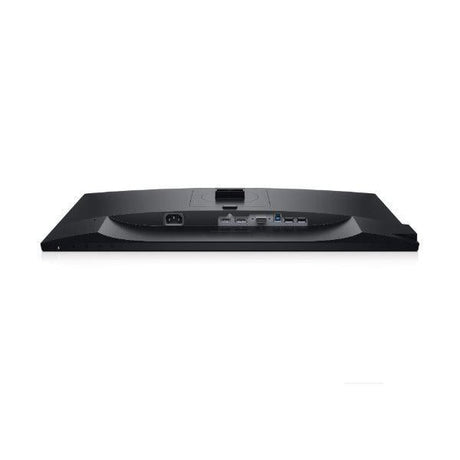
- 32" · 1366x768
- Ports: HDMI
- Fixed stand
Monitor terms explained- Full HD / QHD
- How sharp the picture is. Full HD (1920×1080) is the everyday standard; QHD (2560×1440) is noticeably sharper.
- IPS, VA or TN screen
- IPS: best colour and viewing angles. VA: deep blacks and strong contrast. TN: a basic screen that is perfectly fine for office work.
- Ports — which cable?
- Match one to your computer. HDMI: most laptops, PCs and TVs. DP (DisplayPort): desktops and business laptops. USB-C: newer laptops — one cable for picture and power. DVI / VGA: older PCs. Adapters are available if your computer is different.
- Wall/arm mount (VESA)
- Standard screw holes on the back that fit a wall bracket or monitor arm. Monitors sold with "No stand" need one of these, or a separate stand.
Very low stock (1 unit) -
- No standUp to 45% off$65$49Was
$89Condition gradesExcellent — virtually like new. Minimal signs of use.
Good — fully functional, with light signs of use such as minor marks on the casing.
Every monitor is fully tested before dispatch — the grade describes appearance only.
Full grading guide →- 23" · Full HD
- IPS screen · vivid colour
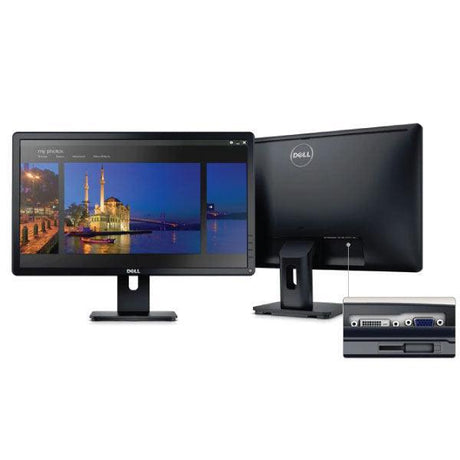
- Ports: DP · DVI · VGA
- No stand – mount only
Monitor terms explained- Full HD / QHD
- How sharp the picture is. Full HD (1920×1080) is the everyday standard; QHD (2560×1440) is noticeably sharper.
- IPS, VA or TN screen
- IPS: best colour and viewing angles. VA: deep blacks and strong contrast. TN: a basic screen that is perfectly fine for office work.
- Ports — which cable?
- Match one to your computer. HDMI: most laptops, PCs and TVs. DP (DisplayPort): desktops and business laptops. USB-C: newer laptops — one cable for picture and power. DVI / VGA: older PCs. Adapters are available if your computer is different.
- Wall/arm mount (VESA)
- Standard screw holes on the back that fit a wall bracket or monitor arm. Monitors sold with "No stand" need one of these, or a separate stand.
In stock (25 units) -
- No standUp to 34% offSold out$99Was
$149Condition gradesExcellent — virtually like new. Minimal signs of use.
Good — fully functional, with light signs of use such as minor marks on the casing.
Every monitor is fully tested before dispatch — the grade describes appearance only.
Full grading guide →- 23" · Full HD
- TN screen · basic
- Ports: DP · VGA
- No stand – mount only
Monitor terms explained- Full HD / QHD
- How sharp the picture is. Full HD (1920×1080) is the everyday standard; QHD (2560×1440) is noticeably sharper.
- IPS, VA or TN screen
- IPS: best colour and viewing angles. VA: deep blacks and strong contrast. TN: a basic screen that is perfectly fine for office work.
- Ports — which cable?
- Match one to your computer. HDMI: most laptops, PCs and TVs. DP (DisplayPort): desktops and business laptops. USB-C: newer laptops — one cable for picture and power. DVI / VGA: older PCs. Adapters are available if your computer is different.
- Wall/arm mount (VESA)
- Standard screw holes on the back that fit a wall bracket or monitor arm. Monitors sold with "No stand" need one of these, or a separate stand.
Very low stock (1 unit) -
- No standUp to 48% off$75$55Was
$105Condition gradesExcellent — virtually like new. Minimal signs of use.
Good — fully functional, with light signs of use such as minor marks on the casing.
Every monitor is fully tested before dispatch — the grade describes appearance only.
Full grading guide →- 23.8" · Full HD
- IPS screen · vivid colour
- Ports: HDMI · DP · VGA
- No stand – mount only
Monitor terms explained- Full HD / QHD
- How sharp the picture is. Full HD (1920×1080) is the everyday standard; QHD (2560×1440) is noticeably sharper.
- IPS, VA or TN screen
- IPS: best colour and viewing angles. VA: deep blacks and strong contrast. TN: a basic screen that is perfectly fine for office work.
- Ports — which cable?
- Match one to your computer. HDMI: most laptops, PCs and TVs. DP (DisplayPort): desktops and business laptops. USB-C: newer laptops — one cable for picture and power. DVI / VGA: older PCs. Adapters are available if your computer is different.
- Wall/arm mount (VESA)
- Standard screw holes on the back that fit a wall bracket or monitor arm. Monitors sold with "No stand" need one of these, or a separate stand.
Very low stock (4 units) -
- No standUp to 45% off$65Sold outWas
$89Condition gradesExcellent — virtually like new. Minimal signs of use.
Good — fully functional, with light signs of use such as minor marks on the casing.
Every monitor is fully tested before dispatch — the grade describes appearance only.
Full grading guide →- 23.8" · Full HD
- IPS screen · vivid colour
- Ports: HDMI · DP · VGA
- No stand – mount only
Monitor terms explained- Full HD / QHD
- How sharp the picture is. Full HD (1920×1080) is the everyday standard; QHD (2560×1440) is noticeably sharper.
- IPS, VA or TN screen
- IPS: best colour and viewing angles. VA: deep blacks and strong contrast. TN: a basic screen that is perfectly fine for office work.
- Ports — which cable?
- Match one to your computer. HDMI: most laptops, PCs and TVs. DP (DisplayPort): desktops and business laptops. USB-C: newer laptops — one cable for picture and power. DVI / VGA: older PCs. Adapters are available if your computer is different.
- Wall/arm mount (VESA)
- Standard screw holes on the back that fit a wall bracket or monitor arm. Monitors sold with "No stand" need one of these, or a separate stand.
Very low stock (4 units) -
- No standUp to 47% offSold out$89Was
$169Condition gradesExcellent — virtually like new. Minimal signs of use.
Good — fully functional, with light signs of use such as minor marks on the casing.
Every monitor is fully tested before dispatch — the grade describes appearance only.
Full grading guide →- 23.8" · Full HD
- IPS screen · vivid colour
- Ports: HDMI · DP · VGA
- No stand – mount only
Monitor terms explained- Full HD / QHD
- How sharp the picture is. Full HD (1920×1080) is the everyday standard; QHD (2560×1440) is noticeably sharper.
- IPS, VA or TN screen
- IPS: best colour and viewing angles. VA: deep blacks and strong contrast. TN: a basic screen that is perfectly fine for office work.
- Ports — which cable?
- Match one to your computer. HDMI: most laptops, PCs and TVs. DP (DisplayPort): desktops and business laptops. USB-C: newer laptops — one cable for picture and power. DVI / VGA: older PCs. Adapters are available if your computer is different.
- Wall/arm mount (VESA)
- Standard screw holes on the back that fit a wall bracket or monitor arm. Monitors sold with "No stand" need one of these, or a separate stand.
Very low stock (2 units) -
- Up to 32% offSold out$65Was
$95Condition gradesExcellent — virtually like new. Minimal signs of use.
Good — fully functional, with light signs of use such as minor marks on the casing.
Every monitor is fully tested before dispatch — the grade describes appearance only.
Full grading guide →- 23.6" · Full HD
- VA screen · deep contrast
- Ports: HDMI · DVI · VGA
- Fixed stand
Monitor terms explained- Full HD / QHD
- How sharp the picture is. Full HD (1920×1080) is the everyday standard; QHD (2560×1440) is noticeably sharper.
- IPS, VA or TN screen
- IPS: best colour and viewing angles. VA: deep blacks and strong contrast. TN: a basic screen that is perfectly fine for office work.
- Ports — which cable?
- Match one to your computer. HDMI: most laptops, PCs and TVs. DP (DisplayPort): desktops and business laptops. USB-C: newer laptops — one cable for picture and power. DVI / VGA: older PCs. Adapters are available if your computer is different.
- Wall/arm mount (VESA)
- Standard screw holes on the back that fit a wall bracket or monitor arm. Monitors sold with "No stand" need one of these, or a separate stand.
Very low stock (1 unit) -
- No standUp to 67% off$35Sold outWas
$89Condition gradesExcellent — virtually like new. Minimal signs of use.
Good — fully functional, with light signs of use such as minor marks on the casing.
Every monitor is fully tested before dispatch — the grade describes appearance only.
Full grading guide →- 23.6" · Full HD
- TN screen · basic
- Ports: HDMI · DVI · VGA
- No stand – mount only
Monitor terms explained- Full HD / QHD
- How sharp the picture is. Full HD (1920×1080) is the everyday standard; QHD (2560×1440) is noticeably sharper.
- IPS, VA or TN screen
- IPS: best colour and viewing angles. VA: deep blacks and strong contrast. TN: a basic screen that is perfectly fine for office work.
- Ports — which cable?
- Match one to your computer. HDMI: most laptops, PCs and TVs. DP (DisplayPort): desktops and business laptops. USB-C: newer laptops — one cable for picture and power. DVI / VGA: older PCs. Adapters are available if your computer is different.
- Wall/arm mount (VESA)
- Standard screw holes on the back that fit a wall bracket or monitor arm. Monitors sold with "No stand" need one of these, or a separate stand.
In stock (105 units) -
- No standUp to 42% off$69Sold outWas
$95Condition gradesExcellent — virtually like new. Minimal signs of use.
Good — fully functional, with light signs of use such as minor marks on the casing.
Every monitor is fully tested before dispatch — the grade describes appearance only.
Full grading guide →- 24" · Full HD
- TN screen · basic
- Ports: DVI · VGA
- No stand – mount only
Monitor terms explained- Full HD / QHD
- How sharp the picture is. Full HD (1920×1080) is the everyday standard; QHD (2560×1440) is noticeably sharper.
- IPS, VA or TN screen
- IPS: best colour and viewing angles. VA: deep blacks and strong contrast. TN: a basic screen that is perfectly fine for office work.
- Ports — which cable?
- Match one to your computer. HDMI: most laptops, PCs and TVs. DP (DisplayPort): desktops and business laptops. USB-C: newer laptops — one cable for picture and power. DVI / VGA: older PCs. Adapters are available if your computer is different.
- Wall/arm mount (VESA)
- Standard screw holes on the back that fit a wall bracket or monitor arm. Monitors sold with "No stand" need one of these, or a separate stand.
In stock (71 units) -
- Extra 10% offUp to 23% off$299$269Was
$349Condition gradesExcellent — virtually like new. Minimal signs of use.
Good — fully functional, with light signs of use such as minor marks on the casing.
Every monitor is fully tested before dispatch — the grade describes appearance only.
Full grading guide →- 24" · 1920x1200
- TN screen · basic
- Ports: DVI · VGA · S-Video
- Fixed stand
Monitor terms explained- Full HD / QHD
- How sharp the picture is. Full HD (1920×1080) is the everyday standard; QHD (2560×1440) is noticeably sharper.
- IPS, VA or TN screen
- IPS: best colour and viewing angles. VA: deep blacks and strong contrast. TN: a basic screen that is perfectly fine for office work.
- Ports — which cable?
- Match one to your computer. HDMI: most laptops, PCs and TVs. DP (DisplayPort): desktops and business laptops. USB-C: newer laptops — one cable for picture and power. DVI / VGA: older PCs. Adapters are available if your computer is different.
- Wall/arm mount (VESA)
- Standard screw holes on the back that fit a wall bracket or monitor arm. Monitors sold with "No stand" need one of these, or a separate stand.
Low stock (16 units) -
- Up to 43% offSold out$45Was
$79Condition gradesExcellent — virtually like new. Minimal signs of use.
Good — fully functional, with light signs of use such as minor marks on the casing.
Every monitor is fully tested before dispatch — the grade describes appearance only.
Full grading guide →- 23" · Full HD
- TN screen · basic
- Ports: DVI · VGA
- Fixed stand
Monitor terms explained- Full HD / QHD
- How sharp the picture is. Full HD (1920×1080) is the everyday standard; QHD (2560×1440) is noticeably sharper.
- IPS, VA or TN screen
- IPS: best colour and viewing angles. VA: deep blacks and strong contrast. TN: a basic screen that is perfectly fine for office work.
- Ports — which cable?
- Match one to your computer. HDMI: most laptops, PCs and TVs. DP (DisplayPort): desktops and business laptops. USB-C: newer laptops — one cable for picture and power. DVI / VGA: older PCs. Adapters are available if your computer is different.
- Wall/arm mount (VESA)
- Standard screw holes on the back that fit a wall bracket or monitor arm. Monitors sold with "No stand" need one of these, or a separate stand.
Very low stock (1 unit) -
- Up to 42% off$69$55Was
$95Condition gradesExcellent — virtually like new. Minimal signs of use.
Good — fully functional, with light signs of use such as minor marks on the casing.
Every monitor is fully tested before dispatch — the grade describes appearance only.
Full grading guide →- 23" · Full HD
- IPS screen · vivid colour
- Ports: DP · DVI · VGA
- Height-adjust stand
Monitor terms explained- Full HD / QHD
- How sharp the picture is. Full HD (1920×1080) is the everyday standard; QHD (2560×1440) is noticeably sharper.
- IPS, VA or TN screen
- IPS: best colour and viewing angles. VA: deep blacks and strong contrast. TN: a basic screen that is perfectly fine for office work.
- Ports — which cable?
- Match one to your computer. HDMI: most laptops, PCs and TVs. DP (DisplayPort): desktops and business laptops. USB-C: newer laptops — one cable for picture and power. DVI / VGA: older PCs. Adapters are available if your computer is different.
- Wall/arm mount (VESA)
- Standard screw holes on the back that fit a wall bracket or monitor arm. Monitors sold with "No stand" need one of these, or a separate stand.
Very low stock (3 units) -
- 17% off
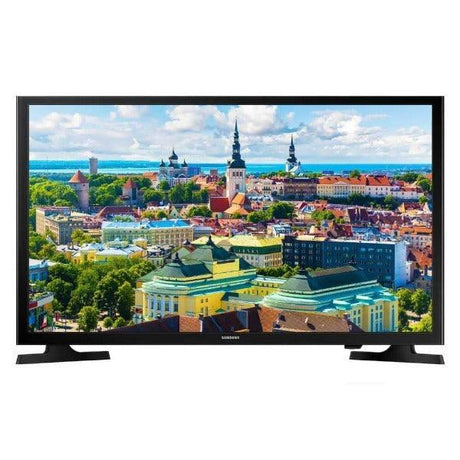
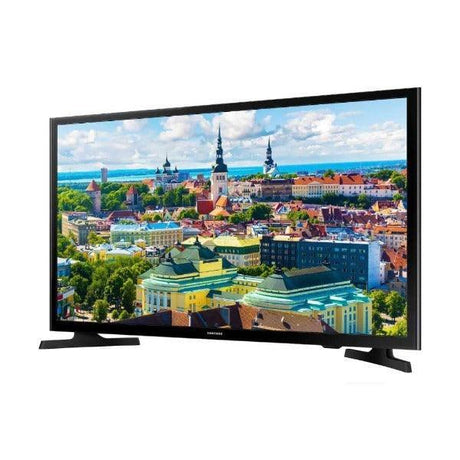
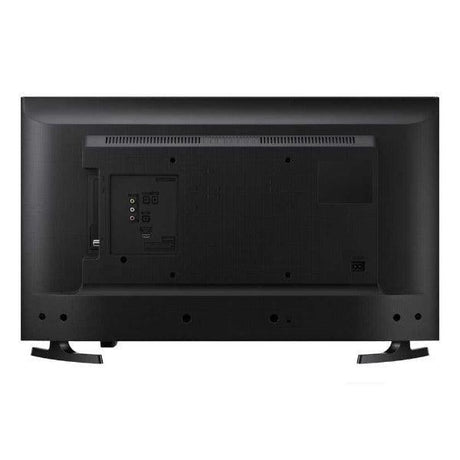
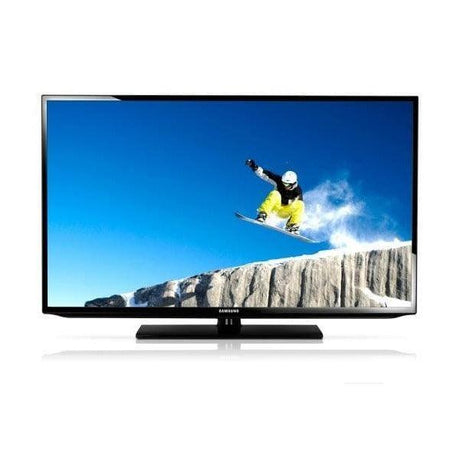
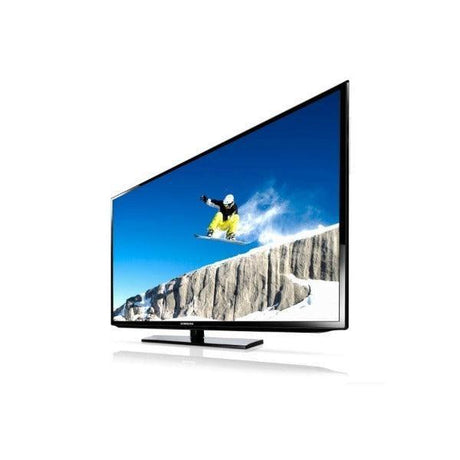
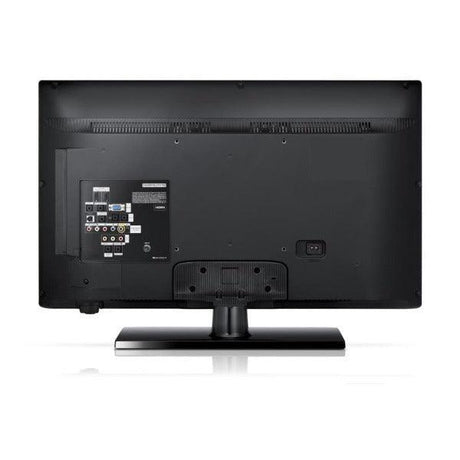
Samsung
Samsung HG40AA570LW 40" Hospitality Display 1920x1080 | 12mth Wty
Sale price $499.00 Regular price $599.00Unit price /UnavailableVery low stock (1 unit) -
- No standUp to 41% off$209$159Was
$269Condition gradesExcellent — virtually like new. Minimal signs of use.
Good — fully functional, with light signs of use such as minor marks on the casing.
Every monitor is fully tested before dispatch — the grade describes appearance only.
Full grading guide →- 24" · Full HD
- IPS screen · vivid colour
- Ports: HDMI · DP · VGA
- No stand – mount only
Monitor terms explained- Full HD / QHD
- How sharp the picture is. Full HD (1920×1080) is the everyday standard; QHD (2560×1440) is noticeably sharper.
- IPS, VA or TN screen
- IPS: best colour and viewing angles. VA: deep blacks and strong contrast. TN: a basic screen that is perfectly fine for office work.
- Ports — which cable?
- Match one to your computer. HDMI: most laptops, PCs and TVs. DP (DisplayPort): desktops and business laptops. USB-C: newer laptops — one cable for picture and power. DVI / VGA: older PCs. Adapters are available if your computer is different.
- Wall/arm mount (VESA)
- Standard screw holes on the back that fit a wall bracket or monitor arm. Monitors sold with "No stand" need one of these, or a separate stand.
Very low stock (5 units) -
- No standUp to 45% offSold out$65Was
$119Condition gradesExcellent — virtually like new. Minimal signs of use.
Good — fully functional, with light signs of use such as minor marks on the casing.
Every monitor is fully tested before dispatch — the grade describes appearance only.
Full grading guide →- 23.8" · Full HD
- IPS screen · vivid colour
- Ports: HDMI · DP · VGA
- No stand – mount only
Monitor terms explained- Full HD / QHD
- How sharp the picture is. Full HD (1920×1080) is the everyday standard; QHD (2560×1440) is noticeably sharper.
- IPS, VA or TN screen
- IPS: best colour and viewing angles. VA: deep blacks and strong contrast. TN: a basic screen that is perfectly fine for office work.
- Ports — which cable?
- Match one to your computer. HDMI: most laptops, PCs and TVs. DP (DisplayPort): desktops and business laptops. USB-C: newer laptops — one cable for picture and power. DVI / VGA: older PCs. Adapters are available if your computer is different.
- Wall/arm mount (VESA)
- Standard screw holes on the back that fit a wall bracket or monitor arm. Monitors sold with "No stand" need one of these, or a separate stand.
Very low stock (1 unit) -
- Up to 46% off
HP
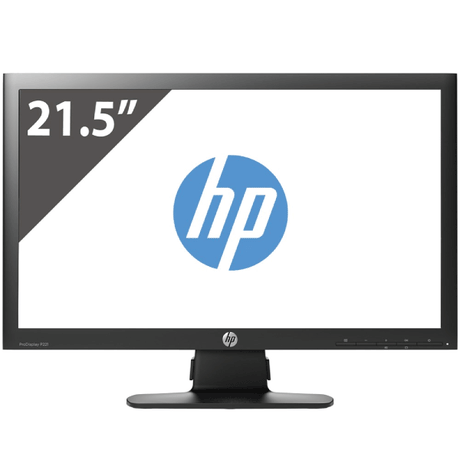
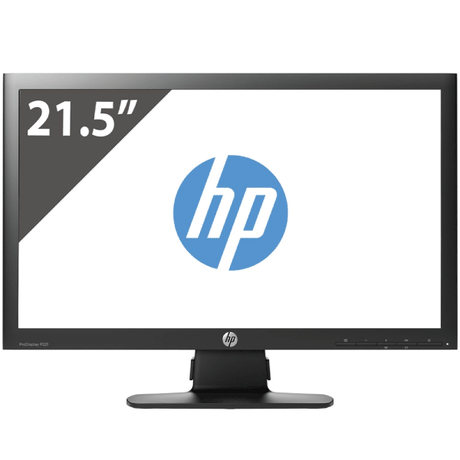
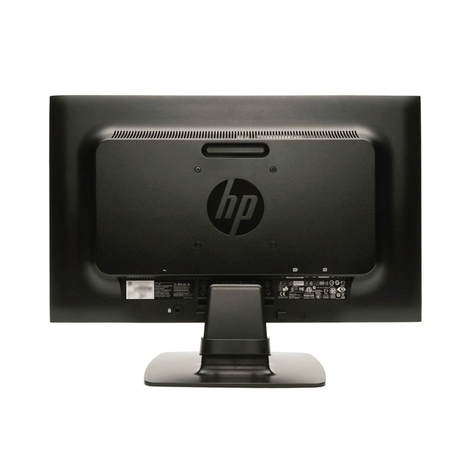
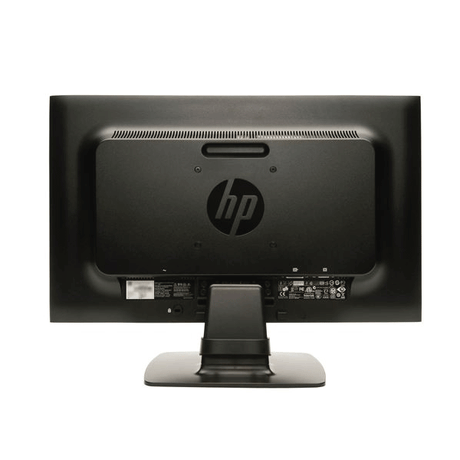
HP LA2206x 21.5" 1920x1080 5ms 16:9 VGA DVI DP LCD Monitor | NO STAND
Sale price From $35.00 Regular price $65.00Unit price /UnavailableVery low stock (1 unit) -
- No standUp to 58% off$35$25Was
$69Condition gradesExcellent — virtually like new. Minimal signs of use.
Good — fully functional, with light signs of use such as minor marks on the casing.
Every monitor is fully tested before dispatch — the grade describes appearance only.
Full grading guide →- 21.5" · Full HD
- TN screen · basic
- Ports: DVI · VGA
- No stand – mount only
Monitor terms explained- Full HD / QHD
- How sharp the picture is. Full HD (1920×1080) is the everyday standard; QHD (2560×1440) is noticeably sharper.
- IPS, VA or TN screen
- IPS: best colour and viewing angles. VA: deep blacks and strong contrast. TN: a basic screen that is perfectly fine for office work.
- Ports — which cable?
- Match one to your computer. HDMI: most laptops, PCs and TVs. DP (DisplayPort): desktops and business laptops. USB-C: newer laptops — one cable for picture and power. DVI / VGA: older PCs. Adapters are available if your computer is different.
- Wall/arm mount (VESA)
- Standard screw holes on the back that fit a wall bracket or monitor arm. Monitors sold with "No stand" need one of these, or a separate stand.
Very low stock (2 units) -
- Up to 49% off$35Sold outWas
$49Condition gradesExcellent — virtually like new. Minimal signs of use.
Good — fully functional, with light signs of use such as minor marks on the casing.
Every monitor is fully tested before dispatch — the grade describes appearance only.
Full grading guide →- 21.5" · Full HD
- TN screen · basic
- Ports: DP · DVI · VGA
- Height-adjust stand
Monitor terms explained- Full HD / QHD
- How sharp the picture is. Full HD (1920×1080) is the everyday standard; QHD (2560×1440) is noticeably sharper.
- IPS, VA or TN screen
- IPS: best colour and viewing angles. VA: deep blacks and strong contrast. TN: a basic screen that is perfectly fine for office work.
- Ports — which cable?
- Match one to your computer. HDMI: most laptops, PCs and TVs. DP (DisplayPort): desktops and business laptops. USB-C: newer laptops — one cable for picture and power. DVI / VGA: older PCs. Adapters are available if your computer is different.
- Wall/arm mount (VESA)
- Standard screw holes on the back that fit a wall bracket or monitor arm. Monitors sold with "No stand" need one of these, or a separate stand.
Very low stock (1 unit) -
- Up to 49% offSold out$25Was
$49Condition gradesExcellent — virtually like new. Minimal signs of use.
Good — fully functional, with light signs of use such as minor marks on the casing.
Every monitor is fully tested before dispatch — the grade describes appearance only.
Full grading guide →- 21.5" · Full HD
- TN screen · basic
- Ports: DVI · VGA
- Fixed stand
Monitor terms explained- Full HD / QHD
- How sharp the picture is. Full HD (1920×1080) is the everyday standard; QHD (2560×1440) is noticeably sharper.
- IPS, VA or TN screen
- IPS: best colour and viewing angles. VA: deep blacks and strong contrast. TN: a basic screen that is perfectly fine for office work.
- Ports — which cable?
- Match one to your computer. HDMI: most laptops, PCs and TVs. DP (DisplayPort): desktops and business laptops. USB-C: newer laptops — one cable for picture and power. DVI / VGA: older PCs. Adapters are available if your computer is different.
- Wall/arm mount (VESA)
- Standard screw holes on the back that fit a wall bracket or monitor arm. Monitors sold with "No stand" need one of these, or a separate stand.
Very low stock (1 unit) -
- Up to 43% off$45$39Was
$69Condition gradesExcellent — virtually like new. Minimal signs of use.
Good — fully functional, with light signs of use such as minor marks on the casing.
Every monitor is fully tested before dispatch — the grade describes appearance only.
Full grading guide →- 21.5" · Full HD
- TN screen · basic
- Ports: DVI · VGA
- Fixed stand
Monitor terms explained- Full HD / QHD
- How sharp the picture is. Full HD (1920×1080) is the everyday standard; QHD (2560×1440) is noticeably sharper.
- IPS, VA or TN screen
- IPS: best colour and viewing angles. VA: deep blacks and strong contrast. TN: a basic screen that is perfectly fine for office work.
- Ports — which cable?
- Match one to your computer. HDMI: most laptops, PCs and TVs. DP (DisplayPort): desktops and business laptops. USB-C: newer laptops — one cable for picture and power. DVI / VGA: older PCs. Adapters are available if your computer is different.
- Wall/arm mount (VESA)
- Standard screw holes on the back that fit a wall bracket or monitor arm. Monitors sold with "No stand" need one of these, or a separate stand.
Very low stock (2 units) -
- No standUp to 49% offSold out$35Was
$69Condition gradesExcellent — virtually like new. Minimal signs of use.
Good — fully functional, with light signs of use such as minor marks on the casing.
Every monitor is fully tested before dispatch — the grade describes appearance only.
Full grading guide →- 22" · 1680x1050
- TN screen · basic
- Ports: DVI · VGA
- No stand – mount only
Monitor terms explained- Full HD / QHD
- How sharp the picture is. Full HD (1920×1080) is the everyday standard; QHD (2560×1440) is noticeably sharper.
- IPS, VA or TN screen
- IPS: best colour and viewing angles. VA: deep blacks and strong contrast. TN: a basic screen that is perfectly fine for office work.
- Ports — which cable?
- Match one to your computer. HDMI: most laptops, PCs and TVs. DP (DisplayPort): desktops and business laptops. USB-C: newer laptops — one cable for picture and power. DVI / VGA: older PCs. Adapters are available if your computer is different.
- Wall/arm mount (VESA)
- Standard screw holes on the back that fit a wall bracket or monitor arm. Monitors sold with "No stand" need one of these, or a separate stand.
Very low stock (2 units) -
- No standUp to 47% off$45$29Was
$55Condition gradesExcellent — virtually like new. Minimal signs of use.
Good — fully functional, with light signs of use such as minor marks on the casing.
Every monitor is fully tested before dispatch — the grade describes appearance only.
Full grading guide →- 21.5" · Full HD
- IPS screen · vivid colour
- Ports: DP · DVI · VGA
- No stand – mount only
Monitor terms explained- Full HD / QHD
- How sharp the picture is. Full HD (1920×1080) is the everyday standard; QHD (2560×1440) is noticeably sharper.
- IPS, VA or TN screen
- IPS: best colour and viewing angles. VA: deep blacks and strong contrast. TN: a basic screen that is perfectly fine for office work.
- Ports — which cable?
- Match one to your computer. HDMI: most laptops, PCs and TVs. DP (DisplayPort): desktops and business laptops. USB-C: newer laptops — one cable for picture and power. DVI / VGA: older PCs. Adapters are available if your computer is different.
- Wall/arm mount (VESA)
- Standard screw holes on the back that fit a wall bracket or monitor arm. Monitors sold with "No stand" need one of these, or a separate stand.
In stock (338 units) -
- No standUp to 49% off$35$25Was
$49Condition gradesExcellent — virtually like new. Minimal signs of use.
Good — fully functional, with light signs of use such as minor marks on the casing.
Every monitor is fully tested before dispatch — the grade describes appearance only.
Full grading guide →- 21.5" · Full HD
- TN screen · basic
- Ports: DVI · VGA
- No stand – mount only
Monitor terms explained- Full HD / QHD
- How sharp the picture is. Full HD (1920×1080) is the everyday standard; QHD (2560×1440) is noticeably sharper.
- IPS, VA or TN screen
- IPS: best colour and viewing angles. VA: deep blacks and strong contrast. TN: a basic screen that is perfectly fine for office work.
- Ports — which cable?
- Match one to your computer. HDMI: most laptops, PCs and TVs. DP (DisplayPort): desktops and business laptops. USB-C: newer laptops — one cable for picture and power. DVI / VGA: older PCs. Adapters are available if your computer is different.
- Wall/arm mount (VESA)
- Standard screw holes on the back that fit a wall bracket or monitor arm. Monitors sold with "No stand" need one of these, or a separate stand.
Very low stock (2 units) -
- Up to 49% off
HP
HP LA2206x 21.5" Full HD 1920x1080 5ms VGA DVI DP LCD Monitor with Stand | Wty
Sale price From $25.00 Regular price $49.00Unit price /UnavailableVery low stock (1 unit) -
Top picks for you
View all-
25% offNew arrival
Dell
Dell XPS 15 9510 15.6" FHD+ 1920x1200 Non-Touch LCD Panel Only DW7XN | Wty
Sale price $149.00 Regular price $199.00Unit price /UnavailableVery low stock (1 unit) -
-
18% offNew arrival
Dell
Dell XPS 15 9510 i7-11800H 2.3GHz RTX 3050 Ti 4GB Laptop Motherboard 1XXCM | Wty
Sale price $549.00 Regular price $669.00Unit price /UnavailableVery low stock (1 unit) -
-
Up to 33% offNew arrival
Apple
Apple MacBook 12" Early 2015 M-5Y51 8GB 512GB SSD Retina Backlit macOS | Wty
Sale price From $239.00 Regular price $359.00Unit price /UnavailableVery low stock (1 unit) -
-
Up to 29% offNew arrival
Apple
Apple MacBook 12" Early 2016 m7-6Y75 8GB 512GB SSD Retina Backlit macOS | Wty
Sale price From $275.00 Regular price $385.00Unit price /UnavailableVery low stock (1 unit) -
-
Up to 29% offNew arrival
Apple
Apple MacBook 12" Early 2015 M-5Y71 8GB 512GB SSD Retina Backlit macOS | Wty
Sale price From $255.00 Regular price $359.00Unit price /UnavailableVery low stock (1 unit) -
-
Up to 26% offNew arrival
Dell
Dell XPS 13 9305 13.3" i5-1135G7 16GB 512GB SSD FHD Backlit Win 11 Pro | Wty
Sale price From $479.00 Regular price $645.00Unit price /UnavailableLow stock (8 units) -
-
16% offNew arrival
Apple
Apple MacBook Pro 16" 2021 M1 Max 32c GPU 32GB 1TB Logic Board 661-21326 | Wty
Sale price $879.00 Regular price $1,045.00Unit price /UnavailableVery low stock (1 unit) -
-
18% offNew arrival
Lenovo
Lenovo ThinkPad Z13 Gen 1 13.3" 2.8K OLED Touch LCD Screen Assembly 5M11H95224
Sale price $449.00 Regular price $549.00Unit price /UnavailableLow stock (9 units) -
-

Visit our support center
Expert help & advice
-

Check your order status
Updates and tracking
-

Returns & exchanges
All you need to know
-

Price match guarantee
Our promise to you