AustraIia’s trusted refurbished computers since 2001 – Extra 10% off Red Tag deals

Affordable Tech! Laptops under $200

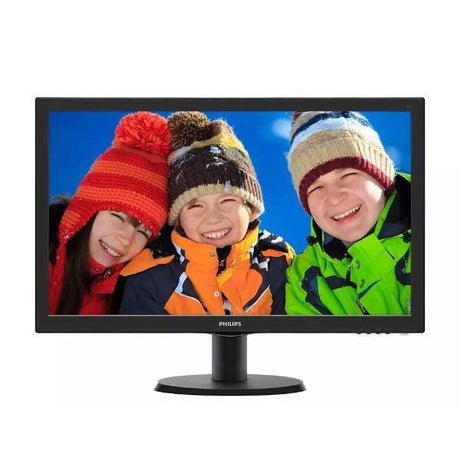
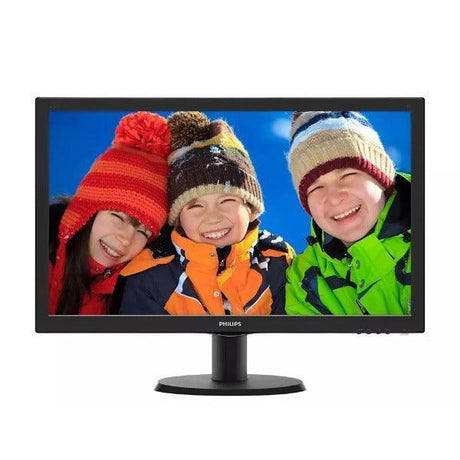
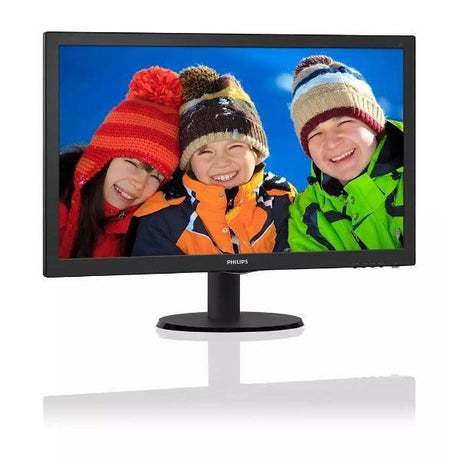
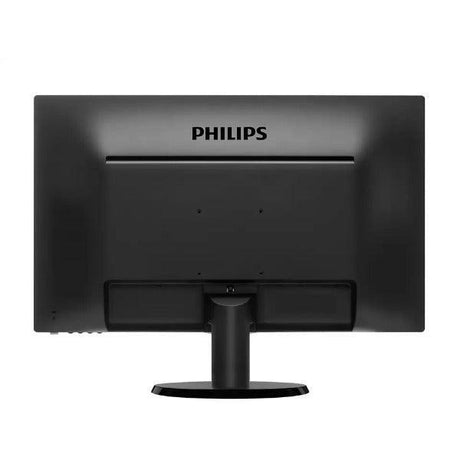
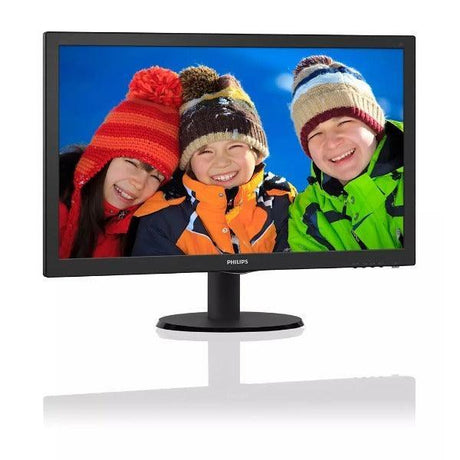
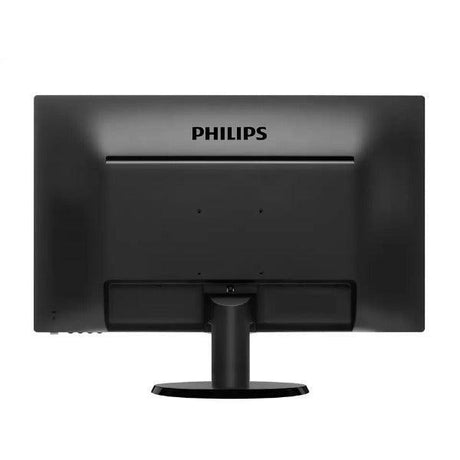
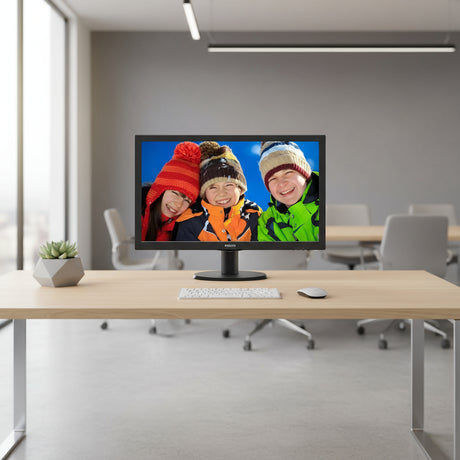
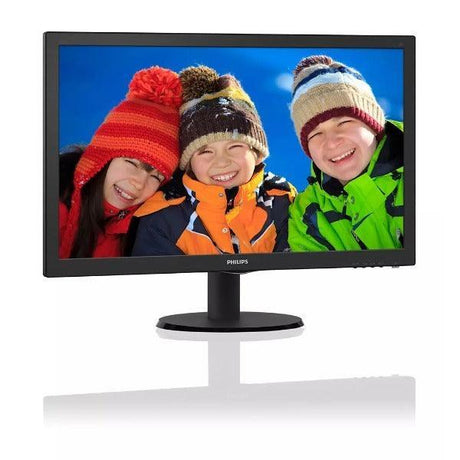
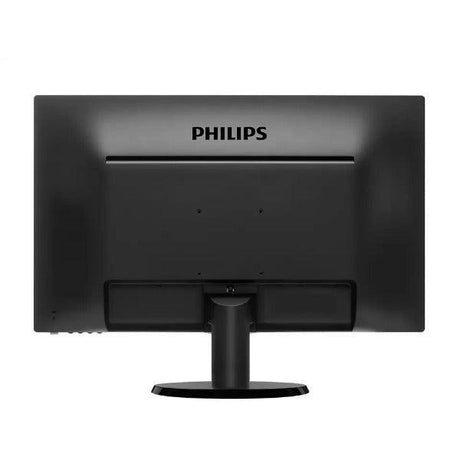
Philips Philips Brilliance 231P4UPhilips Brilliance 231P4U 23" IPS FHD 1080p USB 3.0 Docking Monitor Ethernet Wty

Excellent Grade · Fully tested · No visible marks
SKU: R-6306-EXC
4.74
★★★★★
711 reviews
12mo
Warranty
30day
Free returns
40+
Tech-tested checks
✓ Fast AU shipping ✓ Pickup: Springvale VIC
Select Option
Sale price $59.00 Regular price $79.00

You save $20

or 4 interest-free payments of $14.75 with


Customize and Upgrade Your Device

Perks you get with every purchase

Warranty
If your item experiences a technical issue, we've got you covered—we'll either repair it or replace it for you!

30 days to change your mind
Feel free to return your item for any reason within the first 30 days of receiving it. It's that easy!

Free express shipping
Enjoy fast, free express shipping on all small items like laptops, tablets, and smartphones!

Customer support
Rest assured, we’ll always respond to you within 1 business day!

Frequently asked questions

What does the warranty cover?

Our warranty covers all hardware faults, but please note it doesn’t cover accidental damage or software issues. However, we’re here to help with technical support for those matters!

What is a refurbished device?

A refurbished device is a pre-owned item that has been restored to meet high-quality standards. At Reboot IT, we adhere to strict quality guidelines, ensuring that our refurbished products are not the same as used or secondhand items. We meticulously clean, test, and assess each device, replacing worn parts with high-quality components.

Unlike used items, which lack guarantees and rely solely on the seller's word regarding condition, refurbished devices come with assurance of quality and reliability.

What payment options are available?

We offer a variety of payment options to make your shopping experience as convenient as possible! You can pay using all major credit cards, Apple Pay, Google Pay, Shop Pay, Afterpay, Zip Pay, and PayPal. If you prefer, we also accept bank deposits and even cash for in-store purchases!

At a Glance

Screen Size
21in - 24in
Resolution
Full HD (1920x1080)
Panel Type
IPS LCD

Safe & Secure

  • American Express
  • Apple Pay
  • Google Pay
  • Mastercard
  • PayPal
  • Shop Pay
  • Union Pay
  • Visa

We ensure secure processing of your payment information and do not retain or have access to your credit card details.

Description

Philips Brilliance 231P4U — 23" Full HD USB Docking Monitor

The Philips Brilliance 231P4U is a 23-inch Full HD IPS monitor with a built-in USB 3.0 docking station, including Gigabit Ethernet, so a laptop connects to display, network, and peripherals over a single USB cable. Fully ergonomic stand with height, tilt, swivel, and pivot adjustment. Backed by a 12-month Reboot IT warranty.

Key Benefits

  • Single-cable USB docking: One USB 3.0 cable carries video, network, and peripherals — a laptop user connects and disconnects at the desk with a single plug rather than four.
  • Built-in Gigabit Ethernet: Wired network through the monitor gives laptops without an Ethernet port a stable connection, which matters for large file transfers and VPN reliability.
  • 23-inch Full HD IPS panel: 1920×1080 IPS delivers accurate colour and wide viewing angles — noticeably better than TN panels for shared screens and off-axis viewing.
  • Fully ergonomic stand: Height, tilt, swivel, and pivot adjustment allow correct screen positioning for the user, including portrait rotation for documents and code.
  • Integrated USB hub: Peripherals stay plugged into the monitor permanently, so keyboard, mouse, and headset reconnect automatically when the laptop docks.
  • VESA mount compatible: Standard VESA mounting allows arm or wall installation where the supplied stand is not the right fit for the desk.

Performance in Use

The value of this monitor is the docking function rather than the panel specification. A 23-inch Full HD IPS display is perfectly good for office work, but plenty of monitors offer that. What makes the 231P4U worth seeking out is that a laptop user arrives at the desk, plugs in one USB cable, and immediately has an external screen, wired Gigabit network, and every connected peripheral.

For hot-desking and flexible-working arrangements, that single-cable behaviour changes how a desk is used. There is no docking station to buy or configure, no vendor-specific dock tied to one laptop model, and no cluster of cables to reconnect. The USB approach also means it works across laptop brands, which a proprietary dock does not.

The Gigabit Ethernet port deserves attention on its own. Many modern laptops have no Ethernet port at all, and Wi-Fi is not always adequate for large transfers, VPN sessions, or environments with congested wireless. Getting a wired connection through the monitor solves that without a separate USB network adapter to lose.

Technical Specifications

Specification Details
Model Philips Brilliance 231P4U
Screen Size 23-inch diagonal
Resolution 1920 × 1080 Full HD
Panel Type IPS with LED backlight
Aspect Ratio 16:9
Docking USB 3.0 docking with DisplayLink video
Network Gigabit Ethernet (RJ45) via USB dock
USB Hub Integrated USB 3.0 ports
Ergonomics Height, tilt, swivel, and pivot adjustment
Mounting VESA compatible
Warranty 12 months (Reboot IT)

Is It Right for You?

✓ Best For:
• Laptop users wanting a genuine single-cable desk setup
• Hot-desking and flexible-working environments
• Laptops with no built-in Ethernet port
• Mixed-brand laptop fleets where proprietary docks do not suit
• Users needing portrait rotation for documents or code
✗ Not For:
• Gaming or high-refresh-rate requirements
• 4K or high-resolution content work
• Colour-critical print and photography workflows
• Users wanting HDMI or DisplayPort as the primary connection method
• Desks where a compact, lightweight monitor is required

Condition Grades

Grade Cosmetic Condition Functional Testing
A — Excellent Minimal marks, near-new appearance Panel condition, USB docking, Ethernet, USB hub, and all stand adjustments verified
B — Good Light wear from normal use, fully functional Panel condition, USB docking, Ethernet, USB hub, and all stand adjustments verified

Frequently Asked Questions

Do I need to install software for the USB docking to work?

USB docking monitors of this type use DisplayLink technology, which generally requires a DisplayLink driver on the connected computer. Drivers are available free from DisplayLink for Windows and macOS.

Does the Ethernet port work through the USB connection?

Yes. The Gigabit Ethernet port is part of the USB docking function, so a laptop connected by USB gains a wired network connection through the monitor.

Is a USB cable included?

Cable inclusion varies between refurbished units. Contact us before ordering if you need the USB docking cable confirmed for your order.

Can the screen rotate to portrait?

Yes. The stand supports pivot rotation to portrait orientation, along with height, tilt, and swivel adjustment.

Will it work with a Mac?

Yes, with the appropriate DisplayLink driver installed. Check current DisplayLink macOS compatibility for your specific macOS version before ordering.

Can I use it as a normal monitor without docking?

The 231P4U is designed around USB docking. Check the specific input configuration of your unit with us before ordering if you intend to connect by a standard video cable.

What are the shipping options?

Shipping costs apply based on size and destination — rates are calculated at checkout.

Warranty & Support

Every Philips Brilliance 231P4U sold by Reboot IT includes a 12-month warranty covering hardware defects and functional failure from the date of purchase.

Reboot IT has been Australia's trusted refurbished IT specialist since 2001. Every unit is tested before dispatch — panel condition, USB docking, Ethernet, USB hub, and stand adjustments are all confirmed working. Shipping costs apply based on size and destination — rates are calculated at checkout. Melbourne-based support at reboot-it.com.au.

Specifications

  • Model
    Philips Brilliance 231P4U
  • Screen Size
    21in - 24in
  • Resolution
    Full HD (1920x1080)
  • Display Type
    IPS LCD
  • Aspect Ratio
    16:9
  • Connectivity
    USB-A
  • Video Inputs
    HDMI, DisplayPort
  • Response Time
    5ms
  • Warranty
    1 Year

What's in the box

  • Philips - Philips Brilliance 231P4U
  • Tax invoice
  • Power cable
  • Video cable
By buying refurbished, you avoid
480kg

of CO₂ vs. manufacturing new

And divert
5.5kg

of e-waste from landfill

Source: Dell business monitor PCF datasheets — per unit.

Why the Philips Brilliance 231P4U?

Philips Brilliance 231P4U 23-inch Full HD IPS monitor with a built-in USB 3.0 docking station and Gigabit Ethernet, connecting display, network and peripherals over one USB cable.

Philips Brilliance 231P4U Refurbished Monitor - Product image

Single-cable USB docking

One USB 3.0 cable carries video, network and peripherals, so a laptop user connects and disconnects with a single plug rather than four.

23-inch Full HD IPS panel

IPS delivers accurate colour and wide viewing angles, noticeably better than TN panels for shared screens and off-axis viewing.

Built-in Gigabit Ethernet

Wired network through the monitor gives laptops without an Ethernet port a stable connection for large transfers and VPN reliability.

Fully ergonomic stand

Height, tilt, swivel and pivot adjustment allow correct positioning, including portrait rotation for documents and code.

Single-cable USB docking

One USB 3.0 cable carries video, network and peripherals, so a laptop user connects and disconnects with a single plug rather than four.

23-inch Full HD IPS panel

IPS delivers accurate colour and wide viewing angles, noticeably better than TN panels for shared screens and off-axis viewing.

Philips Brilliance 231P4U Refurbished Monitor - Product image

Built-in Gigabit Ethernet

Wired network through the monitor gives laptops without an Ethernet port a stable connection for large transfers and VPN reliability.

Fully ergonomic stand

Height, tilt, swivel and pivot adjustment allow correct positioning, including portrait rotation for documents and code.

Still undecided? Ask our experts.

Similar Products

Hot Computer Monitors

How Reboot IT Revitalises and Certifies Refurbished Equipment

Learn more
  • Device Arrival

    We carefully source certified refurbished computers from trusted corporate, government, and education sectors, giving each device a fresh start and new purpose.

  • Secure Data Wipe

    To protect your privacy, all previous data is securely and thoroughly erased from every tested refurbished device before it reaches you.

  • Comprehensive Testing

    Each certified refurbished computer undergoes detailed testing with specialized software to ensure full functionality, and any worn or faulty components are replaced exclusively with original parts, guaranteeing reliable, long-lasting performance for your tested refurbished device.

  • Cleaning & Grading

    Every computer is professionally cleaned and carefully graded, so you know exactly what condition your certified refurbished computer is in—giving you full confidence in your purchase.

WELCOME TO REBOOT IT

Australia's number one source for Refurbished Desktops, Laptops, Monitors and more.

Since 2001, Reboot IT has been Australia’s trusted source for certified refurbished computers and IT hardware. Every device is rigorously tested and professionally refurbished to deliver reliable, like-new performance — all at a fraction of the cost of new equipment. With over 100,000 satisfied customers, we combine expert quality with unbeatable value. Shop with confidence knowing your refurbished device comes backed by warranty and supports sustainable tech reuse.

> Learn more

  • IBM Business partner
  • We are an IBM authorized reseller for refurbished computer and IT hardware, tested by professional and guaranteed to perform like new.