
Windows 10 stopped receiving support on 14 October 2025 [1]. That single date changed refurbished laptop buying in Australia more than any price movement in the last decade, because a large share of the machines still advertised as bargains cannot run Windows 11 at all.
The good news: you can rule those machines out in about ten seconds, using a number that is already printed in the listing title. This guide covers that check first, then the rest of the decision: what grades actually mean, which specifications matter, how to read a battery, and what Australian Consumer Law guarantees you regardless of what any seller says.
Key takeaways
- Check the CPU generation first. Windows 11 needs an 8th-generation Intel Core chip or newer, or an AMD Ryzen 2000 series or newer [2]. Everything else is secondary.
- Cosmetic grade is the cheapest thing to compromise on. Across our own laptop pricing, the gap between A-grade and B-grade is only 5% to 10% (Reboot IT internal pricing model, June 2026).
- Australian Consumer Law applies to refurbished goods the same as new ones. Consumer guarantees are automatic and cannot be signed away [4].
- Battery is the one component that genuinely wears out. Ask for its health figure, not its age.
- Ex-lease business machines are the value sweet spot. They were specified for durability, not for a price point on a retail shelf.
Start with the Windows 11 question
Microsoft ended support for Windows 10 on 14 October 2025 [1]. An unsupported operating system stops receiving security updates altogether, which matters considerably more on a portable machine that connects to unfamiliar networks than on a desktop that never leaves a single office.
So the first question is not whether the advertised price represents good value. It is whether the machine in front of you is capable of running a currently supported operating system at all.
Windows 11 requires a 64-bit processor from Microsoft's approved list, 4GB of RAM, 64GB of storage, and TPM 2.0 [2]. In practice the processor requirement is the one that eliminates machines, and it lands almost exactly at the 8th generation of Intel Core chips, or AMD's Ryzen 2000 series and newer [3].
The ten-second check
Find the CPU model in the listing title and read the digits after the dash:
| CPU in the listing | Generation | Windows 11 |
|---|---|---|
| i5-7200U, i7-7500U | 7th | No |
| i5-8250U, i7-8650U | 8th | Yes |
| i5-10210U, i7-10610U | 10th | Yes |
| i5-1145G7, i5-1235U | 11th / 12th | Yes |
| Ryzen 5 2500U or newer | Zen+ onward | Yes |
The rule is simple enough to apply directly from a listing title: for four-digit Intel model numbers the first digit indicates the generation, and for five-digit numbers it is the first two [3]. An i5-8250U is therefore an 8th-generation processor and qualifies for Windows 11, whereas an i5-7200U is 7th-generation and does not, regardless of how impressive the remainder of the specification happens to look [2].
This is not a guideline we invented. It is how we decide which operating system goes onto a machine before it is listed, and it overrides whatever sticker happens to be on the case when a unit arrives. If you would rather skip the arithmetic entirely, our Windows 11 laptops are filtered on exactly this rule.
One honest caveat: a 7th-generation machine is not worthless, and I would not want this guide to imply otherwise. It remains perfectly serviceable as a Linux workstation, as a ChromeOS Flex conversion, or as a secondary machine dedicated to a task that never touches the internet. Some buyers also specifically need Windows 10 machines to run legacy software that was never certified for Windows 11, which is a legitimate reason to buy one with your eyes open. It is simply not a machine you should buy as your primary computer in 2026 without understanding precisely what you are accepting [1].
What refurbished actually means here
Refurbished and used are not the same thing, and the difference is mostly about who carries the risk.
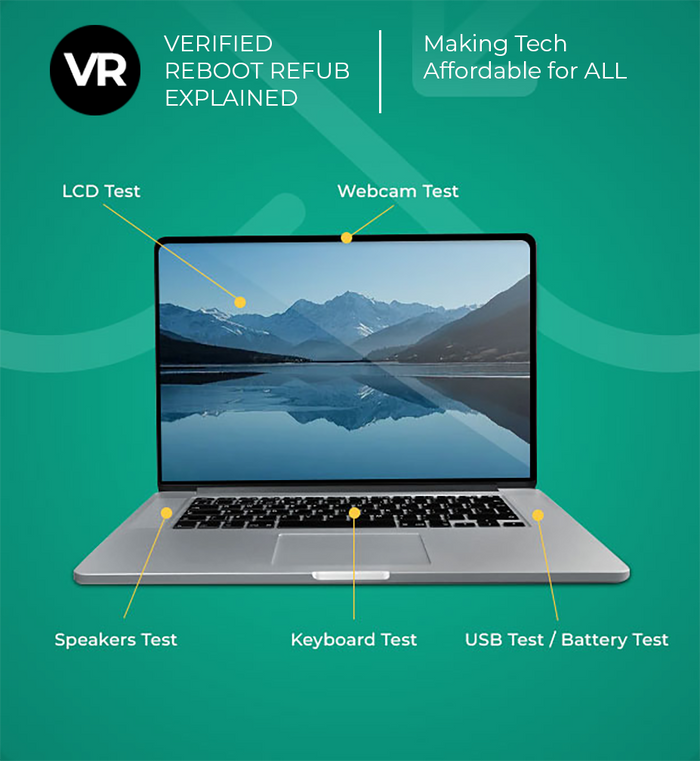
A used laptop is sold as it is. A refurbished laptop has been tested, repaired where needed, wiped, reloaded and then sold with a warranty. The seller has taken a position on whether the machine works. Our own refurbishment process covers hardware diagnostics, battery health checks, cosmetic grading and a fresh operating system install before anything is listed.
Most refurbished business stock in Australia comes off corporate leases, typically on a three-year cycle, and that origin matters because of what those machines were originally bought to be. An organisation purchasing several hundred laptops specifies for durability, serviceability and a low failure rate across a support contract. Nobody specifies a corporate fleet machine to hit an aggressive price point on a retail shelf, which is precisely why ex-lease hardware tends to be better engineered than consumer equipment at equivalent money.
You can see it in what is actually on the shelf. When I looked at our own laptop stock while writing this guide, close to six in ten of the machines were business lines: ThinkPad, Latitude, EliteBook and similar (Reboot IT internal stock data, June 2026). That is the ex-lease pipeline showing up as inventory.
| Feature | Refurbished laptop | New laptop |
|---|---|---|
| Cost | Well below new retail; varies by model, age and grade | Full retail price |
| Quality assurance | Tested, repaired and certified by the refurbisher | Manufacturer warranty |
| Consumer guarantees | Apply in full under Australian Consumer Law [4] | Apply in full under Australian Consumer Law [4] |
| Generation available | Typically 3 to 5 years behind current retail | Current generation |
| Environmental impact | Extends the life of an existing device | Higher, due to manufacturing |
If you want the longer argument about whether these machines are any good at all, we wrote that separately in our piece on the myths around refurbished laptops. This guide assumes you have accepted the premise and want to know how to choose well.
How to read a cosmetic grade
Almost every Australian refurbisher grades cosmetic condition, usually A/B/C or Excellent/Good/Fair. The grade describes appearance. It does not describe whether the machine works, because a machine that does not work should not be listed at any grade.
Here is the part nobody puts in a buying guide, and it is the single most useful thing in this article for your wallet.
The price gap between A-grade and B-grade cosmetics is small. In our own pricing model, A-grade commands between 5% and 10% over B-grade for the same laptop, and the premium shrinks as the machine gets more expensive: about 10% on units under $300 ex-GST, around 8% between $300 and $600 ex-GST, and roughly 5% above $1,000 ex-GST (Reboot IT internal pricing model, June 2026).
Read that the other way around. Accepting some visible scuffing on the lid saves you between 5% and 10%, whereas accepting a slower processor or half the memory compromises the machine's entire usable life. If you are hunting for savings in a constrained budget, cosmetic condition is the inexpensive concession and specification is the expensive one.
The exception is a cracked screen bezel or a damaged hinge, which are structural rather than cosmetic. Our full cosmetic condition definitions set out what each grade covers, and we go deeper on grade language in our guide to what Excellent and Good really mean.
The specifications that actually matter
In rough order of how much they will affect your daily experience:
RAM comes first. 8GB is the working minimum in 2026. 16GB is the figure to aim for if you keep a lot of browser tabs open or run anything alongside them. This matters more than processor tier for most people, because running out of memory makes a fast machine feel slow, while a slightly slower processor with enough memory just feels normal.
Storage: insist on SSD, then look at size. Any refurbished laptop worth buying has a solid-state drive. 256GB suits most people who keep files in the cloud. 512GB is worth it if you store photos or video locally.
Screen: check resolution, not just size. Look for 1920x1080, often written FHD. Some older business machines shipped at 1366x768, which is noticeably cramped for anything involving two windows side by side.
Intel Core i5 or i7: generation beats tier
The choice between an Intel Core i5 and an i7 processor matters less than most buyers assume, and it matters far less than the generation.
A newer i5 will generally beat an older i7. An i5-1235U from 2022 outperforms an i7 from 2017 in most real work, and it is also the one that runs Windows 11. If you have to choose between a higher tier and a newer generation, take the newer generation every time.
The i5 remains the sensible default for office work, study and general use. The i7 earns its premium for sustained heavy work: video editing, large datasets, software compilation. For everything else it mostly buys you a warmer laptop and shorter battery life.
Match the machine to the job
Study and schoolwork. 8GB RAM, 256GB SSD, 13 or 14 inch for carrying. Weight matters more than raw speed here.
Office and admin work. 16GB RAM if you can, 256GB SSD, 14 inch. This is the sweet spot of the ex-lease market and where the value is best, because supply is deepest. Business-grade laptops tend to arrive already configured this way, because that is what corporate fleets ordered.
Working from home with video calls. Check the webcam specification and make sure the machine has a working one. Some business fleets were ordered without cameras for security reasons, which was sensible at the time and inconvenient now. If you work at a desk most days, a docking station turns a 14 inch machine into a full workstation.
Tight budget. Establish your minimum acceptable specification first, then identify the cheapest machine that clears it, rather than starting from a price and discovering the compromises afterwards. Our laptops under $500 range (prices shown inc-GST) is filtered on price alone, so apply the Windows 11 processor check to anything you shortlist there.
Gaming. Look for a dedicated graphics card rather than integrated graphics, and check the screen refresh rate. Our gaming laptops are a smaller pool than the business range, because gaming machines rarely come off corporate leases.
Creative or engineering work. Look for a discrete GPU and 32GB RAM, which pushes you toward mobile workstation lines. Be realistic about whether refurbished is right here, and see the honest limits section below.
Tablet, 2-in-1, or traditional laptop?
A refurbished tablet suits consumption: reading, browsing, video, light note-taking. A 2-in-1 laptop gives you a real keyboard with a touchscreen that folds back, which is the better choice if you produce work as well as consume it. A traditional laptop is still the best value per dollar, because the hinge mechanism in a convertible adds cost and one more thing to fail.
Choosing a brand
Three manufacturers dominate the Australian ex-lease market, and the practical differences between them are smaller than brand loyalty suggests.
Dell Latitude machines are the workhorses of the category: easy to service, widely available in every configuration, and consistently well built. Parts availability is the best of any brand, which matters for a machine you intend to keep for years.
Lenovo ThinkPads have the best keyboards in the category by a clear margin, and the X and T series are built to a genuinely high standard. If you type for a living, start here.
HP EliteBooks sit between the two, often with the best screens of the three and a slightly more modern chassis design in the later generations.
Refurbished MacBooks are a different market: they hold value far better, so the discount against new is smaller, but the machines last a long time and macOS support windows are generous.
Battery: the one part that really ages
Processors do not wear out in any way you will notice. Batteries do. It is the one component where the machine's past life genuinely shows up in your daily experience.
Ask for the battery's health as a percentage of its original design capacity, not its age in years. A four-year-old battery that spent its life plugged into a dock can be healthier than a two-year-old one that was cycled hard every day.
What we typically see with 3-to-4-year-old business laptops is a chassis in good order and a battery that has lost a meaningful share of its capacity. That is a replaceable part, not a reason to reject the machine, but it should be priced in and disclosed before you buy. If a seller cannot tell you the battery health figure, that tells you something about how carefully the machine was tested.
Your rights under Australian Consumer Law
This is the part most refurbished buying guides skip, and it is the part that protects you.
Consumer guarantees under the Australian Consumer Law apply automatically when you buy from a business, and they cannot be excluded, restricted or modified by a seller [4]. The Australian Consumer Law sits in Schedule 2 of the Competition and Consumer Act 2010 [5].
The guarantees that matter for a refurbished laptop:
- The goods must be of acceptable quality: safe, lasting, free from defects and doing what that kind of good ordinarily does [4].
- The goods must match their description. If a listing says 16GB RAM and 512GB storage, that is what has to arrive.
- If something goes wrong, you are entitled to a repair, replacement or refund, with the remedy depending on whether the failure is major [4].
Two things people get wrong here.
First, acceptable quality is judged against what is reasonable for that product, including its age, price and how it was described. A refurbished laptop sold as B-grade with visible wear is not defective because it has visible wear; that was the description. But it still has to work.
Second, consumer guarantees sit alongside any warranty the seller offers, not underneath it. A voluntary warranty adds to your rights. It does not replace them, and a warranty expiring does not automatically end a consumer guarantee claim. Our warranty terms are written to sit on top of that statutory floor, not to substitute for it.
What to ask before you pay
A short list. If a seller cannot answer these, that is your answer.
- What generation is the processor, and will it run Windows 11? Covered above, and it is the fastest way to sort a shortlist.
- What Windows licence does it ship with? A refurbished machine should come with a genuine, properly licensed copy of Windows. Ask whether the refurbisher participates in a Microsoft refurbisher program.
- What is the battery health? A percentage, not an age.
- What is the warranty period, and who honours it? A local warranty you can actually claim on beats a longer one you cannot.
- What exactly does the cosmetic grade mean for this unit? Grades are not standardised between sellers. Ask for the specific definition, or photos of the actual machine.
- Has the drive been wiped? Any competent refurbisher wipes and reimages as standard.
Where to buy a refurbished laptop in Australia
Specialist refurbishers are generally the safest option, because refurbishment is the business rather than a sideline. Look for a documented testing process, a clearly stated warranty, an Australian address and a phone number that a person answers.
Online marketplaces can produce good outcomes but the variance is much wider, because you are buying from whoever is behind the listing rather than from the platform. If you go that route, check the seller's history and be specific in your questions about battery health, grade and Windows licensing.
Ex-corporate and ex-government stock is worth seeking out specifically. Those machines were maintained under a support contract for their whole working life, which is the closest thing to a service history you get in this market. Reboot IT has been refurbishing this category from Springvale, Victoria since 2001, and our full range sits in refurbished laptops.
When refurbished is the wrong choice
I sell refurbished laptops for a living, and there are still cases where I would tell you to buy new.
You need current-generation performance. If you are training machine learning models, editing 4K video to a deadline, or playing new titles at high settings, the hardware you need has not come off a three-year corporate lease yet. Ex-lease supply runs about three years behind the retail market by definition. Buy new, and buy the GPU you actually need.
You need a guaranteed multi-year battery life with no intervention. Batteries are consumable. If you need a machine that will hold a full working day's charge in year four without a battery replacement in between, start from a new battery and a manufacturer warranty covering it.
Your procurement rules require new equipment. Some government panels, education contracts and enterprise procurement frameworks specify new hardware, or require warranty terms that only a manufacturer can offer. That is a policy question, not a technical one, and it is not worth fighting to save a few hundred dollars.
You need many identical machines with guaranteed availability. Refurbished supply is inherently a matter of what came off lease. If you need 200 identical units this quarter and another 200 next quarter, a refurbisher may not be able to promise that. We would rather say so upfront than take the order and disappoint you.
You are buying a very old machine to save a little money. A 7th-generation Intel machine that cannot run a supported operating system [1] is not a bargain at any price if it is your main computer. This is the most common mistake I see, and it is why this guide opens with the processor check rather than the price.
Frequently asked questions
Can refurbished laptops run Windows 11?
Many can, but not all. Windows 11 requires an 8th-generation Intel Core processor or newer, or an AMD Ryzen 2000 series or newer, plus TPM 2.0 [2][3]. Check the processor model number in the listing: for a four-digit Intel number the first digit is the generation, and for a five-digit number it is the first two. An i5-8250U qualifies, an i5-7200U does not.
What is the difference between A-grade and B-grade?
Both describe cosmetic condition, not function. A-grade means minimal or no visible wear; B-grade means visible scuffing or light scratching. Both should be fully working and both carry the same consumer guarantees. In our own pricing, A-grade carries only a 5% to 10% premium over B-grade for the same model (Reboot IT internal pricing model, June 2026), which makes cosmetics the cheapest thing to compromise on.
Do refurbished laptops come with a warranty in Australia?
Reputable Australian refurbishers include one, and separately, consumer guarantees under the Australian Consumer Law apply automatically to anything you buy from a business [4]. Those guarantees cannot be excluded by a seller. A voluntary warranty adds to your statutory rights rather than replacing them.
How much RAM do I need in 2026?
8GB is the practical minimum and 16GB is the figure to aim for. Memory affects everyday responsiveness more than processor tier for most people, because a machine that runs out of memory feels slow regardless of how fast the processor is. If your budget forces a choice, take more RAM over a higher processor tier.
Is the battery replaced before sale?
Not always, and you should ask rather than assume. Batteries are consumable and wear with use, so the useful question is the battery's current health as a percentage of original design capacity, not the machine's age. A machine that lived in a dock can have a healthier battery than one two years younger that was cycled daily.
Are ex-lease business laptops better than consumer models?
Usually, for durability. Corporate fleets are specified for a low failure rate and a service contract rather than a retail price point, which tends to mean better build quality, better keyboards and better serviceability. That is also why business lines make up the bulk of Australian refurbished stock.
Can I upgrade the RAM or storage later?
Often, but check before you buy. Many business laptops from the 8th to 10th generation have accessible memory slots and a replaceable drive. Thinner ultrabooks increasingly solder the memory to the board, which fixes your RAM at whatever the machine shipped with. If you expect to upgrade later, ask whether the memory is soldered.
About the author
Jeff Fujii is Director of Reboot IT, which he has run since 2001, before refurbished IT was a recognised commercial category in Australia. Reboot IT refurbishes business laptops, desktops, monitors, phones and networking equipment from its facility in Springvale, Victoria.
Last updated: 2 August 2026.
Disclosure: Reboot IT sells refurbished IT and benefits commercially when readers choose refurbished hardware over new. We've cited primary sources where possible so you can verify our claims independently. Where our internal data is referenced, the source is named explicitly.
References
- Microsoft. End of support for Windows 10, Windows 8.1, and Windows 7. microsoft.com
- Microsoft. Windows 11 Specs and System Requirements. microsoft.com
- Microsoft Learn. Windows 11 requirements. learn.microsoft.com
- Australian Competition and Consumer Commission. Consumer rights and guarantees. accc.gov.au
- Federal Register of Legislation. Competition and Consumer Act 2010 (Schedule 2, the Australian Consumer Law). legislation.gov.au






1 comment
Great guide! Choosing the right refurbished laptop can save money while meeting performance needs. Your tips on checking warranty and specs are super helpful. Thanks for sharing this valuable information!