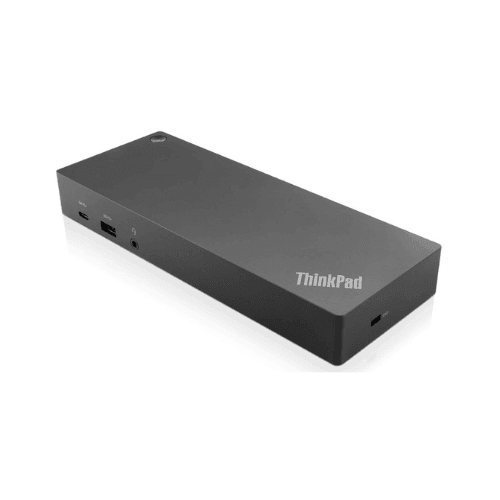
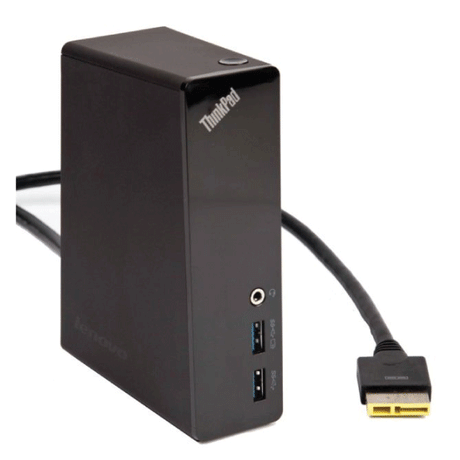
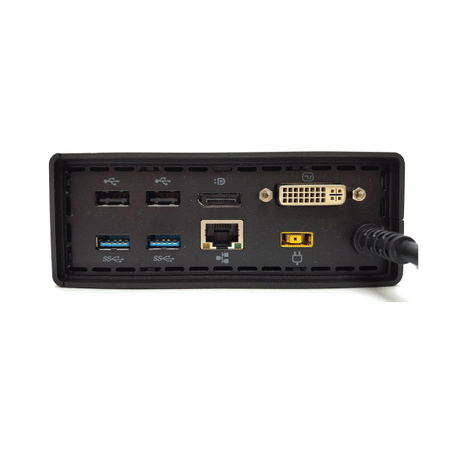
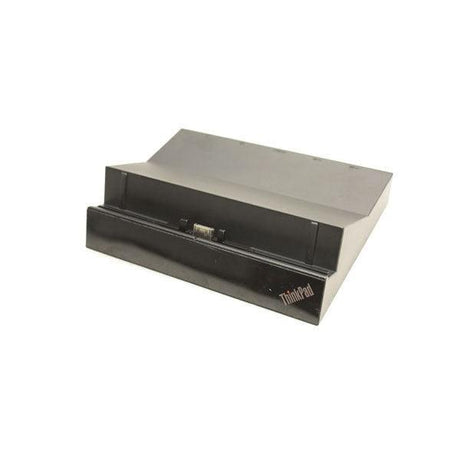
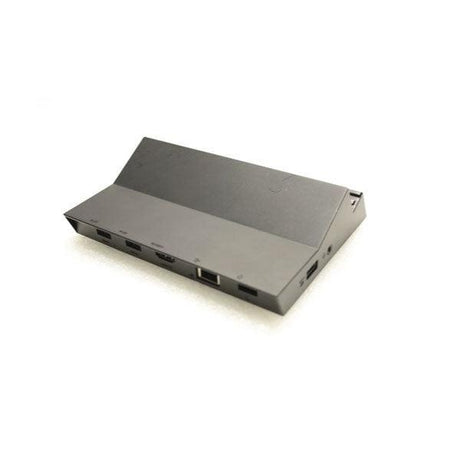
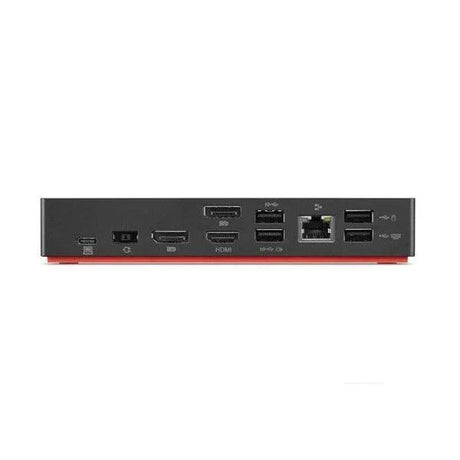
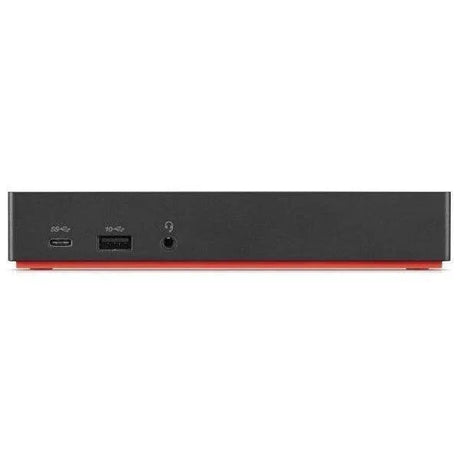
Lenovo ThinkPad Hybrid USB-C with USB-A Dock (40AF)
A universal docking station that works with both USB-C and older USB-A laptops, driving dual 4K displays over DisplayPort and HDMI with Gigabit Ethernet and a full set of USB ports. Backed by a 12-month Reboot IT warranty. Supplied as the dock unit only — no power adapter is included.
Please read before ordering — power adapter not included. This dock is supplied without its AC power adapter, and it will not operate without one. You will need a Lenovo slim-tip dock power supply (135W type) or an equivalent compatible unit. The USB-C cable is also not included. Please factor this in when comparing prices — if you already have a spare Lenovo slim-tip adapter, this is an economical way to add a dock.
Key Benefits
-
Hybrid USB-C and USB-A connection — the reason this model exists. It docks modern USB-C laptops and older USB-A-only machines, so one dock standard covers a mixed fleet through a hardware refresh cycle.
-
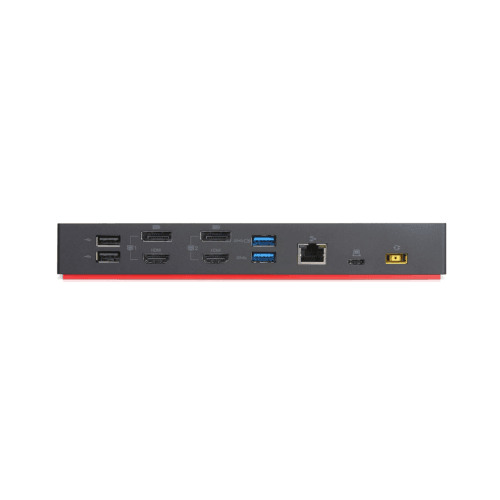
Dual 4K display support — two DisplayPort and two HDMI outputs let you run a two-monitor workstation from a single cable to the laptop.
-
Brand-agnostic — despite the ThinkPad name it works with non-Lenovo laptops from Dell, HP and others that support USB-C or USB-A docking.
-
Gigabit Ethernet — wired network on a laptop that has no RJ45 port, which matters for stability, security policy and large file transfers.
-
Plenty of USB — high-speed USB 3.1 Gen 2 ports plus USB 2.0 for keyboard, mouse, headset, webcam and storage, with an always-on port for charging accessories.
-
Enterprise manageability — supports PXE boot and MAC address pass-through on compatible ThinkPad notebooks, which IT teams rely on for imaging and network policy.
Performance in Use
The practical value of this dock is the hybrid connection. Most docking stations force a choice: USB-C only, and older laptops are stranded, or a proprietary connector tied to one model generation. The 40AF connects over either USB-C or USB-A, which means a single dock at every desk can serve whatever laptop the user happens to have. For an organisation running a mixed or staggered refresh, that removes a real headache.
At the desk it behaves the way a dock should. One connection to the laptop brings up two external monitors, wired Ethernet, keyboard and mouse, a headset and any USB storage — then a single unplug releases everything for a meeting. The combination of DisplayPort and HDMI outputs means it works with both older monitors and current ones without needing adapters, and the combo audio jack handles a wired headset for calls.
Two points of realism. First, display capability depends on how the laptop connects: a USB-C connection delivers the full dual-4K experience, while a USB-A connection is more limited in refresh rate and resolution because of the bandwidth available. Second, and most importantly, this unit is supplied without its power adapter, so budget for one. Charging pass-through to the laptop also depends on having a suitable adapter fitted.
Technical Specifications
| Model |
Lenovo ThinkPad Hybrid USB-C with USB-A Dock (40AF) |
| Host connection |
USB-C or USB-A (hybrid) |
| Display support |
Dual monitor, up to dual 4K (connection dependent) |
| Video outputs |
2 x DisplayPort, 2 x HDMI |
| Network |
Gigabit Ethernet (RJ45) |
| USB ports |
3 x USB 3.1 Gen 2 Type-A (one always-on), 2 x USB 2.0 Type-A, 1 x USB-C (data) |
| Audio |
3.5mm combo headphone / microphone jack |
| Security |
Kensington-style security lock slot |
| Manageability |
PXE boot and MAC address pass-through on supported ThinkPad models |
| OS support |
Windows, macOS, Linux and ChromeOS (feature support varies by platform) |
| Power adapter |
Not included — required for operation |
| USB-C cable |
Not included |
| Warranty |
12 months |
Is It Right For You?
| Best For ✓ |
Not For ✗ |
Buyers who already own a Lenovo slim-tip adapter
Mixed fleets of USB-C and USB-A laptops
Dual-monitor desk setups
Hot-desking and shared workstations
IT teams needing PXE boot and MAC pass-through
Laptops with no built-in Ethernet port
Organisations standardising docks across a refresh
|
Buyers who need a ready-to-run kit in the box
Anyone unable to source a slim-tip power supply
Thunderbolt-specific bandwidth requirements
Three or more simultaneous external displays
Users wanting bus-powered portability
Setups needing a VGA output
|
Condition Grades
| A — Excellent |
Minimal signs of use. Housing largely free from marks. Presents close to new. |
| B — Good |
Fully tested and functional. Housing may show scratches, light scuffing, small dents or paint chips from normal business use. |
Grading covers cosmetic appearance only. Every unit is functionally tested to the same standard regardless of grade.
Frequently Asked Questions
Does this dock include a power adapter?
No. This unit is supplied as the dock only. It requires a Lenovo slim-tip dock power supply (135W type) or a compatible equivalent, which you will need to source separately. The dock will not power on without one.
Will it work with a non-Lenovo laptop?
Yes. This is a universal dock. It works with Dell, HP, Apple and other laptops that support docking over USB-C or USB-A. Some enterprise features such as PXE boot and MAC address pass-through are specific to supported ThinkPad models.
Can it really run two 4K monitors?
Dual 4K is supported when the dock is connected to the laptop over USB-C. Connecting over USB-A works but delivers lower resolution and refresh rate limits because that connection has less bandwidth available.
Will it charge my laptop?
The 40AF supports charging compatible laptops over its host connection, but this depends entirely on having a suitable power adapter fitted — which is not supplied with this unit.
Is a USB-C cable included?
No. The host connection cable is not included with this unit. Any good-quality USB-C cable rated for data and video will work.
Does it have a VGA output?
No. Video outputs are two DisplayPort and two HDMI. A DisplayPort-to-VGA or HDMI-to-VGA adapter can be used if you need to drive an older projector or monitor.
How is it shipped?
This item qualifies for free standard shipping within Australia, dispatched from our Melbourne facility.
12-Month Reboot IT Warranty
This docking station is covered by a 12-month Reboot IT warranty. If a covered fault appears we repair, replace or refund — handled by our own technicians in Melbourne, not shipped offshore.
Reboot IT has been refurbishing business technology in Australia since 2001. Every dock is functionally tested across video outputs, Ethernet, USB ports and audio before it is graded and listed. Free standard shipping applies within Australia, and we supply fleet quantities to schools, government and business — contact our Melbourne team via reboot-it.com.au for volume pricing or to check compatibility with your laptops.