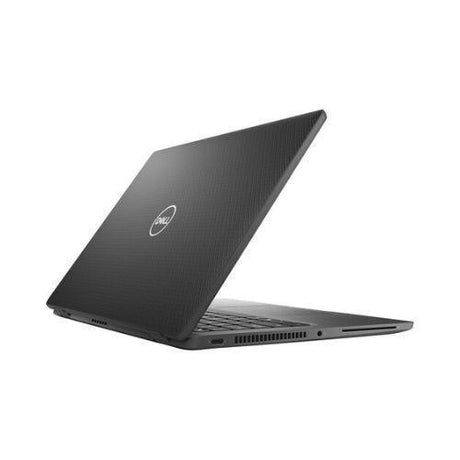
Apple MacBook Pro 13" 2017 — Top-Tier Kaby Lake i7 with 16GB RAM and Touch Bar
The 2017 MacBook Pro 13" in its top Intel configuration — Intel's i7-7660U 4MB-cache Kaby Lake with Iris Plus 650 graphics, paired with 16GB of LPDDR3 and a 512GB PCIe NVMe SSD. Includes the Touch Bar, Touch ID, and four full-function Thunderbolt 3 ports. Backed by a 12-month Reboot IT warranty.
Key Benefits
-
Intel Core i7-7660U — the top 13" 2017 chip: dual-core / 4-thread Kaby Lake at 2.5 GHz base, turbo to 4.0 GHz, 4MB cache — the fastest CPU Apple shipped in a 13" MacBook Pro for the entire 2017 generation.
-
16GB LPDDR3 — the maximum spec: double the standard 8GB and the highest RAM Apple ever shipped in a 13" 2017 MBP. Comfortable headroom for Lightroom, Logic Pro sessions, Xcode and dozens of browser tabs.
-
512GB PCIe NVMe SSD: blistering Apple-branded NVMe with read speeds over 2,800 MB/s — instant boot, instant app launches, and plenty of capacity for projects.
-
Iris Plus Graphics 650 — desktop-class iGPU: Apple-tuned 64 EU Iris Plus with eDRAM cache — meaningfully faster than standard HD 620 graphics for light photo editing, video playback, and 4K external display work.
-
13.3" Retina display with True Tone: 2560×1600 IPS at 500 nits with P3 wide colour gamut. Colour-accurate enough for design work and bright enough for any environment.
-
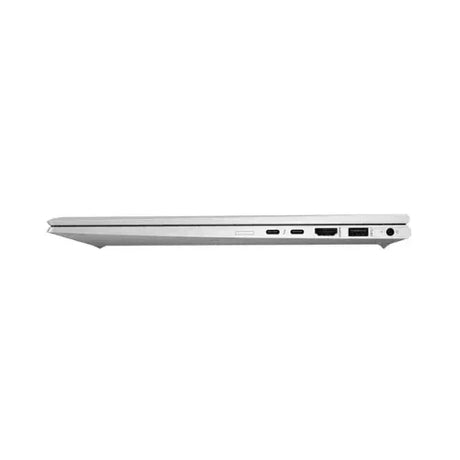
4 × Thunderbolt 3 USB-C ports: all four ports support 40 Gb/s data, dual 4K (or single 5K) display, and 60W power delivery — dock once for displays, peripherals, storage and charging.
Performance in Use
The i7-7660U is the high-bin Kaby Lake chip Apple reserved for the top 2017 MBP 13" configuration — and the 16GB of LPDDR3 turns it from "laptop" into a genuine pro workhorse. macOS Big Sur to Ventura runs fluidly; Outlook, Teams, Edge, Chrome, Office, Lightroom, Affinity Photo and Logic Pro all launch in seconds from the PCIe SSD. The Iris Plus 650's eDRAM gives noticeably better graphics throughput than the standard HD 620 found in entry models — light 1080p editing in Final Cut Pro stays smooth, and 4K external display output works flawlessly.
Where the 16GB really pays off is sustained creative and developer workflows. Photographers can keep a large Lightroom catalogue open through bulk edits without paging to disk; Logic Pro sessions with dozens of tracks stay responsive; developers can comfortably run Xcode, a Docker container and VS Code with multiple language servers at once. macOS keeps far more open at once at 16GB than at the entry 8GB — the difference is tangible.
The 13.3" Retina display is still beautiful in 2025: 500 nits of brightness, True Tone matching ambient lighting, and P3 wide colour gamut for accurate creative work. The Touch Bar gives contextual controls in Final Cut, Logic, Safari and Pages, while Touch ID handles login and Apple Pay. Four Thunderbolt 3 ports mean genuine flexibility — charge from either side, run dual external displays, and connect high-speed SSDs all simultaneously.
Technical Specifications
| Brand |
Apple |
| Model |
MacBook Pro 13" 2017 (A1706 / MacBookPro14,2) — Touch Bar |
| Processor |
Intel Core i7-7660U (7th Gen Kaby Lake, 2C/4T, 2.5 GHz base / 4.0 GHz turbo, 4MB cache, 15W) — top-bin 13" 2017 chip |
| Memory (RAM) |
16GB LPDDR3 2133 MHz (soldered, maximum spec) |
| Storage |
512GB Apple PCIe NVMe SSD (soldered) |
| Graphics |
Intel Iris Plus Graphics 650 (integrated, 64 EUs, with 64MB eDRAM cache) |
| Display |
13.3" Retina IPS, 2560 × 1600 (227 ppi), 500 nits, True Tone, P3 wide colour |
| Operating System |
macOS (officially supported to Ventura; later versions via community tools) |
| Wireless |
Wi-Fi 5 (802.11ac, 3×3) + Bluetooth 4.2 |
| Ports |
4 × Thunderbolt 3 (USB-C, 40 Gb/s, DP, 60W PD), 3.5mm headphone jack |
| Camera |
720p FaceTime HD |
| Audio |
Stereo speakers with high dynamic range; three-mic array |
| Security |
Touch ID fingerprint sensor + Apple T2 Security Chip (hardware-encrypted SSD, Secure Boot) |
| Keyboard |
Butterfly keyboard (Gen 2), backlit, with Touch Bar and Touch ID, Force Touch trackpad |
| Weight |
Approx. 1.37 kg |
| Warranty |
12-month Reboot IT warranty |
Is It Right for You?
| ✓ Best For |
✗ Not Ideal For |
| Lightroom and Affinity Photo users wanting 16GB headroom |
4K video editing or sustained 3D rendering |
| Developers in Xcode, VS Code, light Docker workflows |
Users wanting native macOS Sonoma or later (Ventura is the official ceiling) |
| Students and academics in the Apple ecosystem |
Anyone needing native USB-A, HDMI or SD card slot without dongles |
| Commuters wanting Retina + Touch Bar at sub-1.4kg |
Buyers worried about the butterfly keyboard generation |
Condition Grades
| Grade |
Description |
| A — Excellent |
Minimal cosmetic marks — looks near-new. Battery health 70%+. Fully tested and functional. |
| B — Good |
Light cosmetic wear such as minor scratches, scuffs or keycap shine. Battery health 50–70%. All components fully tested and working. |
Battery warranty: 30 days from date of purchase.
Frequently Asked Questions
Is the i7-7660U really faster than the i5 in this generation?
Yes — it's the top-bin 2017 13" chip with 4MB cache (vs 3MB for the i5), higher turbo (4.0 GHz vs 3.5 GHz) and the Iris Plus 650 eGPU with 64MB eDRAM. Real-world: roughly 15-20% faster on multi-core workloads and meaningfully snappier graphics for editing, light video and external display work.
What's the latest macOS this can run?
Officially supported up to macOS Ventura (macOS 13). Sonoma (14) and Sequoia (15) can be installed via community patcher tools but lose certain features. We ship each unit with the latest officially-compatible macOS freshly set up and ready to use.
What about the butterfly keyboard?
The 2017 MBP uses Apple's second-generation butterfly keyboard. Each unit is fully tested before dispatch; Apple's free repair programme for the butterfly keyboard ended in 2022, but our 12-month warranty covers any hardware failure on units we sell.
Can I upgrade the RAM or SSD?
No. On the 2017 MacBook Pro 13" both the RAM and SSD are soldered to the logic board, so the 16GB / 512GB configuration is fixed. The good news is 16GB is the maximum this model ever shipped with.
What's the Apple T2 chip do?
Wait — the 2017 MBP doesn't have a T2 chip; that came with the 2018 model. The 2017 has the T1 chip which handles the Touch Bar and Touch ID. Both work normally; the SSD is hardware-encrypted by the regular EFI firmware.
Is free shipping available?
Yes — free standard shipping to all Australian addresses is included. Express shipping is available at checkout for an additional charge.
What does the 12-month warranty cover?
Hardware defects and functional failures for 12 months from purchase. Excludes accidental damage, liquid ingress and normal cosmetic wear. Battery health is separately warrantied for 30 days.
12-Month Warranty & Free AU Shipping
Every MacBook Pro 13" 2017 sold by Reboot IT carries a 12-month warranty covering hardware defects. Each unit is professionally tested, cleaned and reinstalled with a fresh copy of macOS before dispatch. We've been refurbishing and reselling quality IT equipment from Melbourne since 2001.
Free standard shipping is included to anywhere in Australia, with your tax invoice enclosed. Visit reboot-it.com.au or contact our Melbourne-based team with any questions before or after your purchase.