
Refurbished Home & office monitors
- Up to 38% off$159Sold outWas
$209Condition gradesExcellent — virtually like new. Minimal signs of use.
Good — fully functional, with light signs of use such as minor marks on the casing.
Every monitor is fully tested before dispatch — the grade describes appearance only.
Full grading guide →- 23" · Full HD
- IPS screen · vivid colour
- Ports: HDMI · DP · VGA
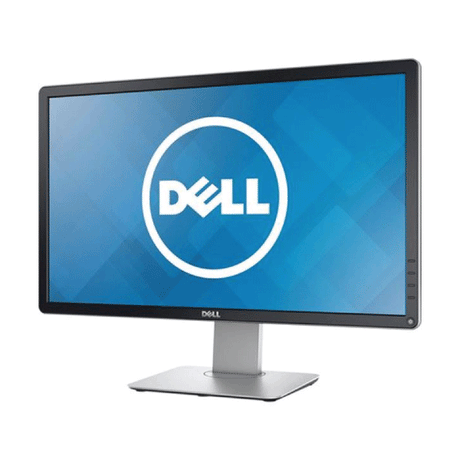
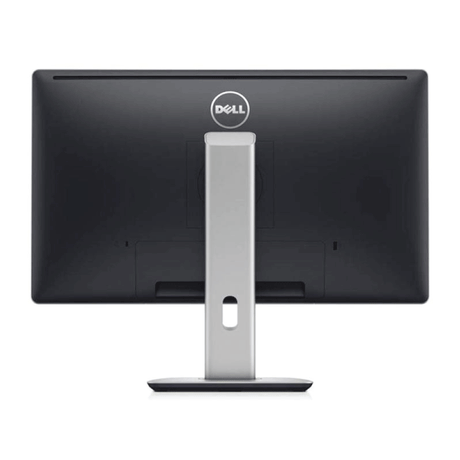
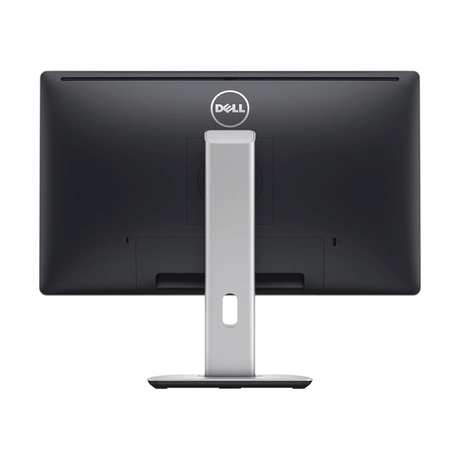
- Height-adjust stand
Monitor terms explained- Full HD / QHD
- How sharp the picture is. Full HD (1920×1080) is the everyday standard; QHD (2560×1440) is noticeably sharper.
- IPS, VA or TN screen
- IPS: best colour and viewing angles. VA: deep blacks and strong contrast. TN: a basic screen that is perfectly fine for office work.
- Ports — which cable?
- Match one to your computer. HDMI: most laptops, PCs and TVs. DP (DisplayPort): desktops and business laptops. USB-C: newer laptops — one cable for picture and power. DVI / VGA: older PCs. Adapters are available if your computer is different.
- Wall/arm mount (VESA)
- Standard screw holes on the back that fit a wall bracket or monitor arm. Monitors sold with "No stand" need one of these, or a separate stand.
Very low stock (2 units) -
- No standUp to 51% offSold out$39Was
$79Condition gradesExcellent — virtually like new. Minimal signs of use.
Good — fully functional, with light signs of use such as minor marks on the casing.
Every monitor is fully tested before dispatch — the grade describes appearance only.
Full grading guide →- 23" · Full HD
- IPS screen · vivid colour
- Ports: HDMI · DP · VGA
- No stand – mount only
Monitor terms explained- Full HD / QHD
- How sharp the picture is. Full HD (1920×1080) is the everyday standard; QHD (2560×1440) is noticeably sharper.
- IPS, VA or TN screen
- IPS: best colour and viewing angles. VA: deep blacks and strong contrast. TN: a basic screen that is perfectly fine for office work.
- Ports — which cable?
- Match one to your computer. HDMI: most laptops, PCs and TVs. DP (DisplayPort): desktops and business laptops. USB-C: newer laptops — one cable for picture and power. DVI / VGA: older PCs. Adapters are available if your computer is different.
- Wall/arm mount (VESA)
- Standard screw holes on the back that fit a wall bracket or monitor arm. Monitors sold with "No stand" need one of these, or a separate stand.
In stock (41 units) -
- Up to 37% off$145Sold outWas
$199Condition gradesExcellent — virtually like new. Minimal signs of use.
Good — fully functional, with light signs of use such as minor marks on the casing.
Every monitor is fully tested before dispatch — the grade describes appearance only.
Full grading guide →- 21.5" · Full HD
- IPS screen · vivid colour
- Ports: HDMI · DP · VGA
- Height-adjust stand
Monitor terms explained- Full HD / QHD
- How sharp the picture is. Full HD (1920×1080) is the everyday standard; QHD (2560×1440) is noticeably sharper.
- IPS, VA or TN screen
- IPS: best colour and viewing angles. VA: deep blacks and strong contrast. TN: a basic screen that is perfectly fine for office work.
- Ports — which cable?
- Match one to your computer. HDMI: most laptops, PCs and TVs. DP (DisplayPort): desktops and business laptops. USB-C: newer laptops — one cable for picture and power. DVI / VGA: older PCs. Adapters are available if your computer is different.
- Wall/arm mount (VESA)
- Standard screw holes on the back that fit a wall bracket or monitor arm. Monitors sold with "No stand" need one of these, or a separate stand.
Low stock (15 units) -
- Up to 36% off$139Sold outWas
$185Condition gradesExcellent — virtually like new. Minimal signs of use.
Good — fully functional, with light signs of use such as minor marks on the casing.
Every monitor is fully tested before dispatch — the grade describes appearance only.
Full grading guide →- 24" · Full HD
- IPS screen · vivid colour
- Ports: HDMI · DP · VGA
- Height-adjust stand
Monitor terms explained- Full HD / QHD
- How sharp the picture is. Full HD (1920×1080) is the everyday standard; QHD (2560×1440) is noticeably sharper.
- IPS, VA or TN screen
- IPS: best colour and viewing angles. VA: deep blacks and strong contrast. TN: a basic screen that is perfectly fine for office work.
- Ports — which cable?
- Match one to your computer. HDMI: most laptops, PCs and TVs. DP (DisplayPort): desktops and business laptops. USB-C: newer laptops — one cable for picture and power. DVI / VGA: older PCs. Adapters are available if your computer is different.
- Wall/arm mount (VESA)
- Standard screw holes on the back that fit a wall bracket or monitor arm. Monitors sold with "No stand" need one of these, or a separate stand.
Very low stock (1 unit) -
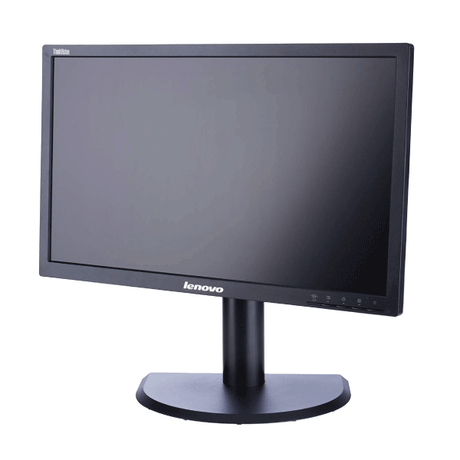 No standUp to 43% off$59$45Was
$79Condition gradesExcellent — virtually like new. Minimal signs of use.
Good — fully functional, with light signs of use such as minor marks on the casing.
Every monitor is fully tested before dispatch — the grade describes appearance only.
Full grading guide →- 23" · Full HD
- IPS screen · vivid colour
- Ports: DP · DVI · VGA
- No stand – mount only
Monitor terms explained- Full HD / QHD
- How sharp the picture is. Full HD (1920×1080) is the everyday standard; QHD (2560×1440) is noticeably sharper.
- IPS, VA or TN screen
- IPS: best colour and viewing angles. VA: deep blacks and strong contrast. TN: a basic screen that is perfectly fine for office work.
- Ports — which cable?
- Match one to your computer. HDMI: most laptops, PCs and TVs. DP (DisplayPort): desktops and business laptops. USB-C: newer laptops — one cable for picture and power. DVI / VGA: older PCs. Adapters are available if your computer is different.
- Wall/arm mount (VESA)
- Standard screw holes on the back that fit a wall bracket or monitor arm. Monitors sold with "No stand" need one of these, or a separate stand.
Very low stock (2 units)- No standUp to 40% off$79$65Was
$109Condition gradesExcellent — virtually like new. Minimal signs of use.
Good — fully functional, with light signs of use such as minor marks on the casing.
Every monitor is fully tested before dispatch — the grade describes appearance only.
Full grading guide →- 23" · Full HD
- IPS screen · vivid colour
- Ports: HDMI · DP · VGA
- No stand – mount only
Monitor terms explained- Full HD / QHD
- How sharp the picture is. Full HD (1920×1080) is the everyday standard; QHD (2560×1440) is noticeably sharper.
- IPS, VA or TN screen
- IPS: best colour and viewing angles. VA: deep blacks and strong contrast. TN: a basic screen that is perfectly fine for office work.
- Ports — which cable?
- Match one to your computer. HDMI: most laptops, PCs and TVs. DP (DisplayPort): desktops and business laptops. USB-C: newer laptops — one cable for picture and power. DVI / VGA: older PCs. Adapters are available if your computer is different.
- Wall/arm mount (VESA)
- Standard screw holes on the back that fit a wall bracket or monitor arm. Monitors sold with "No stand" need one of these, or a separate stand.
In stock (64 units) -
- Up to 43% off$59Sold outWas
$79Condition gradesExcellent — virtually like new. Minimal signs of use.
Good — fully functional, with light signs of use such as minor marks on the casing.
Every monitor is fully tested before dispatch — the grade describes appearance only.
Full grading guide →- 23" · Full HD
- TN screen · basic
- Ports: VGA · DVI · DP
- Fixed stand
Monitor terms explained- Full HD / QHD
- How sharp the picture is. Full HD (1920×1080) is the everyday standard; QHD (2560×1440) is noticeably sharper.
- IPS, VA or TN screen
- IPS: best colour and viewing angles. VA: deep blacks and strong contrast. TN: a basic screen that is perfectly fine for office work.
- Ports — which cable?
- Match one to your computer. HDMI: most laptops, PCs and TVs. DP (DisplayPort): desktops and business laptops. USB-C: newer laptops — one cable for picture and power. DVI / VGA: older PCs. Adapters are available if your computer is different.
- Wall/arm mount (VESA)
- Standard screw holes on the back that fit a wall bracket or monitor arm. Monitors sold with "No stand" need one of these, or a separate stand.
Very low stock (1 unit) -
- No standExtra 10% offUp to 34% off$75Sold outWas
$105Condition gradesExcellent — virtually like new. Minimal signs of use.
Good — fully functional, with light signs of use such as minor marks on the casing.
Every monitor is fully tested before dispatch — the grade describes appearance only.
Full grading guide →- 24" · Full HD
- TN screen · basic
- Ports: VGA · DVI
- No stand – mount only
Monitor terms explained- Full HD / QHD
- How sharp the picture is. Full HD (1920×1080) is the everyday standard; QHD (2560×1440) is noticeably sharper.
- IPS, VA or TN screen
- IPS: best colour and viewing angles. VA: deep blacks and strong contrast. TN: a basic screen that is perfectly fine for office work.
- Ports — which cable?
- Match one to your computer. HDMI: most laptops, PCs and TVs. DP (DisplayPort): desktops and business laptops. USB-C: newer laptops — one cable for picture and power. DVI / VGA: older PCs. Adapters are available if your computer is different.
- Wall/arm mount (VESA)
- Standard screw holes on the back that fit a wall bracket or monitor arm. Monitors sold with "No stand" need one of these, or a separate stand.
Very low stock (1 unit) -
- Up to 32% offSold out$85Was
$125Condition gradesExcellent — virtually like new. Minimal signs of use.
Good — fully functional, with light signs of use such as minor marks on the casing.
Every monitor is fully tested before dispatch — the grade describes appearance only.
Full grading guide →- 24" · Full HD
- IPS screen · vivid colour
- Ports: HDMI · DP · DVI · VGA
- Height-adjust stand
Monitor terms explained- Full HD / QHD
- How sharp the picture is. Full HD (1920×1080) is the everyday standard; QHD (2560×1440) is noticeably sharper.
- IPS, VA or TN screen
- IPS: best colour and viewing angles. VA: deep blacks and strong contrast. TN: a basic screen that is perfectly fine for office work.
- Ports — which cable?
- Match one to your computer. HDMI: most laptops, PCs and TVs. DP (DisplayPort): desktops and business laptops. USB-C: newer laptops — one cable for picture and power. DVI / VGA: older PCs. Adapters are available if your computer is different.
- Wall/arm mount (VESA)
- Standard screw holes on the back that fit a wall bracket or monitor arm. Monitors sold with "No stand" need one of these, or a separate stand.
Very low stock (2 units) -
- Up to 56% offSold out$55Was
$125Condition gradesExcellent — virtually like new. Minimal signs of use.
Good — fully functional, with light signs of use such as minor marks on the casing.
Every monitor is fully tested before dispatch — the grade describes appearance only.
Full grading guide →- 23" · Full HD
- IPS screen · vivid colour
- Ports: DP · DVI · VGA
- Height-adjust stand
Monitor terms explained- Full HD / QHD
- How sharp the picture is. Full HD (1920×1080) is the everyday standard; QHD (2560×1440) is noticeably sharper.
- IPS, VA or TN screen
- IPS: best colour and viewing angles. VA: deep blacks and strong contrast. TN: a basic screen that is perfectly fine for office work.
- Ports — which cable?
- Match one to your computer. HDMI: most laptops, PCs and TVs. DP (DisplayPort): desktops and business laptops. USB-C: newer laptops — one cable for picture and power. DVI / VGA: older PCs. Adapters are available if your computer is different.
- Wall/arm mount (VESA)
- Standard screw holes on the back that fit a wall bracket or monitor arm. Monitors sold with "No stand" need one of these, or a separate stand.
Very low stock (2 units) -
- Up to 29% offSold out$99Was
$139Condition gradesExcellent — virtually like new. Minimal signs of use.
Good — fully functional, with light signs of use such as minor marks on the casing.
Every monitor is fully tested before dispatch — the grade describes appearance only.
Full grading guide →- 24" · Full HD
- IPS screen · vivid colour
- Ports: HDMI · DP · VGA
- Height-adjust stand
Monitor terms explained- Full HD / QHD
- How sharp the picture is. Full HD (1920×1080) is the everyday standard; QHD (2560×1440) is noticeably sharper.
- IPS, VA or TN screen
- IPS: best colour and viewing angles. VA: deep blacks and strong contrast. TN: a basic screen that is perfectly fine for office work.
- Ports — which cable?
- Match one to your computer. HDMI: most laptops, PCs and TVs. DP (DisplayPort): desktops and business laptops. USB-C: newer laptops — one cable for picture and power. DVI / VGA: older PCs. Adapters are available if your computer is different.
- Wall/arm mount (VESA)
- Standard screw holes on the back that fit a wall bracket or monitor arm. Monitors sold with "No stand" need one of these, or a separate stand.
Very low stock (2 units) -
- Up to 32% off$139$125Was
$185Condition gradesExcellent — virtually like new. Minimal signs of use.
Good — fully functional, with light signs of use such as minor marks on the casing.
Every monitor is fully tested before dispatch — the grade describes appearance only.
Full grading guide →- 24" · QHD 1440p
- IPS screen · vivid colour
- Ports: USB-C · HDMI · DP
- Height-adjust stand
Monitor terms explained- Full HD / QHD
- How sharp the picture is. Full HD (1920×1080) is the everyday standard; QHD (2560×1440) is noticeably sharper.
- IPS, VA or TN screen
- IPS: best colour and viewing angles. VA: deep blacks and strong contrast. TN: a basic screen that is perfectly fine for office work.
- Ports — which cable?
- Match one to your computer. HDMI: most laptops, PCs and TVs. DP (DisplayPort): desktops and business laptops. USB-C: newer laptops — one cable for picture and power. DVI / VGA: older PCs. Adapters are available if your computer is different.
- Wall/arm mount (VESA)
- Standard screw holes on the back that fit a wall bracket or monitor arm. Monitors sold with "No stand" need one of these, or a separate stand.
In stock (85 units) -
- Up to 17% offSold out$499Was
$599Condition gradesExcellent — virtually like new. Minimal signs of use.
Good — fully functional, with light signs of use such as minor marks on the casing.
Every monitor is fully tested before dispatch — the grade describes appearance only.
Full grading guide →- 40" · Full HD
- Ports: HDMI
- Fixed stand
Monitor terms explained- Full HD / QHD
- How sharp the picture is. Full HD (1920×1080) is the everyday standard; QHD (2560×1440) is noticeably sharper.
- IPS, VA or TN screen
- IPS: best colour and viewing angles. VA: deep blacks and strong contrast. TN: a basic screen that is perfectly fine for office work.
- Ports — which cable?
- Match one to your computer. HDMI: most laptops, PCs and TVs. DP (DisplayPort): desktops and business laptops. USB-C: newer laptops — one cable for picture and power. DVI / VGA: older PCs. Adapters are available if your computer is different.
- Wall/arm mount (VESA)
- Standard screw holes on the back that fit a wall bracket or monitor arm. Monitors sold with "No stand" need one of these, or a separate stand.
Very low stock (1 unit) -
- Up to 43% off$99$79Was
$139Condition gradesExcellent — virtually like new. Minimal signs of use.
Good — fully functional, with light signs of use such as minor marks on the casing.
Every monitor is fully tested before dispatch — the grade describes appearance only.
Full grading guide →- 23" · Full HD
- IPS screen · vivid colour
- Ports: HDMI · DP · VGA
- Height-adjust stand
Monitor terms explained- Full HD / QHD
- How sharp the picture is. Full HD (1920×1080) is the everyday standard; QHD (2560×1440) is noticeably sharper.
- IPS, VA or TN screen
- IPS: best colour and viewing angles. VA: deep blacks and strong contrast. TN: a basic screen that is perfectly fine for office work.
- Ports — which cable?
- Match one to your computer. HDMI: most laptops, PCs and TVs. DP (DisplayPort): desktops and business laptops. USB-C: newer laptops — one cable for picture and power. DVI / VGA: older PCs. Adapters are available if your computer is different.
- Wall/arm mount (VESA)
- Standard screw holes on the back that fit a wall bracket or monitor arm. Monitors sold with "No stand" need one of these, or a separate stand.
Low stock (8 units) -
- No standUp to 45% off$65$49Was
$89Condition gradesExcellent — virtually like new. Minimal signs of use.
Good — fully functional, with light signs of use such as minor marks on the casing.
Every monitor is fully tested before dispatch — the grade describes appearance only.
Full grading guide →- 23" · Full HD
- IPS screen · vivid colour
- Ports: DP · DVI · VGA
- No stand – mount only
Monitor terms explained- Full HD / QHD
- How sharp the picture is. Full HD (1920×1080) is the everyday standard; QHD (2560×1440) is noticeably sharper.
- IPS, VA or TN screen
- IPS: best colour and viewing angles. VA: deep blacks and strong contrast. TN: a basic screen that is perfectly fine for office work.
- Ports — which cable?
- Match one to your computer. HDMI: most laptops, PCs and TVs. DP (DisplayPort): desktops and business laptops. USB-C: newer laptops — one cable for picture and power. DVI / VGA: older PCs. Adapters are available if your computer is different.
- Wall/arm mount (VESA)
- Standard screw holes on the back that fit a wall bracket or monitor arm. Monitors sold with "No stand" need one of these, or a separate stand.
In stock (25 units) -
- No standUp to 34% offSold out$99Was
$149Condition gradesExcellent — virtually like new. Minimal signs of use.
Good — fully functional, with light signs of use such as minor marks on the casing.
Every monitor is fully tested before dispatch — the grade describes appearance only.
Full grading guide →- 23" · Full HD
- TN screen · basic
- Ports: DP · VGA
- No stand – mount only
Monitor terms explained- Full HD / QHD
- How sharp the picture is. Full HD (1920×1080) is the everyday standard; QHD (2560×1440) is noticeably sharper.
- IPS, VA or TN screen
- IPS: best colour and viewing angles. VA: deep blacks and strong contrast. TN: a basic screen that is perfectly fine for office work.
- Ports — which cable?
- Match one to your computer. HDMI: most laptops, PCs and TVs. DP (DisplayPort): desktops and business laptops. USB-C: newer laptops — one cable for picture and power. DVI / VGA: older PCs. Adapters are available if your computer is different.
- Wall/arm mount (VESA)
- Standard screw holes on the back that fit a wall bracket or monitor arm. Monitors sold with "No stand" need one of these, or a separate stand.
Very low stock (1 unit) -
- No standUp to 48% off$75$55Was
$105Condition gradesExcellent — virtually like new. Minimal signs of use.
Good — fully functional, with light signs of use such as minor marks on the casing.
Every monitor is fully tested before dispatch — the grade describes appearance only.
Full grading guide →- 23.8" · Full HD
- IPS screen · vivid colour
- Ports: HDMI · DP · VGA
- No stand – mount only
Monitor terms explained- Full HD / QHD
- How sharp the picture is. Full HD (1920×1080) is the everyday standard; QHD (2560×1440) is noticeably sharper.
- IPS, VA or TN screen
- IPS: best colour and viewing angles. VA: deep blacks and strong contrast. TN: a basic screen that is perfectly fine for office work.
- Ports — which cable?
- Match one to your computer. HDMI: most laptops, PCs and TVs. DP (DisplayPort): desktops and business laptops. USB-C: newer laptops — one cable for picture and power. DVI / VGA: older PCs. Adapters are available if your computer is different.
- Wall/arm mount (VESA)
- Standard screw holes on the back that fit a wall bracket or monitor arm. Monitors sold with "No stand" need one of these, or a separate stand.
Very low stock (5 units) -
- No standUp to 45% off$65Sold outWas
$89Condition gradesExcellent — virtually like new. Minimal signs of use.
Good — fully functional, with light signs of use such as minor marks on the casing.
Every monitor is fully tested before dispatch — the grade describes appearance only.
Full grading guide →- 23.8" · Full HD
- IPS screen · vivid colour
- Ports: HDMI · DP · VGA
- No stand – mount only
Monitor terms explained- Full HD / QHD
- How sharp the picture is. Full HD (1920×1080) is the everyday standard; QHD (2560×1440) is noticeably sharper.
- IPS, VA or TN screen
- IPS: best colour and viewing angles. VA: deep blacks and strong contrast. TN: a basic screen that is perfectly fine for office work.
- Ports — which cable?
- Match one to your computer. HDMI: most laptops, PCs and TVs. DP (DisplayPort): desktops and business laptops. USB-C: newer laptops — one cable for picture and power. DVI / VGA: older PCs. Adapters are available if your computer is different.
- Wall/arm mount (VESA)
- Standard screw holes on the back that fit a wall bracket or monitor arm. Monitors sold with "No stand" need one of these, or a separate stand.
Very low stock (4 units) -
- No standUp to 47% offSold out$89Was
$169Condition gradesExcellent — virtually like new. Minimal signs of use.
Good — fully functional, with light signs of use such as minor marks on the casing.
Every monitor is fully tested before dispatch — the grade describes appearance only.
Full grading guide →- 23.8" · Full HD
- IPS screen · vivid colour
- Ports: HDMI · DP · VGA
- No stand – mount only
Monitor terms explained- Full HD / QHD
- How sharp the picture is. Full HD (1920×1080) is the everyday standard; QHD (2560×1440) is noticeably sharper.
- IPS, VA or TN screen
- IPS: best colour and viewing angles. VA: deep blacks and strong contrast. TN: a basic screen that is perfectly fine for office work.
- Ports — which cable?
- Match one to your computer. HDMI: most laptops, PCs and TVs. DP (DisplayPort): desktops and business laptops. USB-C: newer laptops — one cable for picture and power. DVI / VGA: older PCs. Adapters are available if your computer is different.
- Wall/arm mount (VESA)
- Standard screw holes on the back that fit a wall bracket or monitor arm. Monitors sold with "No stand" need one of these, or a separate stand.
Very low stock (2 units) -
- Up to 32% offSold out$65Was
$95Condition gradesExcellent — virtually like new. Minimal signs of use.
Good — fully functional, with light signs of use such as minor marks on the casing.
Every monitor is fully tested before dispatch — the grade describes appearance only.
Full grading guide →- 23.6" · Full HD
- VA screen · deep contrast
- Ports: HDMI · DVI · VGA
- Fixed stand
Monitor terms explained- Full HD / QHD
- How sharp the picture is. Full HD (1920×1080) is the everyday standard; QHD (2560×1440) is noticeably sharper.
- IPS, VA or TN screen
- IPS: best colour and viewing angles. VA: deep blacks and strong contrast. TN: a basic screen that is perfectly fine for office work.
- Ports — which cable?
- Match one to your computer. HDMI: most laptops, PCs and TVs. DP (DisplayPort): desktops and business laptops. USB-C: newer laptops — one cable for picture and power. DVI / VGA: older PCs. Adapters are available if your computer is different.
- Wall/arm mount (VESA)
- Standard screw holes on the back that fit a wall bracket or monitor arm. Monitors sold with "No stand" need one of these, or a separate stand.
Very low stock (1 unit) -
- No standUp to 67% off$35Sold outWas
$89Condition gradesExcellent — virtually like new. Minimal signs of use.
Good — fully functional, with light signs of use such as minor marks on the casing.
Every monitor is fully tested before dispatch — the grade describes appearance only.
Full grading guide →- 23.6" · Full HD
- TN screen · basic
- Ports: HDMI · DVI · VGA
- No stand – mount only
Monitor terms explained- Full HD / QHD
- How sharp the picture is. Full HD (1920×1080) is the everyday standard; QHD (2560×1440) is noticeably sharper.
- IPS, VA or TN screen
- IPS: best colour and viewing angles. VA: deep blacks and strong contrast. TN: a basic screen that is perfectly fine for office work.
- Ports — which cable?
- Match one to your computer. HDMI: most laptops, PCs and TVs. DP (DisplayPort): desktops and business laptops. USB-C: newer laptops — one cable for picture and power. DVI / VGA: older PCs. Adapters are available if your computer is different.
- Wall/arm mount (VESA)
- Standard screw holes on the back that fit a wall bracket or monitor arm. Monitors sold with "No stand" need one of these, or a separate stand.
In stock (105 units) -
- No standUp to 42% off$69Sold outWas
$95Condition gradesExcellent — virtually like new. Minimal signs of use.
Good — fully functional, with light signs of use such as minor marks on the casing.
Every monitor is fully tested before dispatch — the grade describes appearance only.
Full grading guide →- 24" · Full HD
- TN screen · basic
- Ports: DVI · VGA
- No stand – mount only
Monitor terms explained- Full HD / QHD
- How sharp the picture is. Full HD (1920×1080) is the everyday standard; QHD (2560×1440) is noticeably sharper.
- IPS, VA or TN screen
- IPS: best colour and viewing angles. VA: deep blacks and strong contrast. TN: a basic screen that is perfectly fine for office work.
- Ports — which cable?
- Match one to your computer. HDMI: most laptops, PCs and TVs. DP (DisplayPort): desktops and business laptops. USB-C: newer laptops — one cable for picture and power. DVI / VGA: older PCs. Adapters are available if your computer is different.
- Wall/arm mount (VESA)
- Standard screw holes on the back that fit a wall bracket or monitor arm. Monitors sold with "No stand" need one of these, or a separate stand.
In stock (71 units) -
- Up to 43% offSold out$45Was
$79Condition gradesExcellent — virtually like new. Minimal signs of use.
Good — fully functional, with light signs of use such as minor marks on the casing.
Every monitor is fully tested before dispatch — the grade describes appearance only.
Full grading guide →- 23" · Full HD
- TN screen · basic
- Ports: DVI · VGA
- Fixed stand
Monitor terms explained- Full HD / QHD
- How sharp the picture is. Full HD (1920×1080) is the everyday standard; QHD (2560×1440) is noticeably sharper.
- IPS, VA or TN screen
- IPS: best colour and viewing angles. VA: deep blacks and strong contrast. TN: a basic screen that is perfectly fine for office work.
- Ports — which cable?
- Match one to your computer. HDMI: most laptops, PCs and TVs. DP (DisplayPort): desktops and business laptops. USB-C: newer laptops — one cable for picture and power. DVI / VGA: older PCs. Adapters are available if your computer is different.
- Wall/arm mount (VESA)
- Standard screw holes on the back that fit a wall bracket or monitor arm. Monitors sold with "No stand" need one of these, or a separate stand.
Very low stock (1 unit) -
- Up to 42% off$69$55Was
$95Condition gradesExcellent — virtually like new. Minimal signs of use.
Good — fully functional, with light signs of use such as minor marks on the casing.
Every monitor is fully tested before dispatch — the grade describes appearance only.
Full grading guide →- 23" · Full HD
- IPS screen · vivid colour
- Ports: DP · DVI · VGA
- Height-adjust stand
Monitor terms explained- Full HD / QHD
- How sharp the picture is. Full HD (1920×1080) is the everyday standard; QHD (2560×1440) is noticeably sharper.
- IPS, VA or TN screen
- IPS: best colour and viewing angles. VA: deep blacks and strong contrast. TN: a basic screen that is perfectly fine for office work.
- Ports — which cable?
- Match one to your computer. HDMI: most laptops, PCs and TVs. DP (DisplayPort): desktops and business laptops. USB-C: newer laptops — one cable for picture and power. DVI / VGA: older PCs. Adapters are available if your computer is different.
- Wall/arm mount (VESA)
- Standard screw holes on the back that fit a wall bracket or monitor arm. Monitors sold with "No stand" need one of these, or a separate stand.
Very low stock (3 units) -
- 17% off
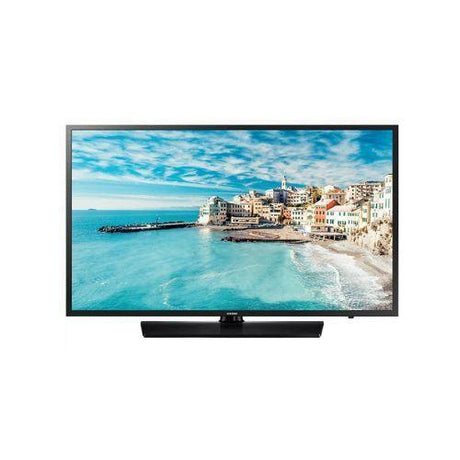
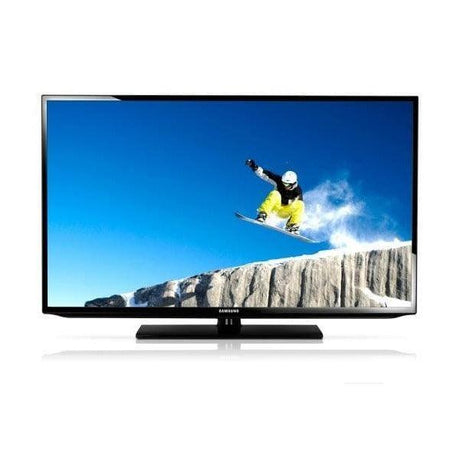
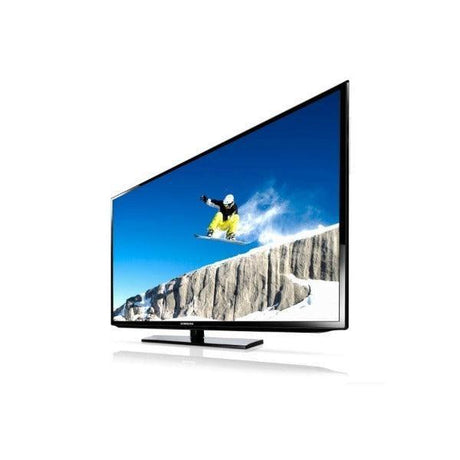
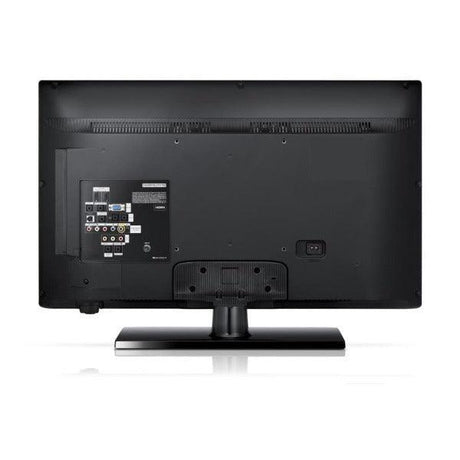
Samsung
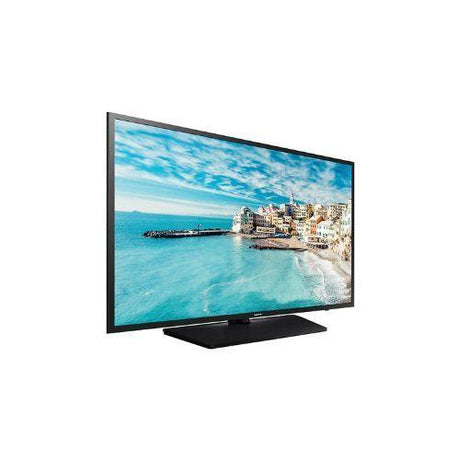
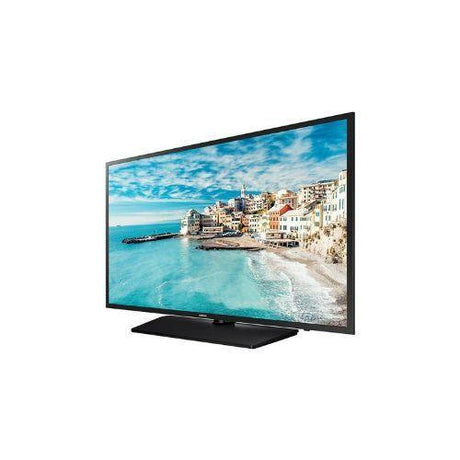
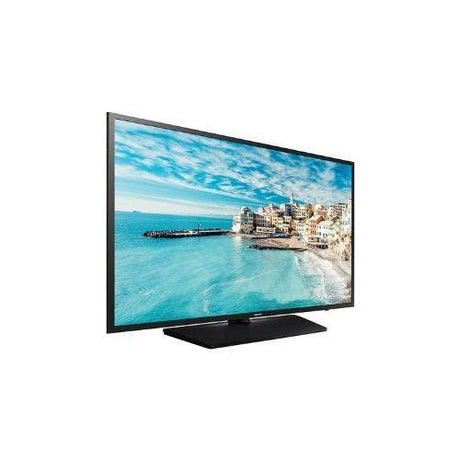
Samsung HG40AA570LW 40" Hospitality Display 1920x1080 | 12mth Wty
Sale price $499.00 Regular price $599.00Unit price /UnavailableVery low stock (1 unit) -
- No standUp to 41% off$209$159Was
$269Condition gradesExcellent — virtually like new. Minimal signs of use.
Good — fully functional, with light signs of use such as minor marks on the casing.
Every monitor is fully tested before dispatch — the grade describes appearance only.
Full grading guide →- 24" · Full HD
- IPS screen · vivid colour
- Ports: HDMI · DP · VGA
- No stand – mount only
Monitor terms explained- Full HD / QHD
- How sharp the picture is. Full HD (1920×1080) is the everyday standard; QHD (2560×1440) is noticeably sharper.
- IPS, VA or TN screen
- IPS: best colour and viewing angles. VA: deep blacks and strong contrast. TN: a basic screen that is perfectly fine for office work.
- Ports — which cable?
- Match one to your computer. HDMI: most laptops, PCs and TVs. DP (DisplayPort): desktops and business laptops. USB-C: newer laptops — one cable for picture and power. DVI / VGA: older PCs. Adapters are available if your computer is different.
- Wall/arm mount (VESA)
- Standard screw holes on the back that fit a wall bracket or monitor arm. Monitors sold with "No stand" need one of these, or a separate stand.
Very low stock (5 units) -
- No standUp to 45% offSold out$65Was
$119Condition gradesExcellent — virtually like new. Minimal signs of use.
Good — fully functional, with light signs of use such as minor marks on the casing.
Every monitor is fully tested before dispatch — the grade describes appearance only.
Full grading guide →- 23.8" · Full HD
- IPS screen · vivid colour
- Ports: HDMI · DP · VGA
- No stand – mount only
Monitor terms explained- Full HD / QHD
- How sharp the picture is. Full HD (1920×1080) is the everyday standard; QHD (2560×1440) is noticeably sharper.
- IPS, VA or TN screen
- IPS: best colour and viewing angles. VA: deep blacks and strong contrast. TN: a basic screen that is perfectly fine for office work.
- Ports — which cable?
- Match one to your computer. HDMI: most laptops, PCs and TVs. DP (DisplayPort): desktops and business laptops. USB-C: newer laptops — one cable for picture and power. DVI / VGA: older PCs. Adapters are available if your computer is different.
- Wall/arm mount (VESA)
- Standard screw holes on the back that fit a wall bracket or monitor arm. Monitors sold with "No stand" need one of these, or a separate stand.
Very low stock (1 unit) -
- No standUp to 58% off$35$25Was
$69Condition gradesExcellent — virtually like new. Minimal signs of use.
Good — fully functional, with light signs of use such as minor marks on the casing.
Every monitor is fully tested before dispatch — the grade describes appearance only.
Full grading guide →- 21.5" · Full HD
- TN screen · basic
- Ports: DVI · VGA
- No stand – mount only
Monitor terms explained- Full HD / QHD
- How sharp the picture is. Full HD (1920×1080) is the everyday standard; QHD (2560×1440) is noticeably sharper.
- IPS, VA or TN screen
- IPS: best colour and viewing angles. VA: deep blacks and strong contrast. TN: a basic screen that is perfectly fine for office work.
- Ports — which cable?
- Match one to your computer. HDMI: most laptops, PCs and TVs. DP (DisplayPort): desktops and business laptops. USB-C: newer laptops — one cable for picture and power. DVI / VGA: older PCs. Adapters are available if your computer is different.
- Wall/arm mount (VESA)
- Standard screw holes on the back that fit a wall bracket or monitor arm. Monitors sold with "No stand" need one of these, or a separate stand.
Very low stock (2 units) -
- Up to 49% off$35Sold outWas
$49Condition gradesExcellent — virtually like new. Minimal signs of use.
Good — fully functional, with light signs of use such as minor marks on the casing.
Every monitor is fully tested before dispatch — the grade describes appearance only.
Full grading guide →- 21.5" · Full HD
- TN screen · basic
- Ports: DP · DVI · VGA
- Height-adjust stand
Monitor terms explained- Full HD / QHD
- How sharp the picture is. Full HD (1920×1080) is the everyday standard; QHD (2560×1440) is noticeably sharper.
- IPS, VA or TN screen
- IPS: best colour and viewing angles. VA: deep blacks and strong contrast. TN: a basic screen that is perfectly fine for office work.
- Ports — which cable?
- Match one to your computer. HDMI: most laptops, PCs and TVs. DP (DisplayPort): desktops and business laptops. USB-C: newer laptops — one cable for picture and power. DVI / VGA: older PCs. Adapters are available if your computer is different.
- Wall/arm mount (VESA)
- Standard screw holes on the back that fit a wall bracket or monitor arm. Monitors sold with "No stand" need one of these, or a separate stand.
Very low stock (1 unit) -
- Up to 49% offSold out$25Was
$49Condition gradesExcellent — virtually like new. Minimal signs of use.
Good — fully functional, with light signs of use such as minor marks on the casing.
Every monitor is fully tested before dispatch — the grade describes appearance only.
Full grading guide →- 21.5" · Full HD
- TN screen · basic
- Ports: DVI · VGA
- Fixed stand
Monitor terms explained- Full HD / QHD
- How sharp the picture is. Full HD (1920×1080) is the everyday standard; QHD (2560×1440) is noticeably sharper.
- IPS, VA or TN screen
- IPS: best colour and viewing angles. VA: deep blacks and strong contrast. TN: a basic screen that is perfectly fine for office work.
- Ports — which cable?
- Match one to your computer. HDMI: most laptops, PCs and TVs. DP (DisplayPort): desktops and business laptops. USB-C: newer laptops — one cable for picture and power. DVI / VGA: older PCs. Adapters are available if your computer is different.
- Wall/arm mount (VESA)
- Standard screw holes on the back that fit a wall bracket or monitor arm. Monitors sold with "No stand" need one of these, or a separate stand.
Very low stock (1 unit) -
- Up to 43% off$45$39Was
$69Condition gradesExcellent — virtually like new. Minimal signs of use.
Good — fully functional, with light signs of use such as minor marks on the casing.
Every monitor is fully tested before dispatch — the grade describes appearance only.
Full grading guide →- 21.5" · Full HD
- TN screen · basic
- Ports: DVI · VGA
- Fixed stand
Monitor terms explained- Full HD / QHD
- How sharp the picture is. Full HD (1920×1080) is the everyday standard; QHD (2560×1440) is noticeably sharper.
- IPS, VA or TN screen
- IPS: best colour and viewing angles. VA: deep blacks and strong contrast. TN: a basic screen that is perfectly fine for office work.
- Ports — which cable?
- Match one to your computer. HDMI: most laptops, PCs and TVs. DP (DisplayPort): desktops and business laptops. USB-C: newer laptops — one cable for picture and power. DVI / VGA: older PCs. Adapters are available if your computer is different.
- Wall/arm mount (VESA)
- Standard screw holes on the back that fit a wall bracket or monitor arm. Monitors sold with "No stand" need one of these, or a separate stand.
Very low stock (2 units) -
- No standUp to 47% off$45$29Was
$55Condition gradesExcellent — virtually like new. Minimal signs of use.
Good — fully functional, with light signs of use such as minor marks on the casing.
Every monitor is fully tested before dispatch — the grade describes appearance only.
Full grading guide →- 21.5" · Full HD
- IPS screen · vivid colour
- Ports: DP · DVI · VGA
- No stand – mount only
Monitor terms explained- Full HD / QHD
- How sharp the picture is. Full HD (1920×1080) is the everyday standard; QHD (2560×1440) is noticeably sharper.
- IPS, VA or TN screen
- IPS: best colour and viewing angles. VA: deep blacks and strong contrast. TN: a basic screen that is perfectly fine for office work.
- Ports — which cable?
- Match one to your computer. HDMI: most laptops, PCs and TVs. DP (DisplayPort): desktops and business laptops. USB-C: newer laptops — one cable for picture and power. DVI / VGA: older PCs. Adapters are available if your computer is different.
- Wall/arm mount (VESA)
- Standard screw holes on the back that fit a wall bracket or monitor arm. Monitors sold with "No stand" need one of these, or a separate stand.
In stock (338 units) -












-
Why Choose Refurbished Monitors: Quality and Value for Your Home Office
Choosing refurbished monitors for your home office offers exceptional quality and value. These monitors undergo rigorous testing and certification to ensure they meet high standards, providing reliable performance at a fraction of the cost of new models. Refurbished options often feature the latest technology and specifications, making them ideal for productivity.
Additionally, opting for refurbished monitors is an environmentally friendly choice, reducing electronic waste. With a wide selection available, you can find the perfect fit for your workspace without compromising on quality.
-
Key Features to Look for in the Best Home Office Monitors
When choosing the best home office monitors, several key features can enhance your productivity and comfort. First, consider the screen size; a larger display (27 inches or more) can improve multitasking by allowing you to view multiple applications simultaneously. Next, look for high resolution; 1080p or higher ensures crisp, clear images for detailed work.
Panel technology is also crucial; IPS panels offer better color accuracy and viewing angles compared to TN panels. Additional features like adjustable stands, blue light filters, and built-in speakers can further improve your experience. Finally, ensure your monitor has multiple connectivity options for added convenience.
Your Guide: Frequently Asked Questions About Home & Office Monitors!
What is the best monitor for a home office?
What is the best monitor for a home office?
The best monitor for a home office typically features high resolution, ergonomic design, and reliable performance. Refurbished models can provide excellent quality at an affordable price.
What size monitor is ideal for a home office?
What size monitor is ideal for a home office?
Monitors between 24 to 32 inches are generally considered ideal for home offices, offering ample screen space for multitasking without overwhelming your workspace.
Is a 27-inch monitor too big for office work?
Is a 27-inch monitor too big for office work?
No, a 27-inch monitor is not too big for office work. It enhances productivity by allowing you to view multiple applications side by side comfortably.
How do I choose the right monitor for working from home?
How do I choose the right monitor for working from home?
When selecting a monitor for working from home, consider factors like screen size, resolution, panel type, ergonomics, and connectivity options to meet your specific needs.
What resolution is best for office work?
What resolution is best for office work?
A resolution of at least 1080p (Full HD) is recommended for general office work. For detailed tasks like graphic design, consider higher resolutions like 1440p or 4K.
Which panel type is best for an office monitor?
Which panel type is best for an office monitor?
PS panels are widely regarded as the best choice for office monitors due to their superior color accuracy and wide viewing angles.
How do I minimize eye strain when using a monitor?
How do I minimize eye strain when using a monitor?
To minimize eye strain, choose a monitor with adjustable brightness and blue light filters, take regular breaks, and ensure proper lighting in your workspace.
Are curved monitors better for productivity?
Are curved monitors better for productivity?
Curved monitors can improve immersion and reduce glare, making them beneficial for multitasking and enhancing the overall viewing experience.
-

Visit our support center
Expert help & advice
-

Check your order status
Updates and tracking
-

Returns & exchanges
All you need to know
-

Price match guarantee
Our promise to you


